
















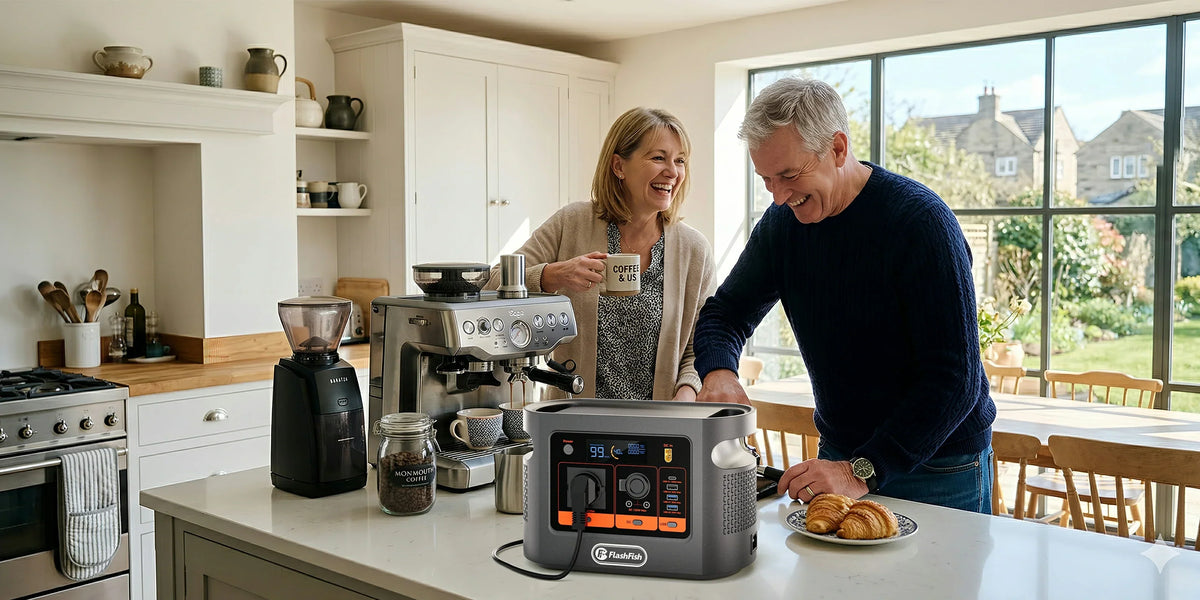
Short answer: the FlashFish E106B local manual-derived record lists two DC5521 outputs and one car-charger output in a single 12V, 10A, 120W maximum group. Shared means the group is limited to 120W in total. It does not mean that each of the three connection points independently supplies 120W.
Evidence boundary: FlashFish publishes this article. It explains the documented group rating and label arithmetic; no E106B or 12V appliance combination was physically tested.
One group limit, three connection points
| Documented field | E106B local record | What the field does not prove |
|---|---|---|
| Nominal DC voltage | 12V | Voltage behaviour under every load |
| Group current | 10A | A separate 10A allowance for every port |
| Group power | 120W maximum, shared | Three independent 120W supplies |
| Ports in the group | Two DC5521 ports and one car-charger output | Connector, polarity or device compatibility |
The key word is shared. If one connected device is using most of the available group power, less remains for the other two connection points. The local record does not assign a separate portion to each port, so this guide does not invent one.
The front-panel connection count is therefore not a capacity multiplier. Three sockets can improve routing and convenience, but the documented group ceiling still applies to their combined demand.
Read the load label before adding watts
A 12V device label may show watts directly or may show volts and amperes. NIST lists the unit relationship 1 V = 1 W/A. Rearranged for a simple DC estimate, watts equal volts multiplied by amperes. A device marked 12V and 5A therefore has a 60W nominal label calculation.
That arithmetic is a screening step, not a compatibility verdict. Check the exact input voltage range, connector dimensions, polarity, original adapter requirements and whether the device has a compressor, motor, pump or other startup behaviour. The E106B record does not provide those device-specific facts.
Three hypothetical group calculations
| Labelled load set | Nominal sum | Screening result | What remains unknown |
|---|---|---|---|
| 60W cooler + 12W router + 18W lights | 90W | Below 120W by arithmetic | Startup, connectors, polarity and measured operation |
| 12V 5A device + 12V 4A device + 12V 2A device | 60W + 48W + 24W = 132W | Above the documented group maximum | Do not proceed by assuming a port-specific exception |
| One device labelled 120W + any second load | More than 120W when simultaneous | No documented group margin remains | Actual first-device demand and startup still require verification |
These numbers are examples only. They are not measured E106B results and they do not endorse a cooler, router, light, cable or splitter. If a label gives a maximum input rather than typical consumption, measured operation may differ in either direction.
Power is not runtime
The shared 120W figure is an output-rate ceiling. Runtime is an energy question. The E106B local record lists 384Wh nominal capacity, but it does not provide delivered watt-hours for this DC path, conversion efficiency, station overhead or a device duty cycle. Dividing 384Wh by a label wattage would produce an idealised estimate, not a reliable duration.
A cooler may cycle on and off, a router may change load and a motor may draw more during startup. For planning, run the complete setup under representative conditions and record both peak watts and accumulated watt-hours. Keep a reserve and a fallback instead of treating one estimate as a promise.
Six-step 12V load check
- Confirm the exact station model and regional manual.
- Identify whether every planned connection belongs to the shared DC group.
- Record each device's input voltage, current or watts, connector dimensions and polarity from its own label or manual.
- Convert amperes to nominal watts only when the voltage basis is clear, then add all simultaneous loads.
- Connect one verified device at a time, observe startup and station warnings, and add the next device only if the setup remains normal.
- Stop on shutdown, heat, odour, damage, unstable connectors or repeated warnings; disconnect the loads and use the support process rather than bypassing protection.
Review the current E106B specification and regional manual before selecting a DC cable or planning simultaneous loads.
Common mistakes to avoid
- Multiplying 120W by the number of ports.
- Assuming DC5521 alone establishes polarity or full connector fit.
- Adding only typical watts while ignoring documented maximum or startup demand.
- Using a splitter to bypass the shared group ceiling.
- Turning nominal capacity into a fixed runtime.
Frequently asked questions
Does each E106B 12V output provide 120W?
No. The local E106B record describes one shared 120W maximum for the two DC5521 ports and the car socket together. It does not document 120W for each port.
How do I estimate a 12V device's watts from its label?
When the label gives 12V and amperes, a simple nominal estimate is volts multiplied by amperes. For example, 12V at 5A is 60W. Startup demand and real operation can differ.
Can I run a 60W cooler and two other devices at the same time?
Only after the exact labels, connectors, polarity and startup behaviour are checked and the combined group demand remains within the documented limit. A nominal sum alone does not prove compatibility.
Does 120W tell me how long the setup will run?
No. Watts describe a rate of power, while watt-hours describe energy. Runtime also depends on actual load behaviour, conversion losses, station overhead and shutdown thresholds.
What should I do if the DC output shuts down?
Disconnect the loads, inspect the setup and follow the exact manual. Do not bypass protection. Retry only after identifying connector, polarity, load or startup issues, and contact support if abnormal behaviour repeats.
Conclusion: add the group, then test the real setup
Treat the E106B's two DC5521 ports and car socket as one documented 12V, 10A, 120W group. Add simultaneous label loads, verify every connector and polarity, leave room for startup behaviour, and test progressively. That process is more useful than counting sockets or turning a maximum into a runtime claim.
Sources and evidence limits
- FlashFish Europe E106B page and the local manual-derived record for the documented 12V, 10A, shared 120W output group and 384Wh nominal capacity.
- NIST SI Units - Electric Current for the volt, watt and ampere unit relationship used in the label calculation.
Evidence checked 14 September 2026. No physical load, cable, splitter, cooler, router or simultaneous-port test was performed. Confirm the exact regional manual and every connected device before use.



Leave a comment
Este site está protegido pela Política de privacidade da hCaptcha e da hCaptcha e aplicam-se os Termos de serviço das mesmas.