
















Short answer: inspect the case, ports, charger and cables; recharge according to the model manual; confirm that every planned device fits the correct port and continuous output limit; then run a short supervised test with the real low-risk camping loads. Do not take a station that is swollen, cracked, leaking, unusually hot, wet or producing an unusual smell or sound.
A ten-minute check is more useful than discovering at camp that the battery is low, a cable is damaged or a device exceeds the station's output. The objective is not to "stress-test" the battery. It is to catch visible damage, missing accessories and load-plan mistakes while you still have time to correct them.
Why a pre-trip check matters
Portable power stations combine a rechargeable battery, charging electronics, output ports and an inverter. Storage, transport and summer heat can affect the whole system. Scottish Fire and Rescue Service advises storing lithium-battery products in a cool, well-ventilated place and following the manufacturer's long-term storage instructions. London Fire Brigade lists unusual heat, swelling, leaks, damage, smells and sounds as warning signs that require stopping use.
Campsite planning adds a second problem: device fit. The Camping and Caravanning Club recommends checking appliance power ratings when using campsite electricity. The same discipline applies to a portable station: read each device label and compare it with the station's continuous AC or port rating before leaving home.
The ten-minute summer camping checklist
| Check | What to look for | Decision |
|---|---|---|
| Case and handle | Cracks, swelling, impact marks, loose parts or deformation. | Stop and contact support if the battery case is swollen, leaking or structurally damaged. |
| Temperature history | Recent storage in direct sun, a hot vehicle or extreme cold. | Move it to a cool, dry place and let it return to the manual's allowed range before charging. |
| Ports | Bent contacts, debris, looseness, discoloration or heat marks. | Do not force or modify a connector; stop if a port looks damaged. |
| Charging equipment | Correct manufacturer-supplied or approved charger, intact insulation and connectors. | Replace damaged or incompatible equipment through an approved source. |
| State of charge | Enough charge for the first day and a realistic top-up plan. | Recharge according to the model manual; do not invent a universal storage percentage. |
| Display and controls | Normal startup, no persistent error, normal fan behavior. | Resolve errors before travel rather than resetting repeatedly at camp. |
| Device list | Watts, voltage, connector and any startup surge for every planned load. | Remove loads that exceed a port or continuous output limit. |
| Cables and extensions | Fraying, crushed insulation, loose plugs or daisy-chained leads. | Replace damaged leads and fully unwind cable drums. |
| Ventilation plan | A dry, stable location with unobstructed air openings. | Do not operate in a closed bag, under bedding or where rain can reach it. |
| Supervised test | The actual lights, phone, camera or laptop charger you will bring. | Run a short non-critical test and confirm normal operation before packing. |
A practical load test without abusing the battery
Use your real device list. For example, connect a phone cable, rechargeable camping light and the laptop charger you intend to take. Check that each uses a supported port, then confirm the combined load stays below the relevant limits. If a laptop can use a compatible USB-C port, verify the required charging profile and cable rating rather than assuming every USB-C cable is equivalent.
Avoid using a kettle, heater or hair dryer as a generic "power test." Heating appliances can demand far more power than normal camping electronics, and a successful momentary startup does not prove that a load is sensible for the trip.
Storage and recharge intervals are model-specific
There is no responsible universal storage-charge rule for every portable station. The FlashFish product-source database records an E200 manual note to charge every three months, or at least every six months. Other models may specify different intervals or state-of-charge ranges. Follow the exact manual supplied with your model and record the last maintenance charge on a label or calendar.
If the battery has been stored longer than the manual allows, recharge it under supervision in a dry, ventilated place before the trip. Do not attempt to open the enclosure, replace cells or bypass protection electronics.
Common pre-trip mistakes
- Packing the station at the last minute without testing the planned cables.
- Using peak output as if it were the normal continuous limit.
- Assuming a connector that fits is electrically compatible.
- Leaving a station in direct sun or a closed vehicle for extended periods.
- Blocking ventilation with clothing, bedding or a storage bag during use.
- Daisy-chaining extension leads or using a cable drum while it remains coiled.
- Ignoring unusual heat, swelling, damage, smells or sounds.
- Planning a fixed solar recharge time without considering shade, weather, panel angle and input limits.
What to pack with the station
- The correct wall charger and any approved car or solar cable you genuinely plan to use.
- One labeled cable per device where practical, plus a small dry cable pouch.
- The model manual or an offline copy of its relevant pages.
- A written load list showing device watts and the preferred output port.
- A backup plan for communication and lighting that does not depend on one battery.
FlashFish product context
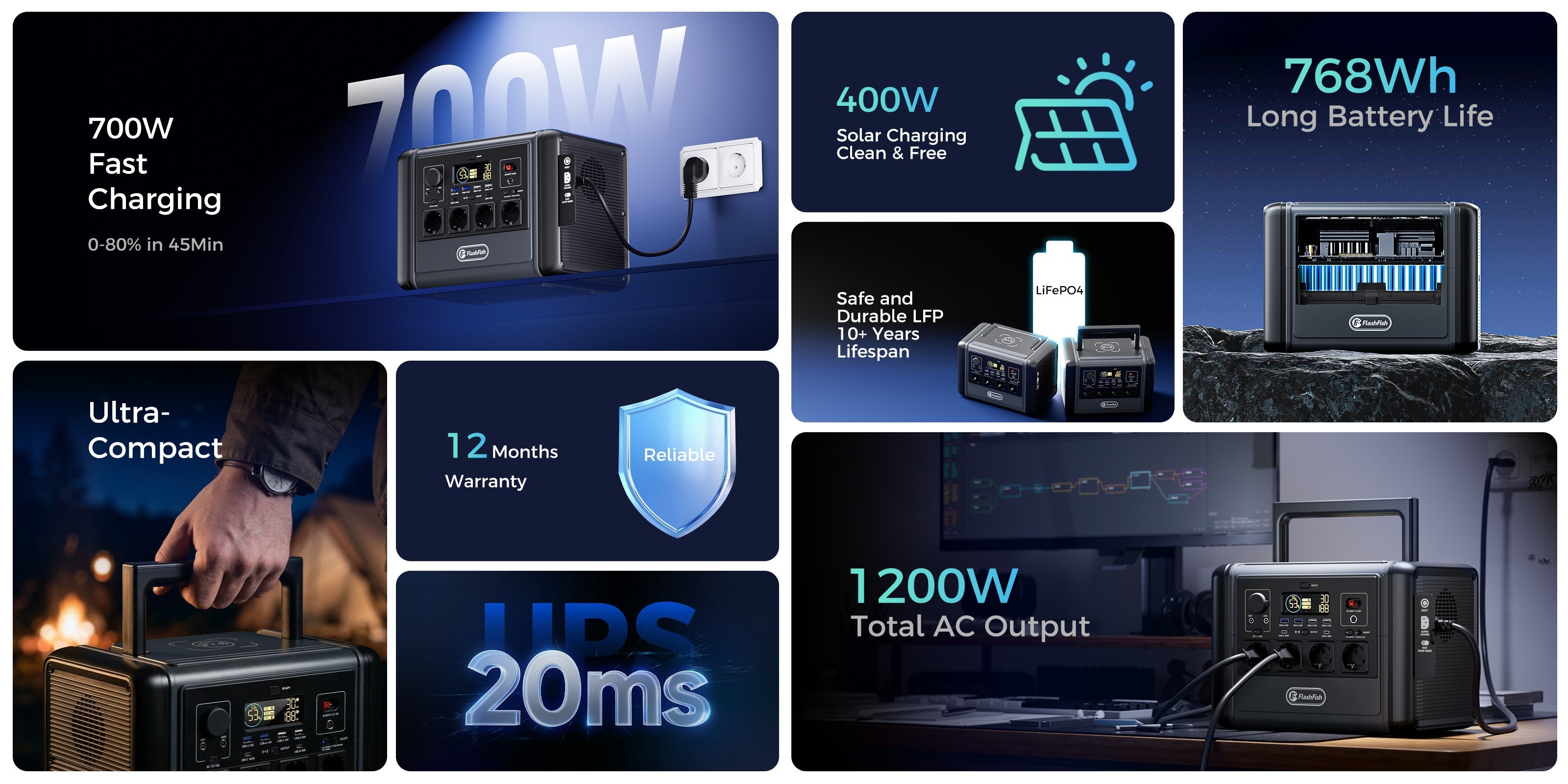
The same inspection method applies across the FlashFish portable power station range. A lighter model such as E200 is easier to carry but has less capacity and AC-output headroom; T1200S offers a larger 768Wh, 1200W class in the FlashFish product specifications. Neither fact replaces a device-label check or a model-specific storage instruction.
For campsite-focused browsing, use the outdoor and camping collection only after writing the real load list. Choose by supported connections, continuous output, capacity, weight and recharge method-not by the largest number on the page.
Safety note
Keep the station dry, stable and ventilated. Use intact, correctly rated leads. Electrical Safety First recommends checking plugs, sockets and cables for damage and fully unwinding cable drums to reduce overheating risk. If a battery shows warning signs, stop using it and contact the manufacturer. Do not open or repair the battery pack yourself.
FAQ
How often should I check a portable power station before camping?
Do a visual and functional check before every trip, especially after long storage, a drop or exposure to heat, cold or moisture. Follow the model manual for storage-charge intervals.
Should I fully charge a portable power station before storing it?
Do not assume one rule fits every model. Follow the manufacturer's stated storage level and recharge interval. If the manual is unclear, ask the manufacturer rather than inventing a percentage.
Can I leave a portable power station in a hot car?
Avoid prolonged extreme heat and direct sun. Move the unit to a cool, dry, ventilated place and let it return to an allowed temperature before charging or use.
What warning signs mean I should stop using the station?
Stop if the case is swollen, cracked, leaking, unusually hot, producing an unusual smell or sound, or if cables and ports show heat or physical damage. Contact the manufacturer; do not open the battery pack.
Can I test a station with a kettle or heater before a trip?
That is a poor general test because heating appliances can be high-watt loads. Test with the actual non-critical devices you plan to use and keep the total within the continuous output and port limits.
Sources and further reading
- FlashFish product specifications, accessed 2026-06-29: manual-derived E200 storage note and T1200S/E200 product facts. Original-manual review remains required before use.
- Scottish Fire and Rescue Service: lithium-ion batteries, used for storage, ventilation and manufacturer-instruction guidance.
- London Fire Brigade: lithium-battery warning signs, used for damage and stop-use indicators.
- Electrical Safety First: extensions and leads, used for cable, plug and cable-drum precautions.
- Camping and Caravanning Club: campsite electricity, used for appliance-rating and outdoor electrical context.
Prepare the station while you are still at home, then take only the loads and cables you have checked.




Leave a comment
Este site está protegido pela Política de privacidade da hCaptcha e da hCaptcha e aplicam-se os Termos de serviço das mesmas.