


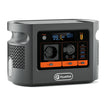
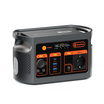



Short answer: build the field desk as four separate systems: USB power, local record capture, backup or export, and network sync. E112B can provide documented USB output paths, but a charging icon does not prove that a survey record was saved, copied or uploaded.
Separate the four jobs before packing the desk
| Job | Evidence to record | Fallback |
|---|---|---|
| Power | Tablet model, accepted USB profile, cable rating, chosen E112B port and other simultaneous loads | Charged spare tablet or approved power path |
| Local capture | Where the app stores an unfinished and completed record while offline | Paper form or approved alternate capture process |
| Backup or export | File or backup destination, timestamp, responsible person and recovery check | Second approved local copy |
| Network sync | Account, connection, last successful sync and unsynced-record count | Documented later-sync window |
What the E112B record establishes
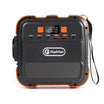
The current E112B Europe page lists 1008Wh nominal capacity, USB-C1 up to 100W, USB-C2 up to 30W and USB-A outputs with model-specific shared limits. The station is approximately 11.2kg. These are planning facts, not a promise that a particular tablet accepts a profile or that several ports can all deliver their individual maxima together.
- Keep USB-C1, USB-C2 and USB-A assignments written down.
- Do not use the 1200W shared AC maximum as a continuous rating or as evidence about USB charging.
- Treat 1008Wh as nominal stored energy, not measured usable output or a fixed number of survey shifts.
Decision-stage next step: once every tablet and cable has a named profile, check the current E112B Europe port details. If the tablet, cable or simultaneous-load evidence is incomplete, keep that route unapproved.
Map power without confusing it with data
The USB-IF Power Delivery overview explains that power is negotiated between the source and receiving device. It also explains that USB-C can carry power and data, but that does not mean every cable, port or device supports both. Label one cable as a verified charging path only after checking the tablet and cable documentation; label a data cable separately after a transfer test.
Pre-departure checklist
- List each tablet by exact model, operating-system version and survey-app version.
- Record the approved charger or USB profile and the cable used for it.
- Create non-sensitive sample records online and offline, then close and reopen the app.
- Confirm where unsynced records are visible and how the team counts them.
- Test the approved export or backup path and recover one sample record.
- Assign a spare device, a reduced paper process or another approved fallback.
- Pack the E112B so ventilation, cables and the 11.2kg station do not obstruct the work area.
Use a local-first field sequence
- Start the shift with battery state, free storage and the previous sync status recorded.
- Capture one sample response and confirm it survives app closure while offline.
- Begin live work only after the local record check passes.
- At each handover, record completed, rejected and unsynced counts separately.
- Sync only through the approved account and network route.
- After sync, compare server-side and device-side counts before deleting or clearing anything.
Back up the tablet, then verify the app
Apple's backup-method guide distinguishes iCloud and computer backups and notes that their coverage differs. That is useful for an iPad team, but it is not a survey-app export specification. Check the app's own documentation and recover a sample record from the exact method you plan to use. Android and other platforms need their own current instructions.
Estimate energy without inventing a shift count
Measure representative tablet and accessory demand during capture, screen-on review and sync. Apply explicit conversion-loss and reserve assumptions to the E112B's 1008Wh nominal capacity. Do not multiply a tablet's battery rating by a guessed number of charges or treat a charger's maximum label as average demand.
Three failure examples to rehearse
- Power continues but the network disappears: capture locally, record the unsynced count and use the later-sync route.
- The tablet charges but the data cable fails: keep capture and export separate; use the verified backup cable or another approved destination.
- A device is handed over mid-shift: record the last saved item, battery state, unsynced count and responsible person before ownership changes.
Common mistakes
- Calling a green charging symbol proof that the correct USB profile or cable is in use.
- Assuming cloud sync occurred because the app opened normally.
- Deleting local records before a separate destination and sample recovery are confirmed.
- Using one account across tablets without an ownership and audit trail.
- Promising a full-day runtime from nominal capacity without measured demand.
FAQ
Can every tablet charge from E112B USB-C1?
No. Confirm the tablet's accepted USB-C profiles and the cable; 100W is a port ceiling, not a universal result.
Does a charging cable carry survey data?
Not necessarily. Verify power and data functions separately.
Is a tablet backup the same as an app export?
No automatic equivalence is established. Test the survey app's own save, export and recovery route.
How should runtime be estimated?
Use measured representative demand, stated loss assumptions and a reserve; do not turn 1008Wh into a fixed shift count.
What should a handover record?
Record the last saved item, unsynced count, backup status, battery state, cable condition, responsible person and next sync route.
Sources and evidence limits
- FlashFish Europe E112B page — current model and port facts paired with the authoritative EU record; no tablet or runtime test.
- USB Implementers Forum: USB Power Delivery — negotiation context; no E112B or cable approval.
- Apple Support UK: backup methods for iPhone or iPad — iPad backup choices only; no survey-app save, export or recovery result.
Evidence checked 30 October 2026. This article does not report hands-on fieldwork, a recovered production dataset or a named technical review.
End the shift with a count, not an assumption
The field desk is ready only when power, local capture, backup and sync each have a named owner and a tested fallback. If the E112B is too heavy or its verified ports do not match the final kit, compare current FlashFish Europe power stations using the completed device record.


Leave a comment
Este site está protegido pela Política de privacidade da hCaptcha e da hCaptcha e aplicam-se os Termos de serviço das mesmas.