

















Short answer: a FlashFish T1200S can be a useful charging hub for selected drone, camera, controller and phone batteries, but only after each charging path passes four gates: the original charger requirements, USB-C profile, cable rating and battery condition. The T1200S record lists 100W and 30W USB-C ports; those are port maxima, not universal compatibility or a promised simultaneous total.
The safest field plan is label-first and staggered. Use manufacturer-approved chargers or hubs, keep batteries visible on a dry hard surface, let hot packs cool as directed, and reserve enough stored energy for the trip home and essential communications.
Start with the battery charger, not the power station
Write down the input requirements printed on every original charger, hub or device. A USB-C connector shape does not prove that the source, cable and device share the same power profile. USB Power Delivery is designed to negotiate power, which means the complete chain must agree.
| Item | Evidence to record | Pass condition | Stop condition |
|---|---|---|---|
| Drone battery hub | Original maker, input volts/amps or USB-PD profile | Approved hub and compatible source/cable | Unknown replacement, damage or unsupported profile |
| Camera USB charging | Camera manual and USB input requirement | Camera explicitly supports charging from the available profile | Data-only port, unsupported charging or uncertain cable |
| AC camera charger | Adapter input voltage/frequency and plug | Current Europe T1200S outlet/label and adapter both match | Regional label conflict or unverified adapter |
| Phone/controller | Cable, port and device request | Known-good cable and negotiated charging | Heat, repeated disconnects or damaged connector |
What the T1200S record supports—and what remains unknown
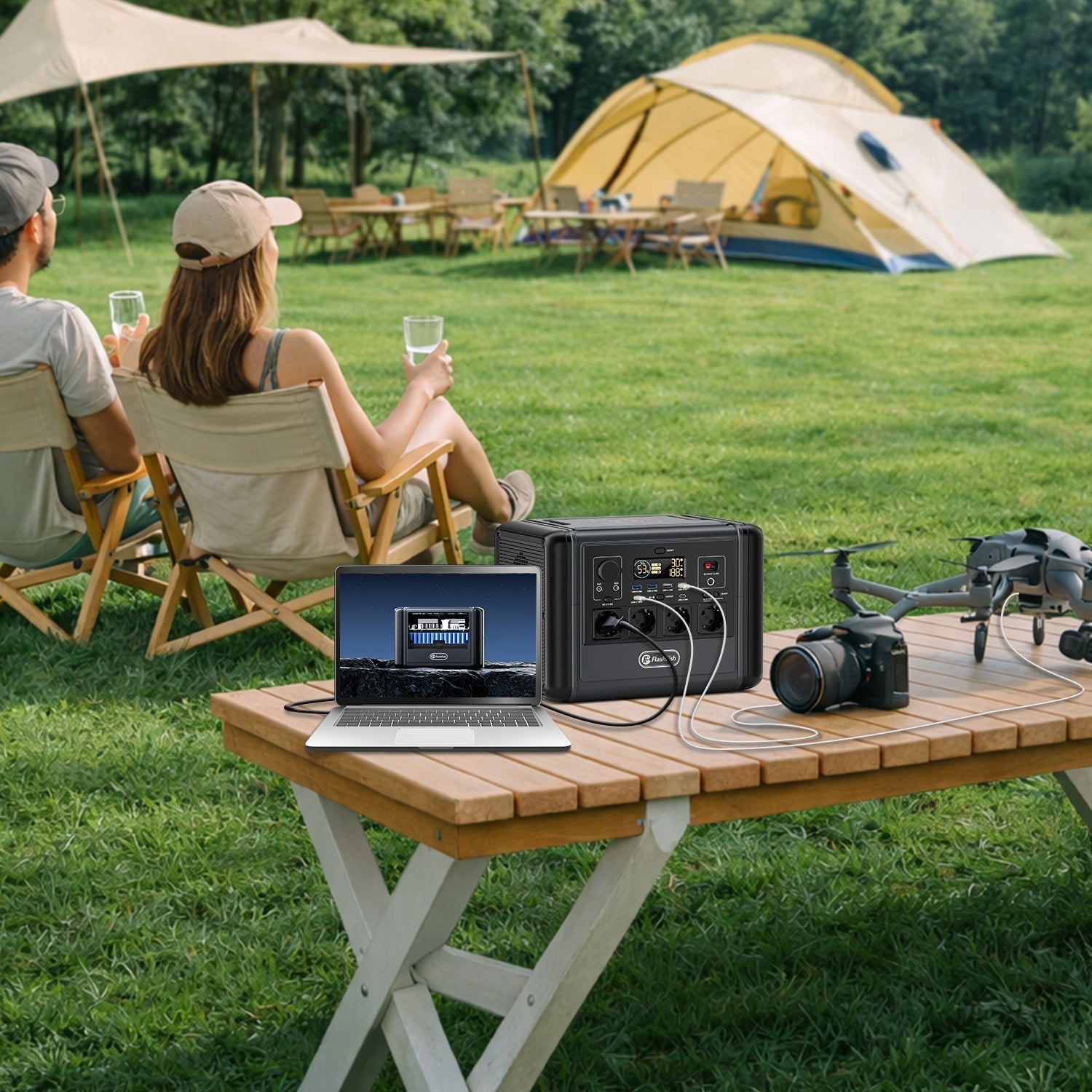
The FlashFish product-source bundle lists T1200S at 768Wh with one USB-C port up to 100W and another up to 30W. It also records USB-A outputs and 15W wireless charging. The current Europe product page repeats the 100W USB-C maximum and lists the model as in stock.
Those facts do not establish:
- a verified combined simultaneous USB output;
- support for every drone or camera charging profile;
- the energy delivered to a battery after charger and conversion losses;
- a fixed number of batteries, charging time or field runtime;
- AC-adapter compatibility without the current Europe label and manual.
If the trip depends on charging, test the exact approved charger and cable before travel. A pre-trip function check is not permission to charge damaged batteries or to ignore the device maker's instructions.
Choose direct USB-C or the original charging hub deliberately
Direct USB-C can reduce the number of conversion steps when the camera, controller or approved hub accepts a compatible USB-PD profile. It is usually the cleanest option for supported devices, but the lower of the source, cable and device limits controls the result.
An original AC charging hub may be the correct choice when the drone maker requires it or when multiple batteries must be managed by the hub. Before using AC, verify the T1200S regional outlet label and the charger's input label. The local product database is manual-derived from a non-Europe electrical record, so this article does not use that record as Europe AC compatibility evidence.
Wireless charging may help a compatible phone, but it is not a substitute for an approved drone or camera battery charger. Keep critical charging on the documented path.
A six-step charging workflow for a field day
- Inventory the batteries. Separate flight batteries, camera batteries, controller, phone and lights. Mark which are essential for safe return and communication.
- Inspect before connection. Do not charge swollen, dented, wet, leaking or faulting batteries. Check the charger and cable too.
- Let batteries reach the maker's charging range. DJI's current support page notes that abnormal temperature can stop charging and advises its original charger or hub for applicable products. Apply the exact maker rule for your battery.
- Run one critical path first. Charge the most important approved battery, observe the connection and confirm the device reports normal charging.
- Stagger the rest. Because a combined USB ceiling is not established in the local T1200S record, avoid planning around the arithmetic sum of port labels.
- Finish at reserve. Keep enough power for navigation, phone, lighting and a safe return. Do not drain the station merely to complete optional batteries.
Energy planning without inventing a charge count
You can build a conservative worksheet without promising results:
| Row | What to enter | Why it matters |
|---|---|---|
| Battery or device | Exact model and battery Wh if officially stated | Separates energy from charger watts |
| Charging path | USB-C, approved hub or AC adapter | Defines conversion steps and compatibility gate |
| Priority | Essential, useful or optional | Protects return and communication reserve |
| Observed result | Start/end charge, time, station change, temperature notes | Creates evidence for your exact kit without pretending it is universal |
Do not divide 768Wh by a small battery's catalog Wh and call the quotient a charge count. The station keeps reserve, conversion losses occur, the charger may taper, other loads consume energy and battery figures may use different test conditions.
Common mistakes
- Adding 100W and 30W as an assumed simultaneous budget. The individual maxima do not prove a combined ceiling.
- Using any USB-C cable. The cable must support the negotiated profile and remain undamaged.
- Charging immediately after flight. Follow the battery maker's cooling and temperature instructions.
- Hiding chargers in a bag or on bedding. Charge where you can see them on a dry, stable, hard surface.
- Replacing the original hub with an unknown adapter. Verify voltage, current, protocol and manufacturer approval.
When the FlashFish T1200S fits and when it does not
The FlashFish T1200S fits a creator who has checked every charger, uses compatible USB-C or original charging equipment, values multiple low-voltage output options and accepts a staggered evidence-led workflow. It was ACTIVE with a public Europe URL and inventory 44 in the 1 August discovery snapshot.
T1200S does not fit when a charger needs a profile the station/cable chain does not support, when the current Europe AC label cannot be verified, when the battery is damaged or outside its permitted charging conditions, or when the trip requires a fixed charge count. It is also not a reason to ignore drone-flight, land-access, campsite or airline rules, which are outside this charging guide.
Safety note
Health Canada advises charging lithium-ion devices according to manufacturer instructions, in view, away from heat-trapping soft surfaces, and not using damaged batteries. DJI similarly directs users to inspect batteries and use the original charger or hub for applicable products. If a battery swells, leaks, smells unusual, becomes abnormally hot or reports a fault, stop charging and follow the maker and local emergency guidance.
Frequently asked questions
Can the T1200S charge every drone or camera battery?
No. Compatibility depends on the original charger or hub input, USB Power Delivery profile, cable rating and the battery manufacturer instructions.
Should I use USB-C or an AC charging hub?
Use direct USB-C only when the device or approved charger supports a compatible profile. Use the original AC hub when the battery maker requires it and the regional adapter label matches the outlet.
Can I add the 100W and 30W USB-C ratings together?
Do not assume a 130W simultaneous USB budget. The local product record gives individual port maxima but not a verified combined USB ceiling, so stagger critical charging unless the current manual confirms the total.
How many drone batteries can a T1200S charge?
This guide does not give a fixed count. It depends on battery energy, charger losses, hub behaviour, temperature, other loads and the reserve you keep.
Can I charge a hot or damaged drone battery?
Follow the battery maker instructions. Let a hot post-flight battery cool as specified, and do not charge a swollen, damaged, wet or faulting battery.
Sources and evidence limits
- USB-IF USB Power Delivery overview – negotiated power and cable/source/device capability.
- DJI aircraft battery charging guidance – damage, temperature and approved charger/hub boundaries for applicable DJI batteries.
- Health Canada lithium-ion battery safety – visible charging, damage inspection and charger compatibility.
- FlashFish T1200S Europe page and product-source bundle – current model and port evidence.
No camera, drone, hub, cable or field charging test was performed. Verify the exact equipment and current regional manual before use.




Commenta
Questo sito è protetto da hCaptcha e applica le Norme sulla privacy e i Termini di servizio di hCaptcha.