







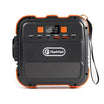









Short answer: a fan can keep running after a load stops because internal parts may still be warm and the control system may continue removing stored heat. That does not prove every run-on event is normal. Fan triggers, speeds and cool-down logic vary by model, so record what happened before the fan started, keep vents clear and escalate abnormal noise, smell, visible damage or repeated thermal shutdown.
There is no defensible universal answer such as 'all fans stop within five minutes.' The useful answer is a repeatable observation log tied to the exact model and manual.
Use FAN before deciding what the sound means
FAN means: Function immediately before the event, Airflow and ambient conditions, Noise character, plus the time pattern you record beside those three fields. This separates a plausible temperature-controlled cool-down from a fault pattern without asking the user to open, disable or modify anything.
Why the fan may continue
Heat does not disappear the instant output watts fall to zero. Inverters, chargers, adapters and battery-pack components can remain above their lower fan-control threshold after a load or charging session ends. A temperature-controlled fan may therefore continue, change speed or cycle while the unit cools.
The exact behaviour is firmware and hardware specific. Jackery's EU FAQ publishes different fan triggers for three named models, while a Victron inverter manual documents load-responsive forced cooling and temperature-based shutdown. Those examples prove variation, not a rule for another brand.
Evidence table: what transfers and what does not
| Evidence | What it supports | What it cannot prove |
|---|---|---|
| Jackery EU model FAQ | Named models can use different temperature or power triggers | No FlashFish threshold, no universal duration |
| Victron Phoenix Combi manual | Forced cooling, temperature monitoring and cooling before recovery can coexist | No portable-station algorithm or threshold transfer |
| Electrical Safety First | Blocked airflow and unusual sound or smell are meaningful warning boundaries | No power-station repair or cleaning instruction |
| FlashFish Europe support | Exact-model manual and authorised escalation route | No published universal FlashFish fan threshold or duration |
Three concrete observation examples
- After a high AC load: the load ends, displayed output drops and the fan runs briefly while the station sits dry with clear vents. Log the time and whether speed falls smoothly; do not impose another model's threshold.
- After charging: the charger stops or the battery reaches its target, but warm conversion components may still need airflow. Record input history and room temperature as well as the current zero-load display.
- At cool idle with abnormal sound: grinding, rattling, knocking, buzzing or crackling begins without a recent heat-producing event. Stop use, disconnect safely according to the manual and contact authorised support rather than opening the enclosure.
The FAN observation log
| Field | Record | Why it matters |
|---|---|---|
| Function | Charging, AC output, USB/DC output, load watts and duration | Identifies the heat-producing event |
| Airflow | Vent clearance, surface, dust outside vents, room temperature and direct sun | Shows whether cooling conditions changed |
| Noise | Smooth airflow, speed changes, grinding, rattling, knocking, buzzing or crackling | Separates ordinary airflow from a mechanical or electrical warning |
| Time pattern | Start time, stop time, cycling, display messages and recurrence | Makes support review reproducible |
Common mistakes
- Assuming a zero-watt display means every internal component is already cool.
- Copying another model's published fan threshold into your own model.
- Covering vents to reduce noise or placing the station in a tight bag, cabinet or soft bedding.
- Using compressed air, opening the enclosure or trying to disable the fan without an authorised exact-model procedure.
- Ignoring a new smell, repeated protection message or mechanical noise because the unit still supplies power.
When observation is reasonable
- The fan follows a recent charging or discharging event, airflow is clear and the sound is smooth rather than mechanical or electrical.
- The station shows no damage, smell, fault code, repeated shutdown or unexpectedly hot surface.
- The pattern ends or changes as the unit cools, and the exact manual does not identify a contrary condition.
When to stop and contact support
- You notice burning smell, smoke, swelling, liquid, scorching, visible damage or an unexpectedly hot surface.
- The fan grinds, rattles, knocks, buzzes or crackles, or repeatedly starts at cool idle without an explained operating event.
- The station repeatedly reports over-temperature, shuts down, restarts or behaves differently from the current exact-model manual.
Move away from improvisation. Follow the product's shutdown and isolation instructions and use the model, serial, FAN log and media of the external symptoms when contacting authorised support.
Checklist before support
- Record the exact model, regional version, firmware if shown and delivered label.
- Write down the previous load or charging input, watts and duration.
- Photograph the installation from outside, including vent clearance and cable layout.
- Note ambient temperature, direct sunlight and whether the station was inside a confined space.
- Record the sound from a safe distance without blocking vents or touching the enclosure.
- List display messages, shutdowns and the time the fan started, changed speed and stopped.
FAQ
Is it normal for a portable power station fan to run after the load stops?
It can be plausible while stored heat is being removed, but normal duration and triggers are model-specific. Record the preceding load, airflow, noise and time pattern and check the exact manual.
How long should the fan keep running?
There is no universal duration supported by this article. Ambient temperature, recent charging or discharging, internal temperature and model-specific control logic all matter.
Should I block or disable the fan to make the unit quiet?
No. Keep vents clear and never disable cooling, open the enclosure or alter the fan unless an authorised exact-model procedure explicitly requires it.
Which fan sounds mean I should stop using the station?
Burning smell, grinding, rattling, knocking, buzzing or crackling, visible damage, repeated shutdowns or unexpectedly hot surfaces are reasons to stop and contact authorised support.
Does a running fan prove the battery is faulty?
No. Fan operation alone does not diagnose a battery fault. The useful evidence is the exact model, what it was doing, ambient conditions, airflow, display messages, sound character and repeat pattern.
Sources and evidence limits
- Jackery EU fan-trigger FAQ, used only to show that named models can have different thresholds.
- Victron Phoenix Combi manual, used for temperature-monitoring and forced-cooling principles in one named inverter.
- Electrical Safety First ventilation guidance, used only for blocked-airflow and abnormal-warning boundaries.
- FlashFish Europe Support Center, used as the exact-model manual and authorised escalation route.
No universal FlashFish fan threshold, acoustic limit, normal duration or repair procedure is claimed. Use the FAN log when asking FlashFish Europe about an exact model. Compare only documented portable power station operating limits.




Laat een reactie achter
Deze site wordt beschermd door hCaptcha en het privacybeleid en de servicevoorwaarden van hCaptcha zijn van toepassing.