
















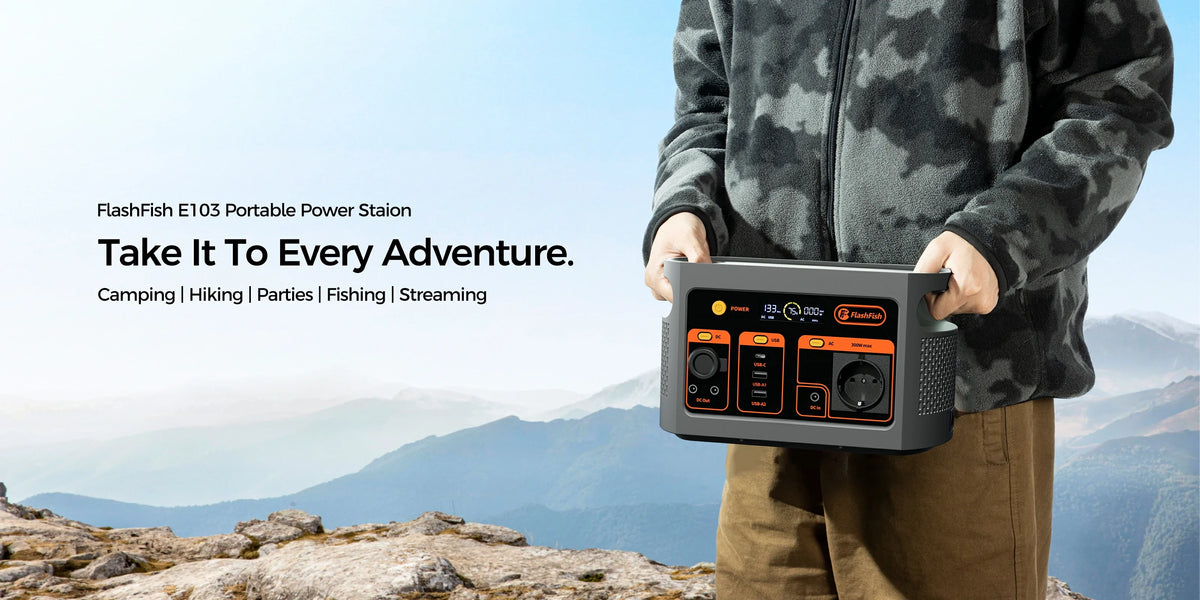
Short answer: the FlashFish E103 can be a plausible power source for a checked laptop-and-scanner field office, but the scanner should normally stay connected to its computer host. The Brother DS-740D example is USB bus-powered and draws about 3.3W while scanning, yet Brother says third-party USB ports are not supported. The real decision is whether the laptop, its charging path and the full session fit E103—not whether the scanner plug fits a station USB socket.
The scanner host path comes first
A portable document scanner can share one USB cable for data and power. That does not make every powered USB socket a scanner host. The DS-740D specification identifies USB bus power and a computer USB interface, and it says third-party USB ports are not supported. In practical terms, the laptop must remain the scanner's data-and-power host unless the exact scanner manual states another supported arrangement.
This changes the worksheet. The scanner's approximate 3.3W is part of laptop-side demand, while E103 powers or charges the laptop. Software, drivers, operating-system support, cable type and document handling still matter even when the watts appear small.
What the published evidence does—and does not—show
| Item | Published evidence | Decision boundary |
|---|---|---|
| FlashFish E103 | 179.2Wh nominal energy; 300W pure-sine AC; USB-C PD up to 60W; two USB-A outputs up to 18W; about 3kg | No laptop, scanner or cable compatibility and no delivered-energy or session-duration result |
| Brother DS-740D | USB bus-powered; about 3.3W scanning and 1.4W ready; about 646g; computer USB interface | Brother says third-party USB ports are not supported; the specification is not an E103 test |
| Lenovo travel adapter example | 100-240V, 50/60Hz input; USB-C output profiles up to 20V/3.25A or 65W | Adapter output is not wall demand; 65W does not fit inside a 60W USB-C ceiling at full rating |
Use the HOST method
- H — Host and data path. Identify the computer, supported operating system, driver and scanner cable. Keep the scanner on the manufacturer-supported computer USB path.
- O — Output path for the laptop. Decide whether the laptop can accept E103's documented USB-C PD profiles up to 60W or must use its original AC adapter.
- S — Simultaneous load and session. Include laptop work, scanner activity, phone, hotspot and any light. Charger labels are screens; measure the complete setup.
- T — Time, transport and fallback. Plan nominal Wh, conversion loss, reserve, E103's roughly 3kg mass, scanner and laptop mass, offline storage and a safe shutdown.
Three concrete setup examples
1. Compatible laptop on E103 USB-C; scanner on the laptop
This is the simplest cable path when the laptop accepts one of E103's published USB-C profiles at or below 60W and the cable supports it. The DS-740D remains connected to the laptop. Confirm that the laptop can still power the scanner while charging; do not infer this from USB-C shape alone.
2. Laptop on its original AC adapter; scanner on the laptop
This route can preserve the laptop manufacturer's charging path. Check the exact adapter's AC input, regional plug and the laptop's behaviour on E103's 230V/50Hz pure-sine AC output. A 65W adapter output label is not a measured 65W wall load, so test the complete setup with a suitable meter.
3. Scanner plugged directly into an E103 USB-A port
Do not treat this as a supported scanning setup. E103 can supply USB power, but a power port does not provide the computer host, driver and data workflow the DS-740D specification expects. If the scanner documentation does not approve a standalone mode, stop and return it to the laptop.
When E103 fits—and when it does not
E103 can fit when the laptop has a verified 60W-or-lower USB-C path or a checked regional AC adapter, the scanner stays on a supported host connection, every simultaneous device fits its port, a representative session has been measured and the team accepts a planned shutdown.
E103 does not fit when the laptop needs more than 60W by USB-C and its AC path is unverified, the scanner needs an unsupported host arrangement, the work cannot tolerate interruption, documents have no offline storage or privacy plan, or the user expects a fixed number of scans from 179.2Wh.
Field-office checklist
- Record the exact laptop model, charger input/output and USB-C PD requirement.
- Confirm the scanner model, operating-system support, driver, host interface and cable.
- Choose one laptop power path: verified E103 USB-C or the original regional AC adapter.
- Keep the scanner on the supported laptop host connection.
- Add hotspot, phone, task light and storage devices to the simultaneous-load list.
- Run a representative batch with a power meter and record watt-hours, not only peak watts.
- Keep reserve for saving files and shutting down cleanly.
- Use encrypted local storage and a documented document-handling process where personal data is involved.
- Carry a mains or rescheduling fallback; this is not business-continuity assurance.
Common mistakes
- Plugging a USB scanner into a power-only port and expecting data transfer.
- Calling a 65W laptop adapter a measured 65W AC load.
- Assuming a 60W USB-C port supplies every laptop profile.
- Ignoring scanner drivers, operating-system support and cable type.
- Estimating scan count from nominal watt-hours without measuring the complete workflow.
- Planning to empty the station with no time to save and shut down.
FAQ
Can the Brother DS-740D plug directly into E103?
It may receive electrical power from a USB port, but that is not a supported scanning workflow by itself. Brother specifies a computer USB interface and says third-party USB ports are not supported. Connect it to the supported computer host unless the exact manual says otherwise.
Is E103's 60W USB-C enough for a 65W laptop?
Do not assume so. E103 is documented up to 20V/3A, or 60W, while the Lenovo example reaches 20V/3.25A, or 65W. The exact laptop may charge more slowly, refuse the profile or need its AC adapter; verify the laptop documentation.
Can the laptop use its original AC adapter?
Potentially, when the regional adapter input and plug fit E103's 230V/50Hz pure-sine AC output and measured operation is stable. Use the original adapter and test the exact setup; do not treat adapter output watts as AC input watts.
How many pages can this setup scan?
No defensible page count follows from E103's 179.2Wh rating. Document type, laptop state, scanner activity, software, storage and conversion losses change energy use. Measure a representative batch and plan with reserve.
Will E103 keep the field office running without interruption?
No continuity promise is supported. E103 power does not prevent software errors, cable failures, low laptop battery, storage problems or station depletion. Save often and keep an offline fallback.
Conclusion
E103 can be a credible candidate for a compact scanner-and-laptop kit when the host path is correct and the laptop charging route is verified. Compare E103 with your completed HOST worksheet, measure a representative session and Estimate a measured field-office session only as a planning aid. The decisive check is the whole workflow—not the scanner's small watt figure.
Sources and further reading
- FlashFish Europe E103 listing and the local manual-derived product record for E103 limits.
- Brother DS-740D specifications for its host, power and interface fields.
- Lenovo 65W USB-C travel adapter data for one exact charger example.
- FlashFish Europe runtime calculator for transparent planning inputs.
Evidence note: no scanner, laptop, cable, adapter or E103 was physically connected or tested for this article.



Laat een reactie achter
Deze site wordt beschermd door hCaptcha en het privacybeleid en de servicevoorwaarden van hCaptcha zijn van toepassing.