















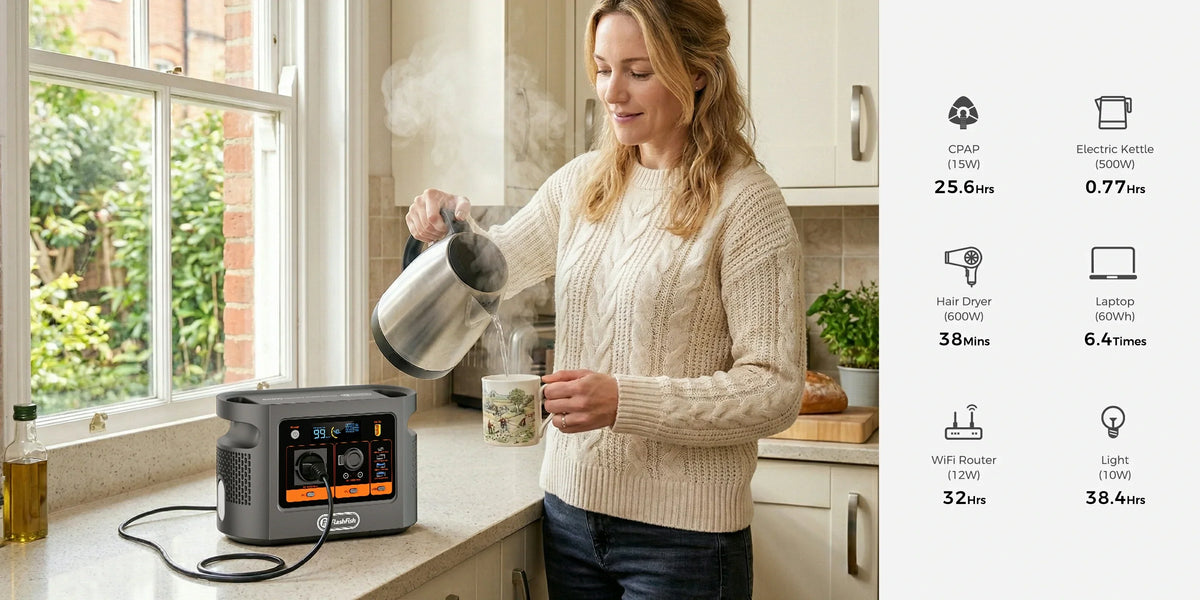
Short answer: FlashFish E106B is a plausible paper fit for one PlayStation 5 and a small portable display because it provides 600W shared continuous pure-sine AC output. Sony lists about 200-220W average active gaming for several European PS5 models, and one ASUS ZenScreen example lists 3.64W. That is not a compatibility or runtime test: identify the exact console, display, adapters, audio, network gear and controller charging, then measure a complete session and shut the console down normally before switching off the station.
Use PLAY before connecting a console
- P - Pin down the exact devices. Record the PS5 model number, disc or digital version, display model, power adapters, speakers, router and controller chargers.
- L - List every simultaneous load. Use official measured data as a starting point, but also watch the E106B total-output display during the actual game and settings you use.
- A - Audit the path. Keep video and power roles separate. For the ASUS example, micro-HDMI carries video and its supplied adapter provides power; do not assume a USB port can replace either requirement.
- Y - Yield control safely. Enable appropriate power-saving settings, keep the station ventilated and supervised, and shut the PS5 down through its menu before switching the station off.
A paper load screen, not a runtime promise
| Item | Published example | How to use it | What it does not prove |
|---|---|---|---|
| FlashFish E106B | 600W shared continuous pure-sine AC; 384Wh nominal energy | Continuous output is the first ceiling; nominal energy is a planning input | PS5 compatibility, delivered AC Wh, peak headroom or session length |
| PS5 CFI-21 Digital | 215.7W average active PS5 gaming in Sony's stated 2026 HD test | One exact model-and-test starting point | Your console, game, menu, disc drive, USB load or momentary demand |
| ASUS ZenScreen MB16AH | 3.64W listed consumption; micro-HDMI; supplied adapter | One small display with a documented video and power path | Another monitor, brightness level, adapter loss or console connection |
| Paper sum | 219.34W before other loads and losses | Shows why a supervised test is reasonable below a 600W ceiling | A maximum, measured wall load, energy use or proof of stable operation |
Add every real load: controller charging, speakers, network equipment, a disc drive, USB accessories and the monitor adapter. The E106B AC outlets share one 600W continuous limit; an unused headline margin is not permission to ignore the exact adapters or thermal conditions.
Exactly three setup examples
Example 1: CFI-21 Digital plus ASUS MB16AH
Sony's 215.7W gaming average and ASUS's 3.64W display figure total 219.34W before adapters, accessories and conversion losses. Treat that as a planning screen only. Connect the monitor through its documented micro-HDMI path and supplied power adapter, then record actual E106B output through a complete session.
Example 2: a disc PS5 and a different monitor
Do not reuse Example 1. The console revision, disc activity, monitor, speakers and game can change the load. Rebuild the list from the exact labels and manuals, then measure. If a device needs an undocumented output, connector or protective-earth arrangement, stop.
Example 3: console, display, router and charging accessories
The combined load includes more than the console and screen. List the router or hotspot, speakers, controller charger and every USB accessory separately. If the setup depends on uninterrupted internet, automatic transfer or an unattended session, E106B does not fit the evidence established here.
When FlashFish E106B fits - and when it does not
| E106B may fit when | E106B does not fit this plan when |
|---|---|
| The complete measured load stays comfortably within 600W shared continuous AC | The decision uses one console average as a maximum or ignores other devices |
| The exact regional labels, adapters and video/power paths are documented | A cable is expected to carry power or video without explicit support |
| A human can monitor heat, ventilation, remaining charge and safe cable routing | The setup is unattended, damp, sealed in a hot space or blocks ventilation |
| The user accepts a measured session log instead of a promised runtime | The plan requires seamless UPS behaviour, a fixed session length or zero interruption |
Check E106B only after your PLAY worksheet is complete.
Run a supervised session test
| Record | Why it matters |
|---|---|
| Console and display model numbers | Keeps the evidence tied to the tested hardware |
| All adapters and accessories | Prevents hidden loads and unsupported cable assumptions |
| Starting and ending battery percentage | Creates a repeatable session record without turning the display into laboratory accuracy |
| Input/output watts at menu, gameplay and charging states | Shows variation instead of relying on one average |
| Game, settings and duration | Makes the result comparable on a later session |
| Heat, fan, fault or interruption notes | Creates clear stop conditions |
End the test through the PS5 power menu. Wait for the console indicator to turn fully off before disconnecting AC or switching off E106B. Sony warns that removing AC while the indicator is lit or blinking can cause data loss, corruption or damage.
Frequently asked questions
Can E106B run a PlayStation 5?
A documented PS5 example is well below E106B's 600W continuous AC ceiling on paper, but the exact console, display, adapters, accessories and full session still need verification.
How long will E106B run a PS5?
No fixed time is supported. Nominal 384Wh is not delivered AC energy, and console power changes with model, game, settings, display, accessories, inverter loss and reserve.
Can I power the portable monitor from the PS5 USB port?
Do not assume that path. Check the monitor's exact video and power requirements, the console manual and the supplied adapter; HDMI and USB-C roles are separate.
Can E106B act as a UPS for a PS5?
This article does not establish UPS or seamless transfer behaviour. Test the exact permitted setup before use and shut the console down normally if power is uncertain.
What should I do before switching off the power station?
Use the PlayStation power menu and wait until the power indicator is fully off. Sony warns against disconnecting AC while the indicator is lit or blinking.
Sources and evidence limits
- FlashFish E106B Europe page and the authoritative local product record - E106B facts and explicit unknowns.
- Sony Interactive Entertainment Europe ecodesign measurements - EU console-model test data and methods.
- ASUS ZenScreen MB16AH specifications - one exact portable-display example.
- PlayStation power-saving guidance - correct power states and shutdown warning.
No hands-on compatibility, maximum-load, runtime, performance, UPS or data-integrity result is claimed.
Conclusion
E106B has enough documented continuous AC headroom to justify testing one PS5 and a modest portable monitor, but watts alone are not the decision. PLAY the exact setup, log a complete session and protect the shutdown path. Check E106B only after your PLAY worksheet is complete. If any regional label or output route is uncertain, Ask FlashFish Europe for the current E106B regional manual before connecting it.



Laat een reactie achter
Deze site wordt beschermd door hCaptcha en het privacybeleid en de servicevoorwaarden van hCaptcha zijn van toepassing.