
















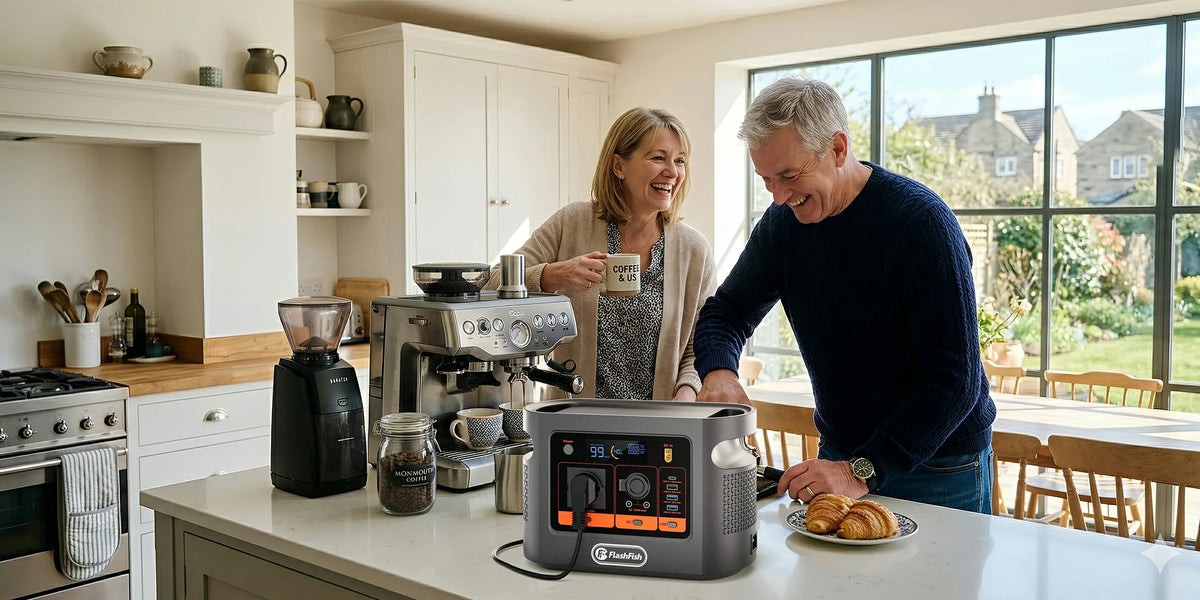
Short answer: FlashFish E106B is worth screening for a small NVR and two PoE cameras because it has a documented 384Wh nominal battery and one 600W shared AC outlet. That does not prove compatibility, automatic failover or a fixed runtime. Count the recorder, hard drive, PoE camera load, network equipment and any monitor, then measure the complete system through its normal adapter.
Why camera watts are only part of the answer
A PoE recorder is both a computer and a power source. The recorder consumes energy, its hard drive consumes energy, and the cameras draw power through the recorder. Remote viewing may also depend on a router, optical-network terminal or other network equipment that can fail separately during a wider outage. Keeping the NVR energised cannot guarantee internet access, remote alerts or uninterrupted recording.
TP-Link lists the VIGI NVR1008H-8MP at 12.94W with a disk and gives it a 113W total PoE budget. The VIGI C340 V2.20 datasheet lists up to 8W per camera over PoE. Two named cameras plus the recorder therefore produce a device-level screening total of 28.94W before network equipment, conversion loss and any display. That figure is not measured AC input and must not be turned directly into an E106B runtime.
| Part of the chain | Published field or user input | What it decides |
|---|---|---|
| E106B | 384Wh nominal; 600W shared AC; one AC outlet | Energy class and AC ceiling, not delivered runtime or transfer behaviour. |
| Named NVR with disk | 12.94W device consumption; 53.5V DC/2.43A adapter | Base recorder demand and a conservative adapter-nameplate screen. |
| Two named C340 cameras | Up to 8W PoE each for the cited V2.20 version | Camera ceiling to add to the NVR base; exact versions must match. |
| Router or ONT | Exact adapter label and measured demand | Needed only when the required outage function depends on the network. |
| Monitor | Measured only if it stays on | Optional setup load can materially change the total. |
The POE PATH decision method
- P — Plan the required function. Decide whether you need local recording, local viewing or remote access. Each adds different equipment.
- O — Observe every label. Record the NVR adapter, installed hard drive, camera model and hardware revision, router and display.
- E — Estimate ceilings without double-counting. Add the recorder base and downstream PoE camera ceilings, but do not add the NVR’s entire PoE budget unless your cameras can actually use it.
- P — Prove the whole chain with measurement. Use the normal NVR adapter and a suitable energy meter during day, night illumination and recording activity.
- A — Account for conversion and standby. Wall-side AC demand can differ from device-level figures, and an enabled inverter has its own overhead.
- T — Test cutover and restart. The E106B record does not document an automatic transfer time. Rehearse the permitted procedure and confirm what restarts after power is removed.
- H — Hold a reserve and fallback. Keep enough reserve for uncertainty and maintain a non-electronic security plan appropriate to the property.
Three practical outage cases
1. Local recording only
The smallest chain is the NVR, installed disk and two PoE cameras. Measure the recorder’s AC input over a representative period that includes camera night mode and active recording. The published 28.94W device-level screen is useful for catching obvious errors, not for claiming a duration.
2. Remote access is required
Add every networking device needed between the NVR and the service provider. Powering a router or optical-network terminal does not prove the external network remains available. Record local and remote functions separately so one failure is not mistaken for total system failure.
3. A monitor stays on
A display used only for setup can normally be excluded once the system is configured; a display left on must be included. Measure it separately, because screen brightness and size can make it a significant share of a small surveillance load.
When E106B fits, and when it does not
Potential fit: the exact NVR adapter and combined measured AC demand remain comfortably inside the regional E106B AC rating, the equipment restarts correctly in a supervised outage rehearsal, one AC outlet serves the approved NVR power path, and the measured session leaves a useful reserve.
Do not rely on it: the system needs seamless transfer that has not been documented, the NVR or camera revisions do not match the evidence, several adapters require improvised daisy-chained extensions, remote service continuity is mission-critical, or the required duration has not been measured.
Check E106B ratings against the completed NVR load sheet only after the chain and the required outage function are written down.
Pre-outage checklist
- Photograph the NVR, hard-drive, camera and network-equipment labels.
- Confirm PoE camera consumption for the exact hardware version, not only the family name.
- Measure a full representative interval that includes night illumination and recording activity.
- Keep cables dry, undamaged and away from walkways; do not daisy-chain extensions.
- Test loss of mains power and the permitted restart sequence under supervision.
- Record what still works locally when broadband or mobile service is unavailable.
- Keep a reserve instead of planning to use every nominal watt-hour.
FAQ
Is 28.94W the real wall demand of this example?
No. It combines one published recorder-with-disk figure with two camera PoE ceilings. The NVR adapter, PoE conversion, recording state and network equipment affect measured AC input.
Does the NVR's 113W PoE budget mean it always uses 113W?
No. A PoE budget is the total power the recorder can make available to cameras. Actual demand depends on the connected cameras and their operating states.
Will E106B switch over without interrupting recording?
The authoritative local E106B record does not provide a transfer-time or automatic-failover value. Do not assume uninterrupted recording; test the approved setup and restart behaviour.
Should the router be included?
Include the router, optical-network terminal and any switch when remote access or notifications are required. Local recording and external connectivity are separate functions.
How long will the NVR and cameras run?
No fixed runtime follows from nominal capacity. Measure the whole chain in watt-hours over a representative interval, allow for inverter loss and reserve, and repeat after any hardware change.
Conclusion
A defensible NVR backup plan starts with the required security function and ends with a whole-chain measurement. E106B may fit a small two-camera system on paper, but only the exact adapters, measured AC demand and restart rehearsal can close the decision. Compare Europe power stations after measuring the whole system if the verified chain needs more outlets, energy or a documented transfer function.
Sources and evidence limits
Station ratings come from the FlashFish manual-derived E106B record and current Europe listing. Exact example figures come from the TP-Link NVR1008H-8MP datasheet and VIGI C340 V2.20 datasheet. Cable guidance follows Electrical Safety First. No equipment was connected or outage-tested for this article.



Laat een reactie achter
Deze site wordt beschermd door hCaptcha en het privacybeleid en de servicevoorwaarden van hCaptcha zijn van toepassing.