
















Short answer: when a cold portable power station enters warm humid air, keep it switched off and disconnected while it acclimatises naturally. Check the exact manual's environmental limits, look for moisture or damage, and do not charge or power loads until the unit is within documented conditions and there is no visible moisture. There is no defensible universal waiting time: temperature difference, humidity, enclosure design and storage history vary.
Use COLD before reconsidering power
- C — Cut power. Leave the unit off, unplug charging sources and disconnect loads before moving or inspecting it.
- O — Observe the route, room and manual. Note where it came from, the temperature/humidity change, any prior rain or snow exposure and the exact model's operating and charging limits.
- L — Let it acclimatise naturally. Place it on a stable dry surface with normal ventilation. Do not force heat or block vents.
- D — Dry-inspect-escalate. Wait until documented conditions are reached and no visible moisture remains; keep it isolated and contact support if damage, moisture, odour, warnings or uncertainty remain.
Why cold-to-warm movement matters
Warm air can hold more water vapour than cold air. When warm humid air meets a colder surface whose temperature is below the local dew point, water can condense on that surface. Ports, metal parts and internal assemblies may remain colder than the room after the outer case feels warmer. That is why 'it feels dry' and a fixed number of minutes are weak readiness tests.
| Observation | What it means for the decision |
|---|---|
| Large temperature jump into humid air | Condensation risk is plausible; keep power off during acclimation |
| Fogging or droplets on the case, screen or ports | Do not charge or operate; avoid inserting cables and escalate if moisture persists |
| No visible moisture | Useful but not proof of internal dryness; manual limits and storage history still matter |
| Prior rain, snow, spill or damaged enclosure | This is more than a routine temperature transition; isolate and seek exact-model guidance |
Exactly three transition examples
Example 1: a cold station from a parked car enters a heated home
Leave it off and disconnected on a stable dry surface. Record the outdoor and room conditions, open the exact manual and allow natural acclimation before any charging or load decision. A warm outer handle alone is not a readiness test.
Example 2: cold equipment enters a warm humid tent or cabin
Humidity and a rapid temperature rise can make the transition more demanding than a dry room. Keep the unit away from cooking steam, wet clothing and tent-wall drips, maintain unobstructed ventilation and use the same manual-led pause.
Example 3: visible droplets, an unusual odour or a warning appears
Do not power or charge the unit. Disconnect it if that can be done without contacting moisture, keep people away, avoid opening or heating the enclosure and contact the manufacturer or a competent service professional.
Do not accelerate the process with a risky shortcut
- Do not use a hair dryer, heater, oven, radiator or direct sun to force warming.
- Do not seal the unit in rice or loose desiccant that can obstruct vents or ports.
- Do not remove covers or probe inside the enclosure.
- Do not plug in a charger or load merely to see whether the unit starts.
- Do not assume an enclosure rating, outdoor photo or another model's manual covers condensation.
- Do not use compressed air to drive moisture deeper into ports or vents.
When normal use may be reconsidered—and when to pause
| Reconsider normal use only when | Keep isolated and escalate when |
|---|---|
| The exact model manual has been checked and environmental conditions are within its stated range | The model, manual or relevant limits are unknown or conflicting |
| No visible moisture, frost, debris or damage remains | There is liquid, corrosion, swelling, cracking, damaged ports or residue |
| The unit acclimatised naturally with vents clear | Forced heat, immersion, a spill or prior weather exposure complicates the history |
| No unusual odour, sound, heat or warning is present | An alarm, error, smell or abnormal heat appears |
| The manufacturer has not required a longer or different process | Support advises inspection or service before use |
Prevention is easier than a readiness judgment
- Store the station within the exact manual's temperature and humidity limits.
- Keep it dry, clean and protected from direct rain, snow, splashes and tent-wall condensation.
- Plan gradual transitions where practical instead of moving directly from severe cold to warm humid air.
- Keep ports capped as the manual intends, without trapping existing moisture.
- Record the model suffix and keep its current manual available offline.
- Inspect the case, ports, cables and adapter before and after travel.
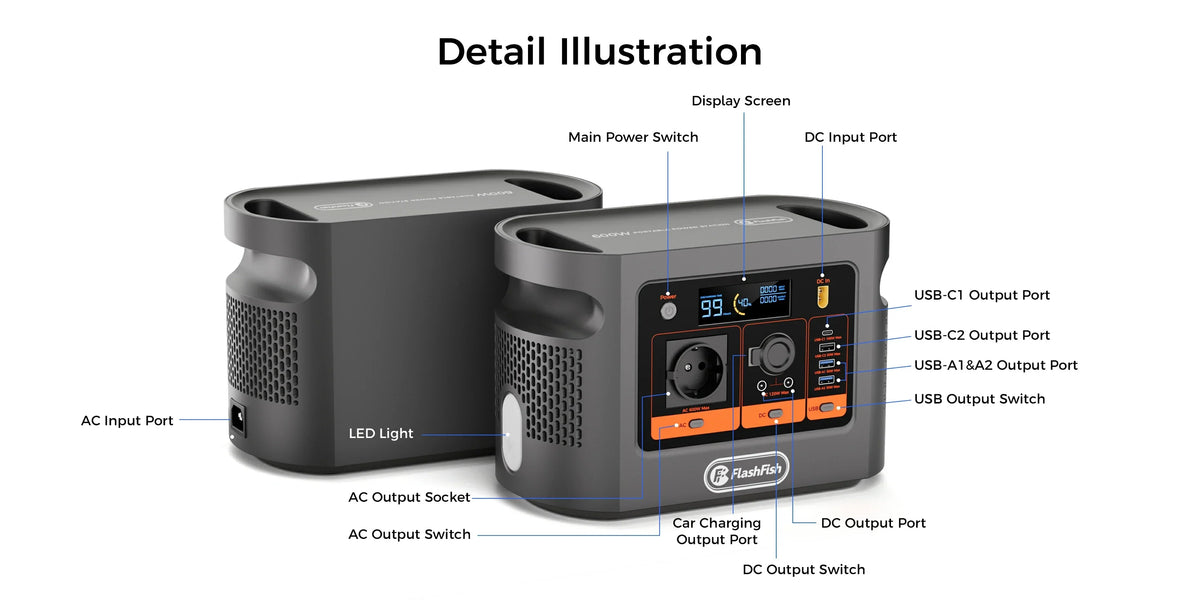
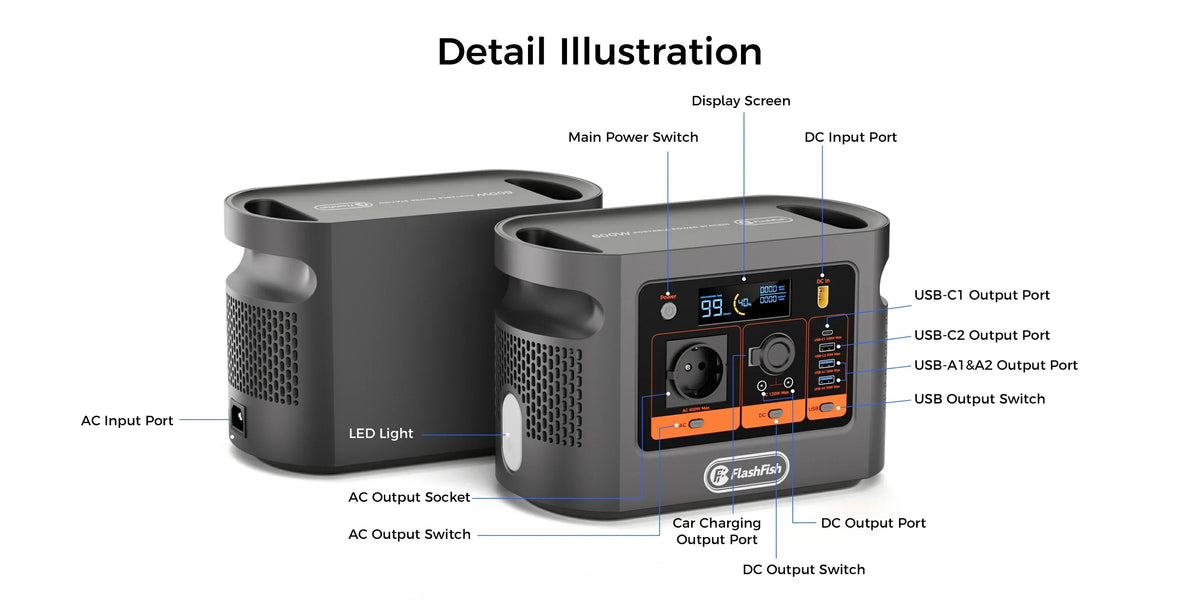
Open the exact manual or ask FlashFish Europe before resuming use when anything is uncertain. Provide the model suffix, storage route, approximate conditions, warning text and clear exterior photos; never send account or payment credentials.
FAQ
How long should a portable power station acclimatise?
No single time is defensible for every unit and transition. Follow the exact manual and manufacturer guidance because temperature difference, humidity, enclosure and storage history vary.
Can I charge it as soon as the case feels warm?
Not on that observation alone. Outer-case temperature does not prove internal parts and ports are dry or within documented charging conditions.
Should I open the case to check inside?
No. Keep the enclosure closed and use manufacturer or competent service guidance when internal moisture is possible.
Does an IP rating remove condensation risk?
No. An ingress rating applies under defined test conditions and does not automatically address internal condensation after a temperature transition.
What if I already powered the unit and see a warning?
Stop use, disconnect sources and loads if that can be done without contacting moisture, keep the area clear and contact support with the exact warning and conditions.
Conclusion
COLD is deliberately conservative: Cut power, Observe the route and manual, Let the unit acclimatise naturally, and Dry-inspect-escalate. The goal is not to invent a waiting time; it is to avoid energising equipment while moisture or environmental limits remain unresolved. Open the exact manual or ask FlashFish Europe before resuming use when anything is uncertain. Then find the current Europe model page and manual route for the exact model.
Sources and evidence limits
- Lenovo operating-environment guidance.
- Philips temperature and humidity guidance.
- Fluke condensation caution.
- FlashFish Europe Support Center.
Evidence checked 28 September 2026. No FlashFish model, internal component, acclimation period or moisture transition was tested.



Zostaw komentarz
Ta strona jest chroniona przez hCaptcha i obowiązują na niej Polityka prywatności i Warunki korzystania z usługi serwisu hCaptcha.