















Short answer: a portable power station can turn off under a light load because its power-saving logic decides that little or no useful power is being drawn. That is different from an overload, an empty battery or a fault. The safe way to tell is to look at when it turns off, which output group stops, what the display shows and whether there are heat, smell, cable or error-code warning signs.
This guide is for people powering low-draw devices such as a phone charger, router, LED light or a fully charged laptop. It is based on product manuals, labels and electrical-safety guidance, not on a laboratory endurance test.
First separate a timer from a protection event
| What you observe | More likely category | Safe first action |
|---|---|---|
| The output turns off after a similar long interval, with no warning signs. | Model-specific power-saving timer. | Check the manual or settings for that exact output group. |
| The station shuts down immediately when a device starts. | Overload, surge, short circuit or incompatible load. | Disconnect the load and compare its label with the station's verified rating. |
| The battery display is near empty. | Insufficient stored energy. | Recharge by an approved method before retesting. |
| The unit or plug is unusually hot, smells burnt or shows damage. | Potential safety fault. | Stop using it, disconnect when safe and contact qualified support. |
| Only one output group turns off. | Port-group setting, timer or protection. | Record which AC, DC or USB control and indicator changed. |
| Everything turns off unpredictably even with a known-good load. | Battery, temperature, cable or internal fault needs review. | Do not keep cycling it; record the display and contact support. |
The STOP light-load diagnosis
S — Record the state before restarting
Photograph the battery percentage, input and output readings, error icons and the active output indicator. Note whether the whole station stopped or only AC, DC or USB. This separates a depleted battery from a single output-group event and gives support a useful record.
T — Check the exact timer and output group
Search the manual for power saving, auto-off, standby, light load or no-load behaviour. Do not borrow a threshold from a different brand or model. Some stations apply different rules to AC, DC and USB groups, and a charger may draw almost nothing after the connected device is full.
O — Look for other warning signs
A repeating timer with no heat or errors can be expected behaviour. Immediate shutoff, error codes, abnormal fan behaviour, liquid exposure, impact damage, a hot plug, burning smell or arcing are not things to solve with repeated restarts. Electrical Safety First also advises against daisy-chaining extension leads and recommends fully unwinding cable reels to reduce overheating risk.
P — Prove the pattern with one supervised retest
After checking the manual and ensuring the equipment is undamaged, use one known-good, compatible load and the correct output. Observe the display and timer. If the pattern is inconsistent, the unit becomes hot or the error returns, stop and contact the manufacturer or a qualified technician. Never open the casing or bypass protective controls.
What the FlashFish manuals show
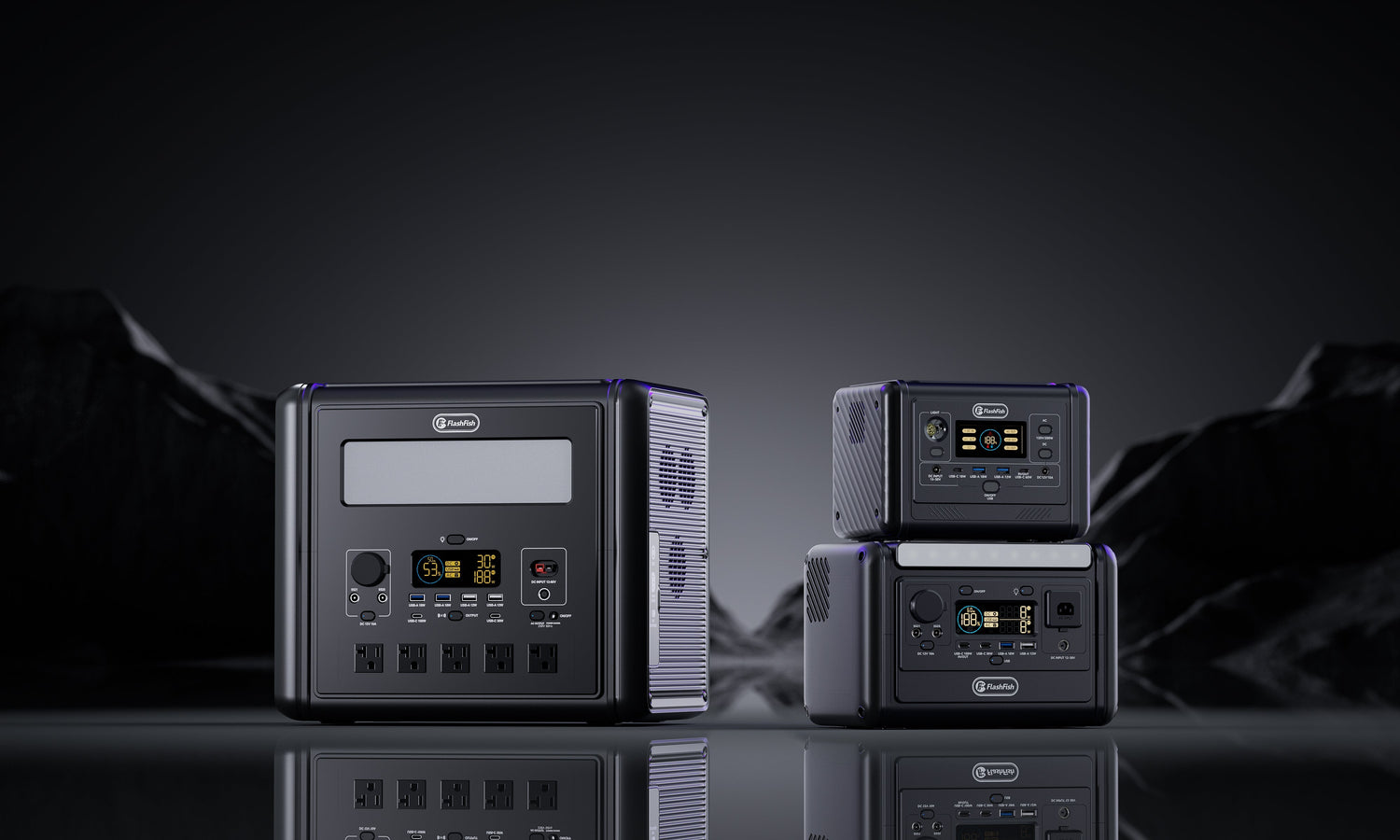
The FlashFish product-source bundle records two relevant notes for both the T1200S and T2000: USB or wireless charging can shut down after six hours under a light load, and AC power-saving standby is set to six hours by default. That makes a repeatable six-hour event a timer candidate on those exact models.
The database does not provide a universal watt threshold, so this guide does not invent one. It also does not claim that every FlashFish model—or every firmware version—uses the same rule. Before publication or troubleshooting, confirm the current manual for the exact Europe model in hand.
A practical overnight checklist
- Charge the station sufficiently and inspect the unit, plug and lead for damage.
- Use the correct output group and an undamaged, correctly rated cable.
- Record the start time, battery percentage and output watts.
- Check whether the connected device reduces its draw when full or idle.
- Compare the stop time with the exact manual's power-saving timer.
- If uninterrupted power is safety-critical, use equipment designed and approved for that critical application; do not assume a consumer power station is a substitute.
When FlashFish fits—and when it does not
T1200S or T2000 can fit when their verified output, capacity and port mix match the planned devices and the user understands the relevant power-saving controls. They do not fit a use case that requires an undocumented always-on low-load output, medical-device assurance, unattended fault recovery or a fixed runtime promise. Those needs require purpose-specific equipment and written manufacturer guidance.
Frequently asked questions
Can a load be too small for a portable power station?
Some models use power-saving logic that can turn an output off after a period of very low demand. The trigger and timer are model-specific, so check the exact manual.
Does an automatic shutoff mean the battery is faulty?
Not necessarily. A repeatable timer can be expected behaviour. Immediate or erratic shutoff, heat, smell, damage or an error code needs a different investigation.
Why does a station run a lamp but not a charger overnight?
A charger may draw very little after the device fills. That can allow a model-specific light-load timer to switch the output off even though a lamp with steady demand stays on.
Should I add another device to keep the outlet awake?
No. Adding a waste load increases energy use and is not a safe universal fix. Use a documented setting or choose equipment designed for the required always-on task.
When should I stop using the power station?
Stop if there is unusual heat, burning smell, arcing, visible damage, liquid exposure or a persistent fault indication. Disconnect when safe and contact qualified support.
Do T1200S and T2000 have the same low-load threshold?
The local product database records six-hour power-saving behaviour for both models, but it does not provide a shared watt threshold. This article therefore does not claim one.
Sources and evidence boundaries
- FlashFish product-source bundle and Europe Shopify snapshot, accessed 17 July 2026, for model-specific manual notes and active Europe product URLs.
- Electrical Safety First: Overloading sockets — supports extension-lead and overheating safety boundaries.
Human review note: verify the current Europe manuals before publication. This draft explains a diagnostic framework; it does not provide a universal threshold, internal repair guidance or laboratory test result.




Zostaw komentarz
Ta strona jest chroniona przez hCaptcha i obowiązują na niej Polityka prywatności i Warunki korzystania z usługi serwisu hCaptcha.