















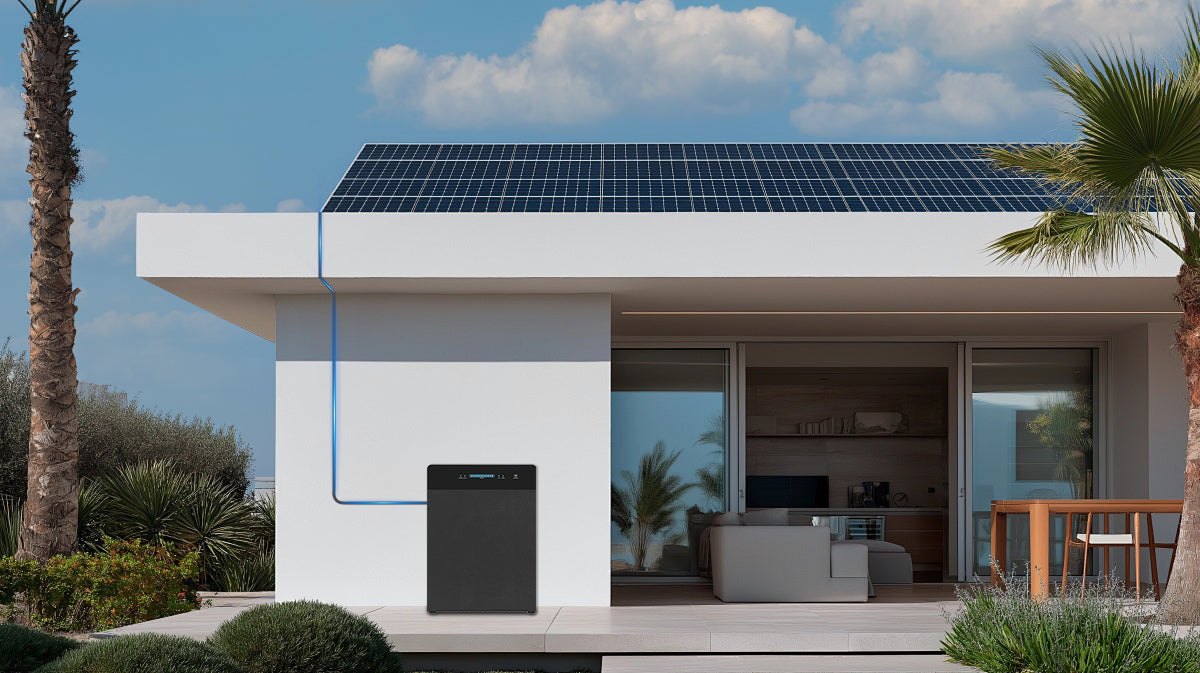
Short answer: prepare the purchase record, exact SR5000 model and label, serial information if requested, a dated issue timeline, error codes, clear external photos or video, and the connected-equipment details before contacting FlashFish Europe. The current FlashFish warranty page lists five years for eligible SR5000 purchases from this site. Keep that commercial warranty separate from the EU minimum legal guarantee, and never open the enclosure or alter wiring to collect evidence.
A clean evidence pack cannot guarantee a claim result. It can reduce ambiguity, protect the timeline and help the seller or support team distinguish a product fault from configuration, connected equipment or an unsupported expectation.
Start by separating three different questions
| Question | Primary evidence | Do not assume |
|---|---|---|
| What commercial coverage is advertised? | Current FlashFish Europe warranty page, product page and purchase documents | Every seller, condition or failure has identical coverage |
| What legal rights apply? | Your Europe guidance and country-specific consumer rules | The commercial warranty replaces or shortens legal rights |
| What happened to this unit? | Dated external evidence, app/error records, connected equipment and official support review | A symptom proves its cause or claim eligibility |
The FlashFish Europe warranty page currently lists a five-year commercial warranty for eligible SR5000 purchases from this site and asks owners to prepare proof of purchase, model/SKU, photos or video and serial/label information when requested. The support centre also asks for the exact model and regional version, order channel, country, issue, warning or error code and connected equipment.
Your Europe states that new goods bought from a trader in the EU have a minimum two-year legal guarantee when faulty, while a producer or shop’s commercial warranty is additional. Country rules and purchase circumstances can add detail, so this article is an evidence checklist—not legal advice or a coverage decision.
Three practical evidence cases
| Observed situation | Record now | Safe next step | Boundary |
|---|---|---|---|
| App warning or repeatable error with no visible damage | Time, mode, state of charge, error text/code, app/firmware version and connected equipment | Follow the exact manual and official support route; preserve screenshots and a short external video | Do not reset repeatedly or label it a battery fault without support evidence |
| Heat, abnormal odour, swelling, scorching, liquid ingress or damaged cable/connector | External photos from a safe distance and the event timeline | Stop operation, disconnect only when safe and follow official emergency/support instructions | Do not open, charge, test again, move unsafely or alter wiring for a better video |
| Output, solar input or backup behaviour differs from an expectation but no warning appears | Exact connected load/panel data, voltage/current/nameplate information, mode, settings and observed display values | Compare with the current manual and send the structured evidence to support | Do not turn rated capacity, PV maximum, peak output or a marketing phrase into a guaranteed field result |
Build the PROOF evidence packet
P: Purchase
- Invoice, order confirmation and seller identity.
- Order number, purchase channel, delivery date and delivery country.
- Screenshot or PDF of the commercial warranty and relevant product claim shown at purchase, if available.
- Installation or handover documents supplied with the system, without implying they prove warranty eligibility.
R: Record the exact unit and setup
- SR5000 model name and every regional/version field on the external label.
- Serial or production code only through the private official support route when requested; do not publish it in a blog comment or public forum.
- Current app and firmware version, operating mode and relevant settings.
- Panel, inverter, cable and selected-load model information that support requests need to reproduce the context.
O: Observe without diagnosing
Write the first occurrence, frequency, exact sequence, state of charge, mode, ambient context and every displayed warning. Use plain descriptions such as “the display showed code X after load Y was connected.” Avoid conclusions such as “the cells are defective” unless a qualified review establishes that cause.
O: Organise external evidence
- Create a dated timeline from normal operation to first symptom and each attempted support-approved step.
- Name each photo or video with date, view and event.
- Include a clear product-label view only in the private support submission.
- Keep original files and export app logs or screenshots without editing their content.
- Save every support message and note what action was authorised.
F: First contact and rights
Contact the trader that sold the product and use the current official FlashFish Europe route for model support. Describe the facts, attach only the requested evidence and ask what safe next step is authorised. If the issue concerns EU consumer rights, use current country guidance or the European Consumer Centres Network rather than assuming the commercial warranty is the only remedy.
What not to do for a stronger-looking claim
- Do not open SR5000, remove covers, probe internal voltages, alter wiring or bypass protection.
- Do not recreate a fault involving heat, smell, swelling, liquid or a damaged connector.
- Do not upload serial numbers, invoices, addresses, order numbers or app-account data publicly.
- Do not edit a video in a way that removes the sequence or connected-equipment context.
- Do not claim a cycle-life, usable-energy, savings, installation-compliance or backup failure without evidence for that exact question.
- Do not discard the seller’s reply, replacement instruction or return authorisation.
SR5000 product context
The current FlashFish SR5000 Europe page and product-source bundle identify a 5,120Wh LiFePO4 home-energy-storage system with 2,400W rated off-grid AC output, up to 2,000W PV input, smart app control and a five-year commercial warranty recorded from user-confirmed Europe content. These are product facts to identify the system—not proof of a specific fault, delivered energy, savings, legal installation or claim outcome.
The bundle also preserves manual grounding, clearance and qualified-maintenance boundaries even though ordinary-user installation is recorded as a user-confirmed Europe fact. For support evidence, ordinary use does not authorise internal maintenance or electrical modification.
When FlashFish SR5000 fits
- The owner needs fixed home-energy storage and can follow the current manual, local electrical requirements and support process.
- Purchase, model, setup and event evidence can be documented without opening or modifying the unit.
- The expected use is selected-load storage/backup within verified system and installation limits.
When SR5000 does not fit
- The need is mobile camping power, an unreviewed DIY grid connection or a guaranteed whole-home/medical backup system.
- The purchase or installation plan depends on an unverified warranty promise, guaranteed claim approval, fixed savings or payback.
- Safe evidence collection would require reopening, re-energising or reproducing a hazardous condition.
Safety and privacy boundary
The FlashFish support page says not to open the enclosure, alter wiring, bypass protections or use visibly damaged equipment. Disconnect only when it is safe and consistent with the exact instructions. Share order, serial, address, invoice and app-account information only through the verified private support route.
Frequently asked questions
How long is the FlashFish SR5000 commercial warranty?
The current FlashFish Europe warranty page lists five years for eligible SR5000 purchases from that site. Eligibility, purchase channel, product condition and current terms still need review.
Is the five-year commercial warranty the same as the EU legal guarantee?
No. Your Europe explains a minimum two-year legal guarantee for new goods bought from a trader in the EU. A commercial warranty is additional and cannot reduce that minimum right.
What evidence should I prepare before contacting FlashFish?
The current support pages request order or purchase details, exact model, country, issue description, error code, clear photos or a short video, label or serial information when requested and connected-equipment details.
Should I open SR5000 to photograph an internal fault?
No. The FlashFish support page says not to open the enclosure, alter wiring or bypass protections. Record external evidence and use the official contact route.
Does a complete evidence pack guarantee approval?
No. It helps support identify the product and event, but eligibility and remedy depend on the current terms, purchase facts, product condition and applicable consumer law.
Sources and evidence limits
- FlashFish Europe Warranty — current SR5000 commercial-warranty period and evidence request.
- FlashFish Europe Support Center — exact-model, order, issue, error, connected-equipment, safety and contact boundaries.
- Your Europe: consumer shopping rights — minimum legal guarantee and separation from additional commercial warranties.
- FlashFish SR5000 Europe page and local product-source bundle — product identification and manual-derived evidence boundaries.
This article is not legal advice, a fault diagnosis, a warranty interpretation or a claim-approval promise.
Build PROOF before a fault or support call; a factual timeline is more useful than a confident diagnosis.



Leave a comment
Este site está protegido pela Política de privacidade da hCaptcha e da hCaptcha e aplicam-se os Termos de serviço das mesmas.