
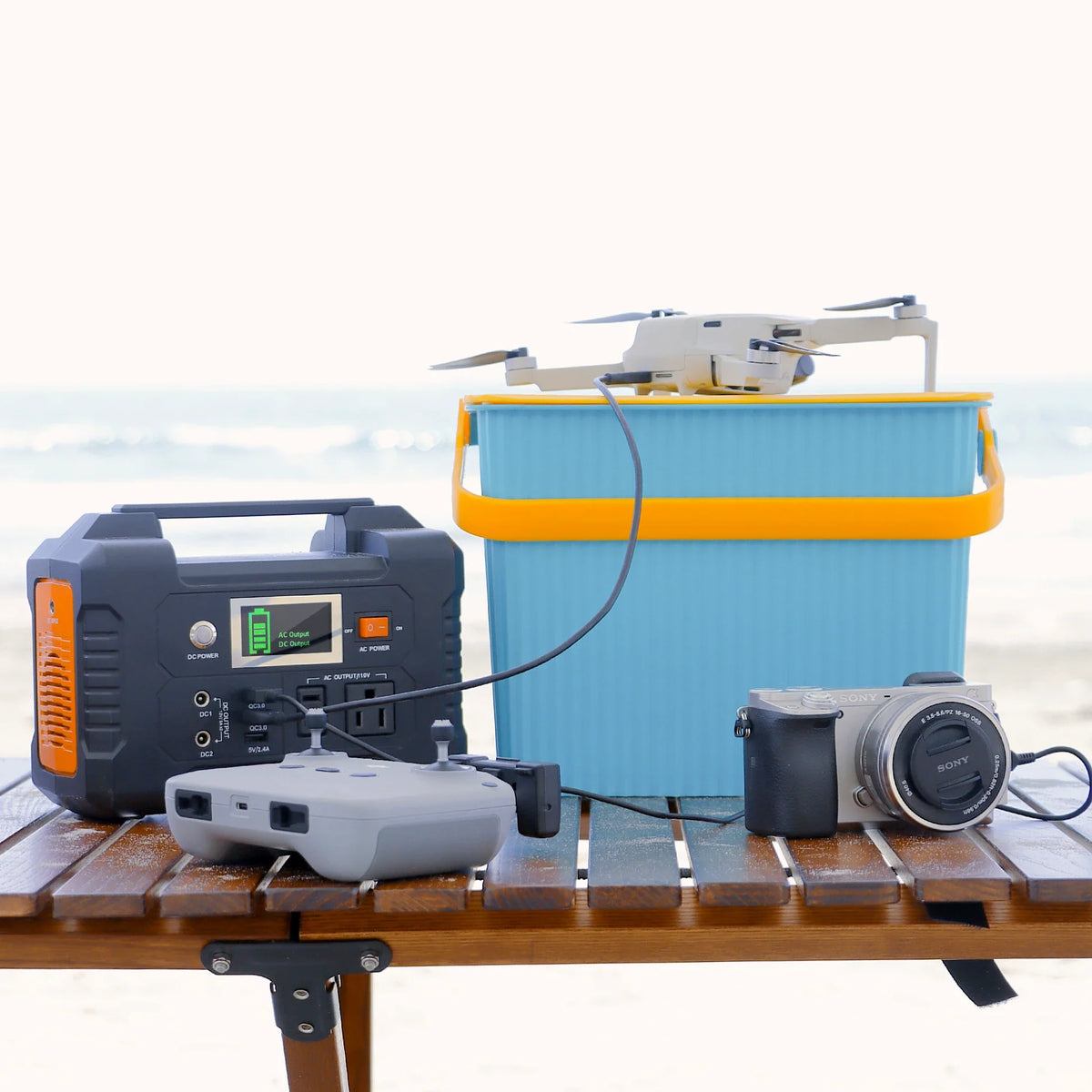
Short answer: do not treat E200 as a universal camera-charger or laptop supply. Its current Europe record specifies 200W rated modified-sine AC. The exact charger or laptop adapter must accept that input before you connect it. Charging and file handling are separate jobs: a completed battery does not prove that a card was ingested, catalogued, copied or recoverable.
Apply the charger gate first
| Field | Evidence required | Decision |
|---|---|---|
| Exact charger | Manufacturer, model and approved battery | Stop if the charger cannot be resolved |
| AC input | Voltage, frequency, watts or current from the label and manual | Must fit the European source and 200W rated ceiling |
| Waveform | Manufacturer statement or written approval for modified-sine input | Use another source if acceptance is silent or conflicting |
| Condition | No damage, heat marks, loose pins, swelling or abnormal behaviour | Remove damaged equipment from use |
| Supervision | Clear surface, ventilation and named operator | Do not leave an unverified setup unattended |
What the E200 record establishes
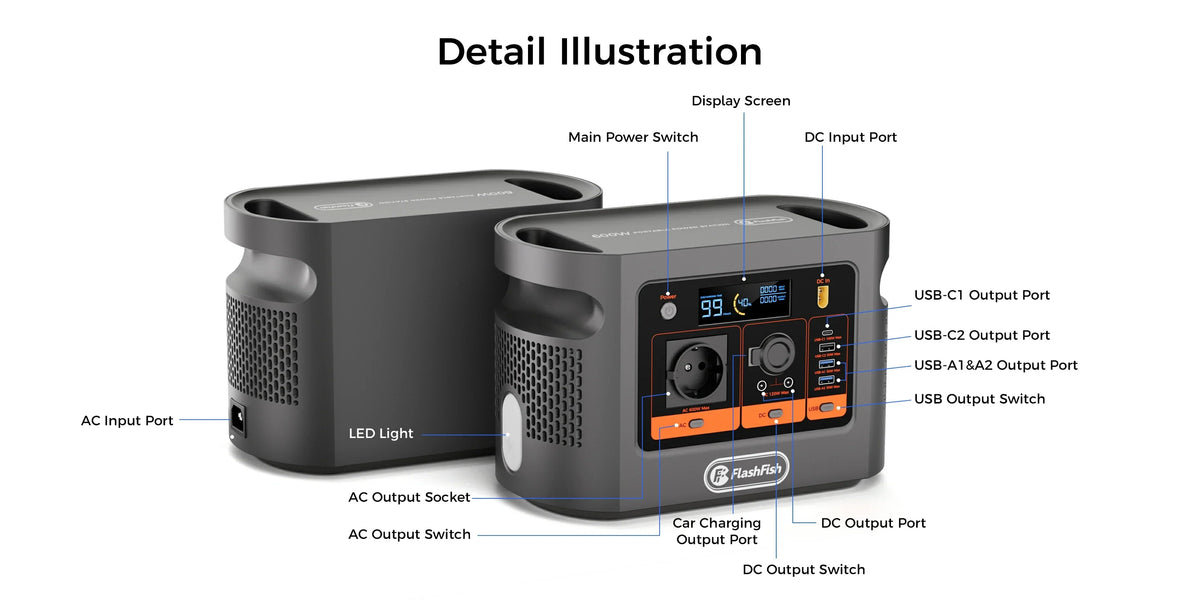
The current E200 Europe page identifies the XJM version with 151Wh nominal capacity, 200W rated and 400W peak modified-sine AC, USB-A outputs and a listed mass of about 1.85kg. It does not provide USB-C output or approve a camera charger, laptop adapter, card reader or storage device.
- Use 200W as the continuous AC planning ceiling; do not use 400W as a normal running rating.
- Do not infer waveform compatibility from a charger being below 200W.
- Do not turn 151Wh into a fixed battery count or desk runtime.
Decision-stage next step: compare the exact charger manual, then Check the current E200 Europe output details. If modified-sine acceptance is not explicit, keep that charger off the E200 AC outlet and use a documented alternative.
Why an exact charger example matters
The official Canon LC-E17E page names the charger, compatible battery family and a 100-240V AC range. That is the level of model specificity to seek. The voltage range alone does not say that LC-E17E accepts modified-sine AC, so this example does not clear the E200 waveform gate and cannot be transferred to another Canon or camera charger.
Keep charging separate from the media desk
| Stage | Record | Pass condition |
|---|---|---|
| Card intake | Card ID, camera, operator and starting file count | Card is write-protected or handled under the team's approved process |
| Ingest | Reader, cable, destination and copy log | Copy completes without an error |
| Catalogue | Software, catalogue location and import count | Representative files open and metadata is visible |
| Second copy | Different approved destination and completion time | Representative files open from the second destination |
| Card release | Named reviewer and recovery result | No card is cleared before the documented gate passes |
Use a bounded operating sequence
- Verify the charger and laptop adapter before powering the desk.
- Inspect plugs, sockets, cables and batteries; remove anything damaged or unusually hot.
- Start the accepted charger alone and record warnings, heat and station behaviour.
- Keep card ingest off the same unverified power path until the charger result is stable.
- Copy a non-sensitive sample card to the named primary destination.
- Open representative files, then make and check a second approved copy.
- Record the final battery, file and handover state before clearing cards or shutting down.
Use safety guidance within its scope
Electrical Safety First's charger guidance says to follow manufacturer instructions, inspect chargers and sockets and stop on abnormal heat, smell, sparking or smoke. Its page focuses on USB chargers and UK context; it does not approve a camera charger, E200 or modified-sine operation elsewhere.
Three practical stop examples
- The charger label says 100-240V but the manual says nothing about waveform: voltage passes, waveform does not; use another documented source.
- The laptop has only USB-C charging: E200 has no documented USB-C output; do not invent a direct path.
- The ingest copy finishes but the second destination cannot open files: keep the card unchanged and repair the data workflow before continuing.
Estimate energy without claiming a battery count
Measure representative charger and laptop-adapter demand only after both are approved. Apply explicit conversion-loss and reserve assumptions to the 151Wh nominal capacity. Battery state, charger losses, tapering, simultaneous loads and station reserve all change the result, so a universal number of completed camera batteries would be unsupported.
Advantages, disadvantages and overlooked limits
- Advantage: E200 is compact and has a clearly documented 200W rated AC ceiling.
- Disadvantage: its AC output is modified sine and the authoritative record provides no USB-C output.
- Risk: a voltage-compatible charger can still lack waveform approval.
- Overlooked limitation: successful charging says nothing about file counts, catalogue integrity or recoverability.
FAQ
Can E200 run any camera charger below 200W?
No. Wattage, regional input, waveform requirements and manufacturer instructions must all match.
Does 100-240V prove compatibility?
No. It does not establish modified-sine tolerance or approve this source.
Can E200 power a USB-C laptop directly?
No USB-C output is documented in the authoritative E200 record.
Does a catalogue import prove backup?
No. Confirm a separate approved destination and open representative files from it.
How many batteries can E200 charge?
No fixed count is established without the exact charger, battery, losses, reserve and simultaneous-load evidence.
Sources and evidence limits
- FlashFish E200 Europe page and exact-model record — E200 limits; no charger or data test.
- Canon LC-E17E official page — one exact charger example; no modified-sine approval.
- Electrical Safety First: USB charger guidance — general UK safety boundaries; no E200 approval.
Evidence checked 30 October 2026. No hands-on charger, media or recovery test and no named technical review occurred.
Reject the power path before risking the media
The best outcome can be a documented non-fit. If the exact charger or laptop adapter does not explicitly clear E200's modified-sine boundary, Compare pure-sine alternatives if the charger evidence is incomplete. Keep file ingest, second-copy verification and card release as separate controlled steps whichever power source is used.




Оставить комментарий
Этот веб-сайт защищается hCaptcha. Применяются Политика конфиденциальности и Условия использования hCaptcha.