
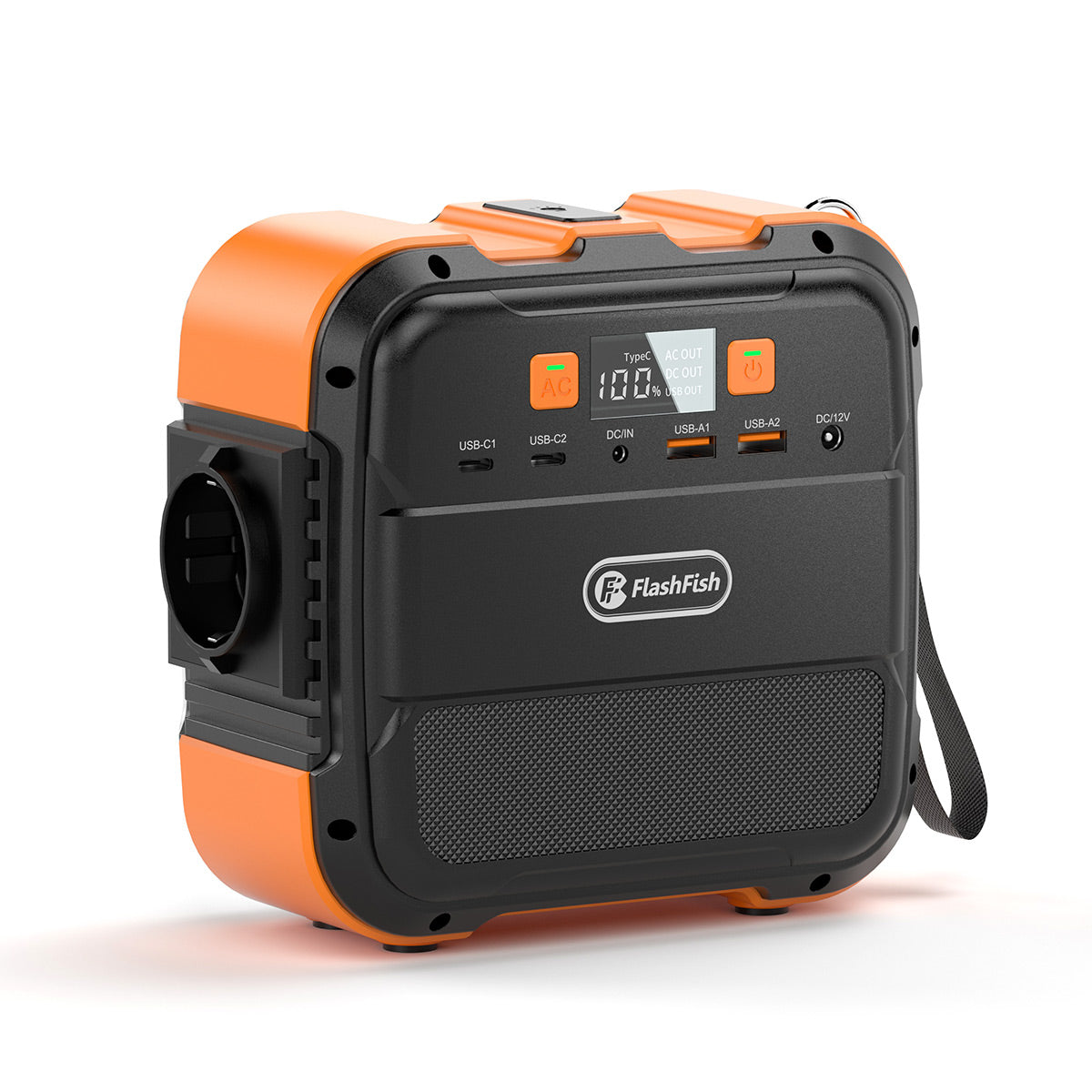
Short answer: plan the desk as three separate power paths, then give data handover its own checklist. A TSP60 can feed a supported phone directly, feed the A101 through the kit's documented DC path, or remain packed while a pre-charged A101 powers phones later. None of those paths supplies a fixed number of survey hours, and none proves that cloud backup has completed.
Method and limits. FlashFish Miles prepared this guide from the current Europe kit pages, exact-model product records and the European Commission's solar-resource guidance. No phone, survey app, cable, A101, TSP60, charging rate, rain event, runtime or completed data handover was tested.
1. Choose one power path before the shift
| Path | What must be checked | What it does not prove |
|---|---|---|
| TSP60 USB → phone | Phone input profile, USB-C or USB-A port, cable rating and direct sunlight setup | The panel stores no energy and its port rating is not the phone's charging speed |
| TSP60 DC → A101 → phone later | Use the current kit cable path; confirm connector, polarity and A101's 12–26V, 3A, 40W input ceiling | The panel's 60W label is not 60W into A101 |
| Pre-charged A101 → phone | Phone input, cable, selected A101 USB port and the whole shift's device list | 97.68Wh nominal capacity is not usable phone runtime |
The current TSP60 page lists USB-C PD up to 45W, USB-A up to 18W and an 18V DC output. Keep those outputs separate in the plan.
2. Record the bounded kit facts
| Item | Known from the exact record | Still unknown for this shift |
|---|---|---|
| A101 | 97.68Wh nominal capacity; 120W rated AC; 240W peak; two USB-C and two USB-A outputs up to 18W each; about 1.2kg | Phone compatibility, usable energy, charging speed, fixed runtime and weather protection |
| TSP60 | 60W panel rating; 18V/3.34A DC; USB-C up to 45W; USB-A up to 18W; about 1.9kg | Energy delivered during the shift, shade pattern, cable losses and phone negotiation |
| Current kit route | A101 + TSP60 configuration displayed at €142.98 on the EU English storefront on 4 November 2026 | Final checkout total, future price, delivery date and local tax treatment |
Check the current A101 + TSP60 kit and preserve a dated screenshot or order record if price affects the project budget.
3. Build the phone and form inventory
- List every phone by owner or asset number without copying unnecessary personal data.
- Record the phone maker's accepted input, the cable at the desk and the chosen power path.
- Open the exact survey form in aeroplane mode or with mobile data disabled to prove the intended offline path.
- Record where unsent entries remain: app storage, browser storage, an organisation account or another approved location.
- Assign one coordinator to count accepted records at the end of the shift.
4. Run a short dry rehearsal
Before respondents arrive, create one clearly labelled test record. Close and reopen the app, restart the phone if the procedure permits, and confirm that the test record survives. Reconnect only through the approved network, verify the destination count, then remove the test record according to the survey procedure. This checks the workflow; it does not prove every later record or network session will succeed.
5. Verify survey export as a separate step
Do not treat a phone-level backup setting or a network icon as proof that the survey app has exported every response. Use the survey system's documented procedure and the organisation's approved account. The handover sheet should record the app's local count, remote accepted count, last successful sync time and the coordinator who verified both. If the system cannot display an accepted remote count, record that limitation and keep the device under controlled handover.
6. Use a simple shift log
| Checkpoint | Power record | Data record | Action if unclear |
|---|---|---|---|
| Opening | A101 display, phone battery and selected path | Test record accepted | Do not open the desk |
| Mid-shift | Recheck connections, heat and remaining indication | Local and remote record counts | Switch to the documented fallback |
| Closing | Disconnect, inspect and pack dry | Final counts, export location and named recipient | Keep the devices and records under controlled handover |
7. Make weather a stop decision
The A101 record does not provide a weather-protection rating, and the TSP60 manual record does not support immersion. Do not treat an outdoor marketing image as a wet-weather rating. If rain, condensation, standing water or a wet connector appears, stop the outdoor charging path, move the equipment to a dry protected place and follow the exact manuals before reconnecting. Do not place the station inside a sealed bag while it is operating or charging.
8. Treat sunlight as a variable input
The European Commission's PVGIS service shows why solar planning is location- and season-specific. For a portable desk, cloud, shade, panel angle, temperature and the connected device add further variation. Record measured energy or observed battery change from a rehearsal; do not promise a daily yield from 60W multiplied by an assumed number of sun hours.
Common mistakes
- Adding every port maximum and calling the total simultaneous output.
- Using the panel's nameplate wattage as a charging-rate promise.
- Assuming a matching USB-C plug means the phone accepts the offered profile.
- Calling an enabled backup setting a completed survey export.
- Continuing outdoors after connectors or equipment become wet.
FAQ
Can the TSP60 charge a survey phone directly?
Only if the phone and cable accept a documented TSP60 USB output. Check the phone maker's input requirements; a matching connector alone does not establish compatibility.
Does a 60W panel mean 60W will enter the A101?
No. A101's documented DC input is limited to 12–26V, 3A and 40W, and actual solar input also varies with conditions.
Can 97.68Wh tell us how many survey hours we have?
No. The full phone load, screen and network use, cable losses, battery state, temperature and charging path are still required.
Is a phone backup setting enough for the survey handover?
No. Confirm the survey app's own export or sync status, local record count, destination account and coordinator acceptance.
What should the team do when rain starts?
Stop the outdoor charging path, disconnect only when it is safe to do so, move the equipment to a dry protected place and follow the exact manuals before reuse.
Decision and next step
This compact kit can support a carefully documented phone-power plan, but the quality of the survey depends equally on cable compatibility, offline behaviour, record counting and a named handover. Confirm the phone, cable and data workflow before deployment; if any input, connector, wet-weather or data-responsibility field remains unknown, keep the desk closed until the responsible owner supplies it.
Sources and further reading
Sources checked 4 November 2026. Recheck the exact product pages, phone manual, survey-app documentation and local operating conditions before use.



Оставить комментарий
Этот веб-сайт защищается hCaptcha. Применяются Политика конфиденциальности и Условия использования hCaptcha.