
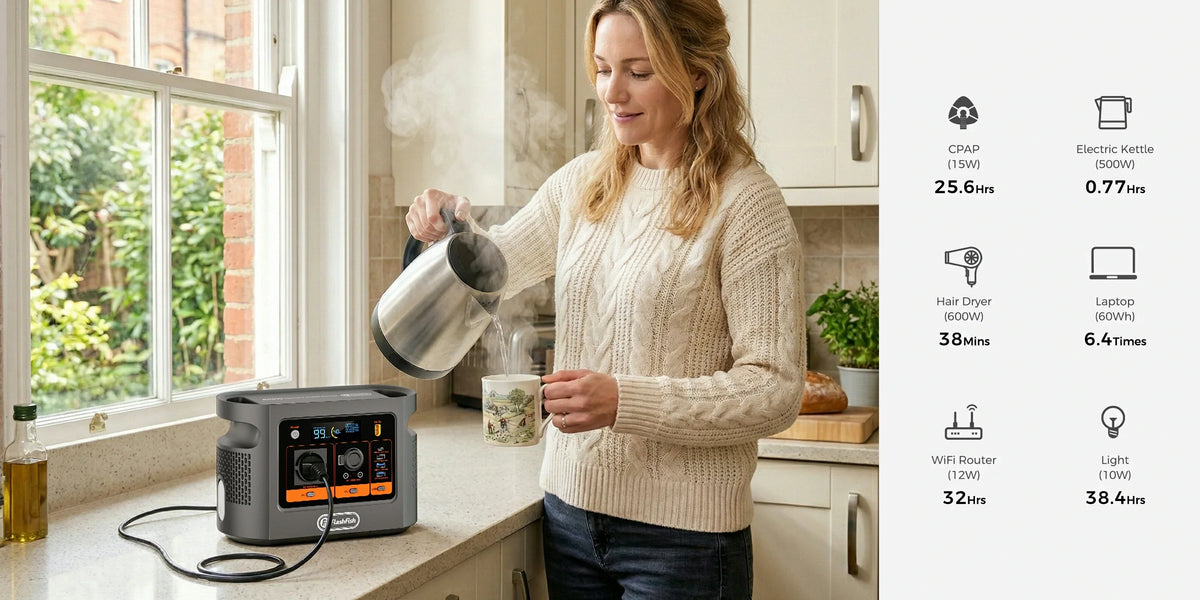
Short answer: E106B can be a plausible source for a modest, approved switch-and-access-point setup, but headline watts are only the first screen. Use the switch’s original regional AC adapter, check the access point’s exact PoE requirements and measure the entire powered network. A PoE client is already included in an upstream switch-input measurement: adding it again overstates demand.
This guide is for a European home office or small workspace where losing Wi-Fi is inconvenient rather than a threat to safety. It does not establish tested compatibility, automatic failover or internet continuity. The original viewpoint is simple: draw the power path before adding the wattages.
In this guide: Map the path · Exact device example · Whole-network test · Fit and limitations · FAQ
Map the power path before choosing a station
A common arrangement is station AC → switch adapter → PoE switch → Ethernet cable → access point. The switch sends both data and appropriate PoE power along the network cable. The station supplies its adapter; it does not replace the switch’s PoE negotiation or convert an ordinary Ethernet socket into a power outlet.
Another arrangement gives the access point its own authorised adapter or injector. That changes the accounting: a separate AC-powered injector belongs in the station’s load list. A router, optical network terminal (ONT), modem or controller may also need power. Draw each powered box once and mark which socket or adapter feeds it.
| Equipment | Where its demand belongs | What to verify |
|---|---|---|
| PoE-powered access point | Inside the switch’s upstream input measurement | Exact hardware revision and approved PoE method |
| Separately powered access point/injector | Its own upstream input | Regional adapter, connector and label |
| Router/ONT/modem | Separate unless already within the measurement | Which upstream connection is required |
| Station electronics | Outside a downstream plug-meter reading | Not measured by a meter placed after the AC outlet |
One exact example: a switch budget is not its AC demand
The TP-Link UK TL-SG1005P specification table lists a 65W total PoE budget, a supplied adapter output of 53.5V/1.31A, and 74.24W maximum consumption with 65W of PoE clients under its stated 220V/50Hz conditions. These are different quantities. The client budget is not the complete upstream input and the adapter’s DC output is not a proposed direct connection to E106B’s 12V sockets.
For the Omada EAP610 table explicitly marked V4, the maker lists 10.9W maximum consumption via PoE and 9.9W via DC. Those are version-specific figures, not a constant draw or proof that every EAP610 revision accepts the same supply. Check the label and regional instructions on your own device.
If a meter ahead of the switch adapter measures the switch with that access point connected, do not then add another 10.9W to that reading. Conversely, a switch reading with no clients connected tells you little about the completed setup. The useful question is what is actually inside the measurement boundary.
What E106B contributes to the screening
| Verified local field | Planning implication |
|---|---|
| 384Wh nominal battery energy | A label value, not proven output energy or network duration |
| 600W continuous pure-sine AC; one outlet | Compare complete adapter demand and arrange any additional approved outlets carefully |
| Approximately 5.2kg | Include the station, adapters and network cables in the carry plan |
| Regional AC variant | Verify the delivered EU voltage, frequency and socket against every adapter |
The authoritative E106B record does not supply a tested UPS transfer time, a numeric peak AC rating or the delivered watt-hours for this network. We therefore treat it as a manually verified portable source, without inferring seamless operation when mains fails. A 600W ceiling also does not mean a smaller system has a known duration.
Next step: Compare E106B with your network adapter requirements.
A supervised whole-network test you can repeat
- Record exact switch and access-point models and hardware revisions. Use their approved regional adapters and network-power method.
- Start the switch alone, then add the access point. Confirm normal boot and the expected client connection before adding router, ONT or other boxes.
- For an AC measurement, use an enclosed plug-in meter rated for the source, adapters and regional voltage. Do not probe mains contacts or modify cables.
- Run the real workload: connect your normal clients and exercise the local files, meeting connection or other intended task. Record accumulated Wh, duration and any resets.
- Write down the start/end station display state, powered devices and meter position. Save the log and keep a separate communications fallback.
If extra AC outlets are needed, consult the station’s instructions and suitable regional extension requirements. Electrical Safety First advises avoiding socket overloads and daisy-chained extensions. This general advice does not determine E106B’s grounding or protective arrangement; an uncertain setup needs a qualified electrical check.
Three setups that lead to different decisions
| Example | Accounting | Decision |
|---|---|---|
| One switch and one PoE access point | One switch-adapter input includes the client | Check PoE fit, then measure upstream |
| Switch plus separately adapted access point | Two separately supplied inputs | Include both; check outlet arrangement |
| Switch/AP plus router and ONT | Network dependencies add separate inputs | Test the whole chain and retain a fallback |
When FlashFish fits—and when it does not
E106B can fit a non-critical, modest network that uses approved adapters, stays within verified output limits and has a dry, ventilated location. It is less suitable when the decision depends on a proven no-reboot transfer, unattended critical service or a demonstrated minimum duration. A dedicated, documented UPS arrangement may better fit a network that must switch automatically; check that device-level requirement before buying either option.
Powering Wi-Fi also does not power the provider’s network. A locally working access point can still have no internet. Keep local-network function, provider service and emergency communications as separate decisions. Stop if equipment or cables are damaged, unusually hot, unstable or producing repeated warnings; do not bypass a protective shutdown.
Frequently asked questions
Can E106B power a PoE switch directly through Ethernet?
No. E106B is a power source, not a PoE injector. Use the switch maker’s approved power adapter and a compatible PoE switch or injector for the access point.
Should I add access-point watts to switch-input watts?
Not when the switch-input measurement already includes that PoE access point. Add separately powered equipment separately and state exactly where the measurement was taken.
Does a 65W PoE budget mean the switch draws 65W from AC?
No. The PoE budget is a client-supply ceiling. The switch itself and its adapter also consume power; actual upstream demand depends on the connected equipment.
Will this setup preserve internet during an outage?
Not necessarily. Router, ONT, modem, provider infrastructure, configuration and any required controller remain separate dependencies. Keep another communication option.
How long will the network run on E106B?
No duration is established here. Measure the complete approved setup over a representative session, account for station overhead and keep a reserve rather than dividing nominal capacity by an isolated label.
Make the decision from the complete path
Use the completed network’s adapter requirements and a transparent test log. If the setup passes its electrical and functional checks, assess the reserve and practical fallback you need. If it depends on an undocumented feature, resolve that requirement first.
Next step: Compare portable stations for your complete network load.
Sources and method
Prepared by FlashFish Miles. Evidence checked 17 September 2026. This is brand-written specification and setup analysis, not a hands-on review. Product values use the authoritative local E106B record and Europe product page; device examples use the linked manufacturer pages. No physical E106B/PoE test, efficiency result, runtime or customer review is claimed.




Оставить комментарий
Этот веб-сайт защищается hCaptcha. Применяются Политика конфиденциальности и Условия использования hCaptcha.