
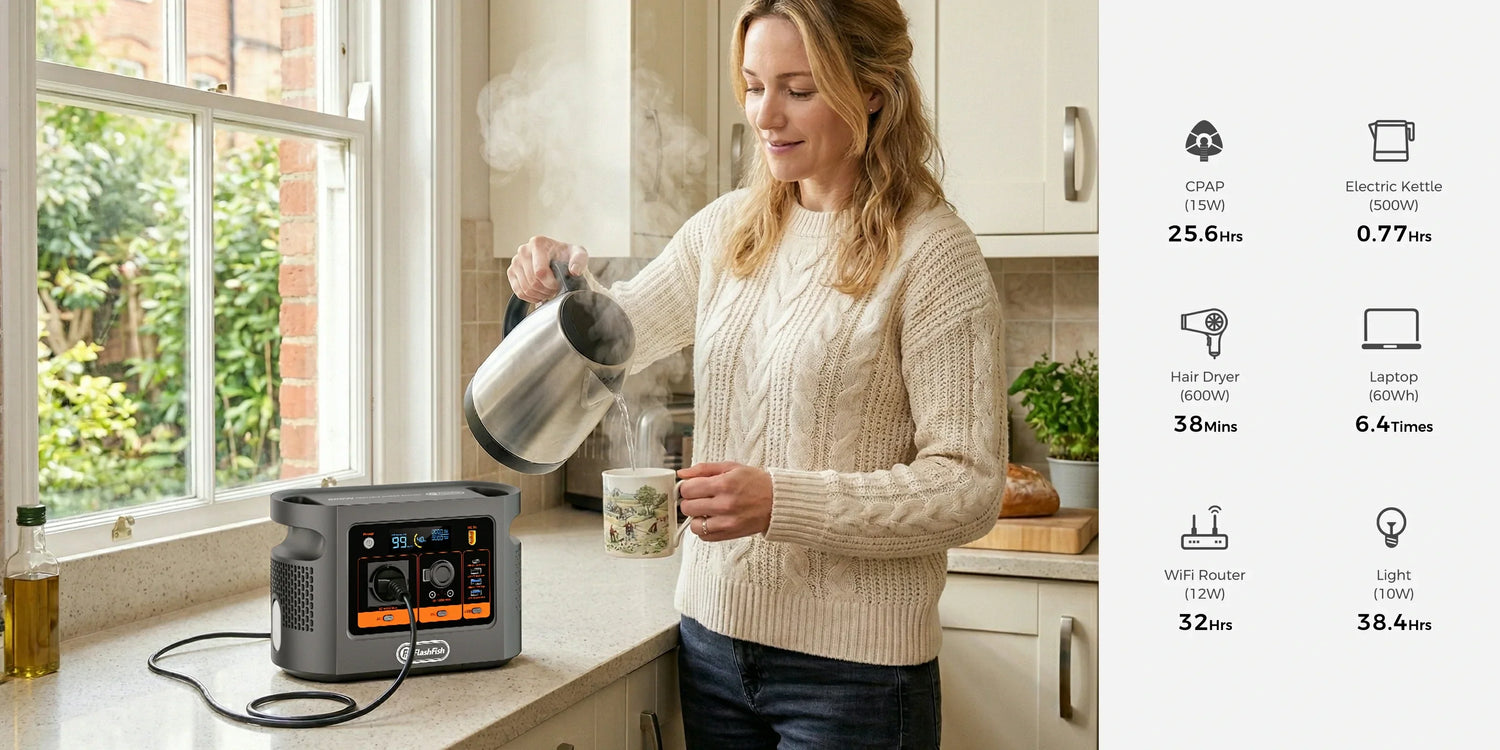
Short answer: the FlashFish E106B has 384Wh of nominal energy and a 600W continuous pure-sine AC output, so the published rating is comfortably above the small label values common on broadband equipment. That is only the first screen. A useful plan must power every required customer-side device, confirm the provider network is still operating and retain a separate way to communicate.
Start with the complete LINK card
| LINK check | What to record | Stop condition |
|---|---|---|
| List | Router, ONT, mesh nodes, switches, voice base and any powered media converter | A required node is missing from the plan |
| Inspect | Adapter input voltage, frequency and watts or volts × amps; connector and device name | Damaged, hot, mismatched or unidentified adapter |
| Network | Provider status and whether service persists when the local devices are powered | Wider fibre or provider outage |
| Keep fallback | Charged mobile, provider backup and local emergency information | The plan depends on broadband alone for an essential call |
BT's official full-fibre battery-backup guide separately connects the Smart Hub and the Openreach modem or ONT. A station connected only to the router cannot help if the ONT is also unpowered. Powering both still cannot restore a provider-side fault, and another provider may use different equipment.
Inventory first; calculate second
- Photograph the input label of every original AC adapter and note which device it serves.
- Add label watts where stated. If only DC volts and amps are shown, their product is an adapter-output ceiling, not a measured wall load.
- Measure the complete working chain with an appropriate plug-in energy meter if the instructions allow it.
- Run the normal configuration long enough to include mesh traffic, voice equipment and other devices you intend to keep.
- Reserve energy rather than planning to use every nominal watt-hour.
The E106B's 384Wh figure is nominal stored energy. Delivered AC energy will be lower because the station and adapters consume energy, and the result varies with load, temperature, state of charge and equipment behaviour. A measured chain is more useful than a generic router watt estimate.
Three configurations show why topology matters
- Router only: a non-fibre installation may have one powered gateway. Confirm that no separate modem, voice box or powered line device is hidden elsewhere.
- Router plus ONT: a full-fibre installation commonly needs both devices. Powering just one leaves the data path incomplete.
- Router, ONT and mesh or voice equipment: extra nodes raise energy use and create more failure points. Decide which nodes are actually necessary during the outage.
These are inventory patterns, not measured E106B tests. The exact devices, adapters, connectors, provider topology and outage behaviour control the decision.
Output headroom is not service continuity
The E106B local record lists one regional AC outlet with 600W continuous output, plus 100W and 30W USB-C outputs. Those figures describe output ceilings, not network availability or automatic changeover. Do not replace an original router or ONT adapter with a direct DC or USB cable unless the equipment manufacturer explicitly documents voltage, polarity, protocol and connector compatibility.
The same evidence pack does not publish an E106B peak AC figure or an automatic-transfer time. A buyer should therefore treat both as unknown, not fill the blanks from another model or market.
When E106B fits and when it does not
| E106B can be a reasonable candidate when | Choose another plan when |
|---|---|
| Every required device and original adapter is identified | The network chain or adapter labels are unknown |
| The combined measured AC load remains within the regional station and cable limits | An automatic, tested transition is essential but undocumented |
| The provider confirms its network is expected to remain available | The provider network is also down |
| A mobile or provider-approved fallback remains available | Broadband is the only route for an essential or emergency call |
Check the E106B's published energy and output limits against your complete network chain. Keep the decision tied to the delivered regional unit rather than the title alone.
Common mistakes
- Powering the Wi-Fi router but forgetting the fibre ONT.
- Treating adapter output watts as measured wall energy.
- Assuming a powered home router means the provider network is alive.
- Assuming pass-through operation is the same as a documented UPS.
- Daisy-chaining adaptors or ignoring damaged, hot or obstructed cables.
Electrical Safety First advises checking plugs, sockets and leads for damage or overheating, staying within marked limits and avoiding daisy-chained extension devices. Keep the station dry, ventilated and placed according to its instructions.
Frequently asked questions
Can the E106B keep fibre broadband working in any power cut?
No. It may supply compatible customer-side equipment within documented limits, but the router, ONT and any mesh or voice device all need power and the provider-side network must also remain available.
Do I need to power both the router and the ONT?
For many full-fibre installations, yes. BT's own backup instructions power the router and Openreach modem or ONT separately. Inspect the actual installation because equipment and terminology vary by provider.
How long will a 384Wh E106B run my broadband equipment?
Nominal energy cannot provide a fixed duration. Measure the complete powered chain at the wall, include conversion and standby demand, reserve energy and repeat the test under the intended configuration.
Can I use the E106B as an automatic UPS for broadband?
Do not assume automatic transfer or a particular transfer time. The available E106B product evidence used here does not document those properties, so test only according to the exact regional instructions or plan a manual changeover.
Will an internet phone still make emergency calls?
Not necessarily. Internet-based voice can fail if local equipment or the broadband network loses service. Ask the provider about approved backup and keep an independent mobile or local emergency plan appropriate to the country.
Conclusion: back up the chain, not just the router
An E106B can be screened as a power source only after the full network chain is known. LIST the nodes, INSPECT every label, check the upstream NETWORK and KEEP a fallback. Use the Europe buying guide to compare a measured broadband load with current station options.
Sources and evidence boundaries
- FlashFish Europe E106B page and the local product record for the bounded energy, output and port facts.
- BT full-fibre battery-backup guidance for the provider-specific router and ONT example.
- UK government telecom-resilience guidance for internet-voice and backup boundaries.
- Electrical Safety First for cable and adaptor checks.
Evidence checked 4 September 2026. No broadband setup, outage, transfer or duration test was performed.




Оставить комментарий
Этот веб-сайт защищается hCaptcha. Применяются Политика конфиденциальности и Условия использования hCaptcha.