
















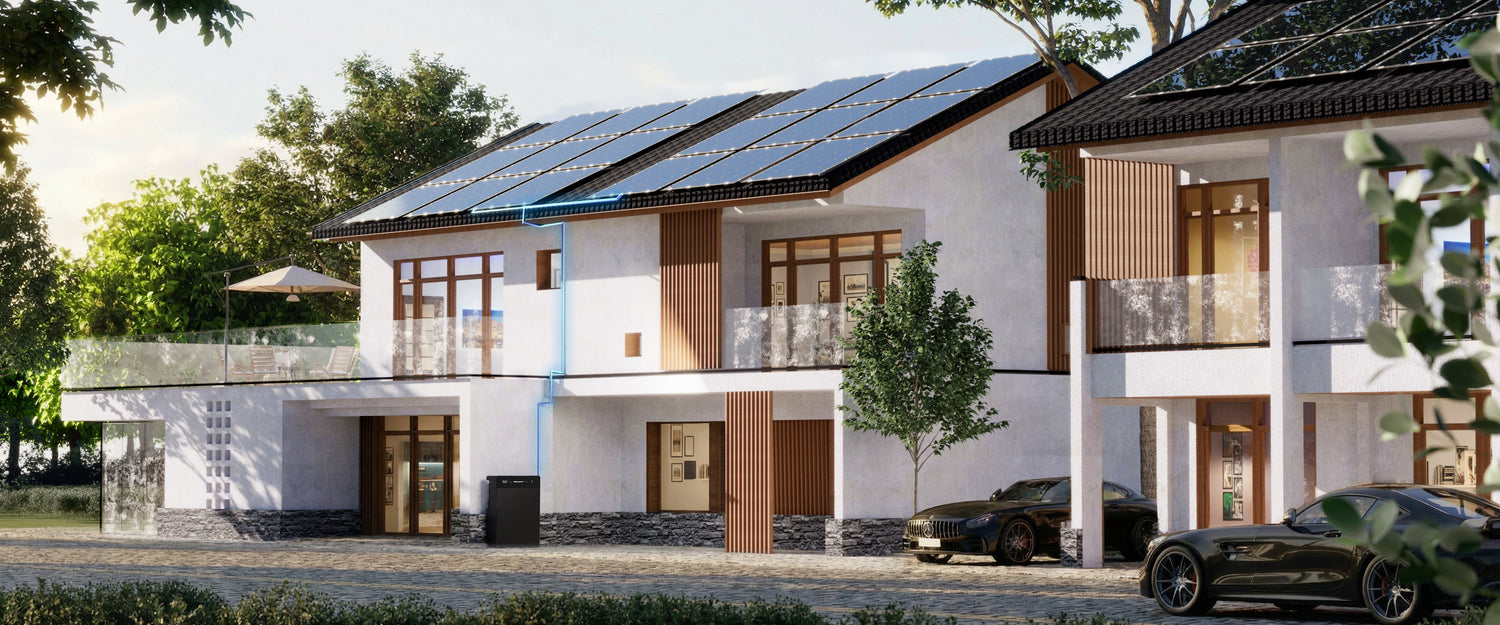
Short answer: treat backup reserve as an energy-allocation policy, not as a magic percentage. A larger reserve keeps more energy available for selected outage loads but can leave less stored solar for routine evening use. A smaller reserve can increase normal self-consumption but leaves less cushion when the next solar window or grid return is uncertain.
The current Shopify-owned SR5000 app image verifies mode selection, timed charge and discharge concepts, monitoring and remote control. It does not visibly verify an adjustable minimum-reserve slider or supported reserve percentage. Confirm the current app, firmware and manual before building a plan around that function.
Reserve and self-consumption compete for the same stored energy
The FlashFish SR5000 product page lists 5120Wh of LiFePO4 capacity, 2400W rated off-grid output and up to 2000W PV input. Capacity is an energy container. It is not the same as usable energy delivered to every load, and it does not decide how much should be retained for an outage.
| Policy direction | What it prioritises | Trade-off to accept | Evidence needed |
|---|---|---|---|
| Self-consumption-first | Use more stored solar for routine loads before the next day | Less energy may remain if an outage begins late | Load timing, next-day solar outlook and confirmed discharge controls |
| Balanced | Retain an owner-defined cushion while using some energy routinely | Neither goal is maximised | Essential-load worksheet, seasonal solar model and current app capability |
| Backup-first | Protect a larger owner-defined energy cushion | More potential solar energy may remain unused for daily loads | Outage priorities, required duration and documented control method |
These are policy directions, not preset names and not recommended percentages. The correct choice depends on the household's selected loads, next charging opportunity and tolerance for an outage.
Build the backup need from selected loads
Do not start with “How many hours does 5.12kWh last?” Start with the equipment that must remain available. Record its measured or manufacturer-documented watts, whether it cycles, how many hours it is needed and whether loads can be sequenced.
| Selected load | Evidence to collect | Priority question | Boundary |
|---|---|---|---|
| Refrigerator or freezer | Measured energy over a representative day and startup behaviour | How long can doors remain closed? | Nameplate watts alone do not show cycling energy |
| Router and optical network terminal | Adapter labels and measured combined watts | Is local connectivity still available? | Powering home equipment does not establish provider service |
| Lighting | Actual lamp watts and number of lamps | Which rooms need minimum lighting? | Lighting every room is not automatically essential |
| Phone, laptop or radio | Charger ratings and likely charge sessions | Can charging be staggered? | Maximum charger rating may exceed typical demand |
| Pump or other motor load | Operating and starting input from approved documentation | Is startup within the supported output? | Rated off-grid output is not permission for unknown surges |
For each row, estimate energy as watts × hours ÷ 1000 = kWh. Then add documented conversion losses and a planning margin rather than treating all 5.12kWh as deliverable AC energy. If the load cycles, use measured energy over time instead of multiplying its maximum label indefinitely.
Separate output fit from energy duration
The 2400W rated off-grid output answers whether simultaneous loads may fit the continuous power envelope. The 5120Wh capacity helps plan duration. Passing one test does not pass the other. A short high-power load may fit output but consume energy quickly; a low-power load may fit output yet still run longer than the chosen reserve window.
Use a written simultaneous-load list. Do not include every household circuit by default. The product page frames backup around selected loads and says runtime varies with connected load, conditions and configuration.
What the current SR5000 app evidence does and does not show
The current Shopify-owned app-control image visibly presents:
- Mode Selection;
- Smart Green Power with automatic solar allocation language;
- Custom mode with timed charge and discharge screens;
- Smart Socket Mode;
- real-time insights, energy management and remote-control concepts.
The image does not visibly present a minimum state-of-charge slider, a named backup-reserve mode or a supported reserve percentage. A timed schedule is not necessarily the same as a protected minimum reserve. Before depending on a control, match the current app version, firmware, manual and region, then ask FlashFish support to confirm the exact behaviour.
If the system does not expose the control needed for the policy, do not simulate it with undocumented workarounds. Change the operating plan or obtain qualified product support.
Model solar uncertainty by month, not by annual average
The European Commission's PVGIS can model photovoltaic production using location, orientation, system size and loss assumptions. Its monthly variation matters because the same reserve policy may behave differently in July and December.
Use at least three cases:
- Expected month: a location-specific monthly estimate with realistic orientation and shading inputs.
- Poor-solar period: a conservative multi-day scenario where the battery may not refill as planned.
- Load-change case: winter lighting, heating-related controls or occupancy changes that raise essential demand.
The European Commission notes that building solar can be consumed directly, stored, shared or exported. SolarPower Europe also stresses that plug-in PV rules and installation guidance differ across Member States. The reserve policy therefore sits inside a local technical and regulatory setup; it is not just an app choice.
Use a monthly policy log
| Date | Essential-load estimate | Solar evidence | Confirmed control | Chosen priority | Review trigger |
|---|---|---|---|---|---|
| Record monthly | Measured kWh and startup notes | PVGIS month plus observed shading | App/firmware/manual version | Self-consumption, balanced or backup-first | Season, tariff, load or firmware change |
This log makes the decision reviewable. It also prevents an old summer setting or assumption from silently becoming a winter emergency plan.
When SR5000 fits and when it does not
SR5000 can fit when a household has measured selected loads, a suitable installation location, location-specific solar evidence, a documented connection method and a current control set that supports the chosen policy. Its 5.12kWh capacity and 2400W rated off-grid output provide planning inputs, not an outcome by themselves.
It does not fit a plan that assumes whole-building support, a fixed duration, a specific savings figure, an unverified reserve slider, unrestricted grid feed-in or installation without grounding and local-rule checks. Fixed wiring and grid interaction require the correct equipment and qualified local advice.
Frequently asked questions
Does the SR5000 app have a minimum backup reserve setting?
The reviewed Shopify-owned image shows modes, timed charge and discharge, monitoring and remote controls, but it does not visibly show a minimum-reserve slider. Confirm current app and firmware support before relying on one.
What reserve percentage should I choose?
This article does not prescribe one. Define essential loads and duration, estimate usable energy conservatively, account for seasonal solar uncertainty, then use only controls documented for the current system.
Does a larger reserve reduce solar self-consumption?
It can create a trade-off because energy kept for an outage is not necessarily available for routine evening loads. The result depends on generation, load timing and confirmed control behaviour.
Can 5.12kWh run my selected loads for a fixed number of hours?
Not from nameplate capacity alone. Conversion losses, reserve, temperature, load cycling and system configuration affect usable energy and operating time.
Can I use the same plan all year?
A yearly fixed plan is weak. Recheck monthly or seasonally because PV production, household loads, tariffs and outage priorities change.
Sources and evidence limits
- FlashFish SR5000 Europe product page – current capacity, output, PV input, app and selected-load context.
- Shopify-owned SR5000 app image – visible control concepts and the reserve-control evidence gap.
- European Commission JRC PVGIS – location and monthly solar modelling.
- European Commission solar energy in buildings and SolarPower Europe plug-in PV report – self-consumption choices and regional-rule context.
No system, app, solar-yield, outage or savings test was performed.




Yorum yazın
Bu site hCaptcha ile korunuyor. Ayrıca bu site için hCaptcha Gizlilik Politikası ve Hizmet Şartları geçerlidir.