


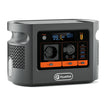
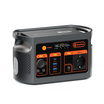

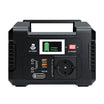
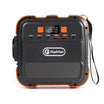

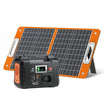

Short answer: plan an E112B shared charging desk by mapping each laptop, tablet and phone to one documented USB path. Reserve the highest-rated USB-C port for the device with the highest verified requirement, record the USB-C2 and USB-A1 shared-output rule, and test the exact combination. Do not add the port labels together or promise a charging speed or runtime that has not been measured.
What this setup can and cannot establish
| Documented E112B field | Useful planning meaning | Do not infer |
|---|---|---|
| USB-C1: up to 100W | First candidate for the highest-requirement verified USB-C device | That every 100W laptop will charge, fast-charge or reach 100W |
| USB-C2: up to 30W | Candidate for a lower-power USB-C device | That it always provides 30W in every combination |
| USB-A1 and USB-A2: up to 30W per port | Candidate paths for compatible phones or other USB-A devices | A particular fast-charge protocol or speed |
| USB-C2 plus USB-A1 share 5V/3A when used together | Treat those two sockets as one constrained group in that condition | That their individual maxima remain available simultaneously |
| 1008Wh LiFePO4 battery | Nominal capacity for a later runtime estimate | Usable delivered energy or a fixed desk runtime |
| 1200W shared AC maximum | AC-side product context only | Continuous AC output, USB output or USB charging speed |
Check the current E112B Europe details while filling in the device worksheet below. The page is a product source, not a compatibility result for your desk.
Build the desk worksheet before connecting devices
| Desk item | Evidence to record | Provisional port | Stop rule |
|---|---|---|---|
| Laptop A | Exact model; accepted USB-C voltage/current profiles; original charger rating; cable rating | USB-C1 if its verified requirement is the highest | Stop if the laptop reports an unsupported or slow charger, repeatedly connects and disconnects, or the station reports a warning |
| Laptop B | Same device and cable fields | USB-C2 only if its requirement fits the documented path | Recheck when USB-A1 is also occupied |
| Tablet | Accepted input and cable specification | Remaining compatible USB-C or USB-A path | Do not assume a USB-A adapter enables the same charging mode as USB-C |
| Phones | Accepted input, connector and cable | Compatible USB-A path, one device per socket | Remove one load if another device's charging state changes |
The USB-IF explains that USB Power Delivery uses negotiation over USB-C. That is why a port's maximum and a cable's printed wattage are not enough: the source, cable and device must share a supported path.
Step-by-step allocation checklist
- Identify every exact device. Use its support page or manual to record accepted voltage and current profiles, not only the wattage printed on the original charger.
- Identify every cable. Record connector type, rated power and any required electronic marking. Replace damaged, loose or unknown cables rather than treating them as evidence.
- Rank the verified requirements. Give USB-C1 to the highest-demand compatible device first. A lower-power device should not occupy it by default when another device has no viable alternative.
- Mark the shared group. Draw a bracket around USB-C2 and USB-A1 and write “5V/3A shared when used together”. If either connected device needs another condition, that pairing is unresolved.
- Connect one device at a time. Confirm a stable connection and the device's charging indication before adding the next load.
- Add devices in the planned order. After every addition, recheck all connected devices. A new device can change the result for a shared path.
- Record the tested combination. Note device, cable, port, battery state, displayed warnings and time. A different cable or device is a new combination.
- Keep a backup path. For work that cannot be interrupted, retain the original approved chargers and a mains option. This article does not establish UPS continuity.
Microsoft's Surface USB-C charging guidance gives a useful device-family example: a lower-power charger may charge slowly or not at all. Apply that lesson by checking the exact device manufacturer, not by transferring Surface requirements to every laptop.
Common mistakes at a multi-device desk
- Adding port maxima. The reviewed evidence does not publish a simultaneous aggregate USB output.
- Ignoring the shared pair. USB-C2 and USB-A1 have a documented 5V/3A shared condition when used together.
- Using the AC headline as a USB claim. The 1200W value is documented as a shared AC maximum, and continuous AC output remains unknown in the authoritative record.
- Assuming a cable proves compatibility. A cable rating is only one part of the source-cable-device negotiation.
- Estimating runtime from charger labels. Charger maxima are not the same as measured average demand; laptop workload, battery state and charging control change consumption.
How to estimate runtime without pretending it is fixed
First define the exact simultaneous combination. Then measure or obtain a defensible average input for the whole desk. A planning equation is:
estimated hours = nominal capacity in Wh × assumed conversion efficiency × (1 − reserve fraction) ÷ measured average desk watts
For E112B, the nominal capacity input is 1008Wh. Efficiency, reserve, device cycling, temperature, battery age and average demand are user inputs, not published results from this article. Recalculate whenever the device mix changes.
Frequently asked questions
Can E112B charge two laptops at the same time?
Possibly, but the reviewed evidence does not prove every two-laptop combination. Check both laptops and cables, account for the shared pair, and test the exact arrangement.
Which port should get the higher-power laptop?
USB-C1, documented up to 100W, is the first candidate for the highest verified requirement. It is not a universal compatibility or fast-charging guarantee.
Can I add all four USB port ratings?
No. No simultaneous aggregate is established here, and USB-C2 plus USB-A1 have a documented shared condition.
Does the 1200W label decide USB charging speed?
No. It is the documented shared AC maximum. Use the USB port records and the exact device's accepted profiles.
How do I estimate runtime?
Use measured average demand for the final device mix, then apply explicit efficiency, reserve and operating assumptions. Do not use the sum of charger labels as average demand.
Make the decision from the completed worksheet
If every device has a documented compatible path and the exact combination remains stable, the desk plan has a defensible basis. If a requirement is unknown, a shared path conflicts or a device reports insufficient power, stop and keep that device on its approved charger.
Compare current FlashFish Europe power stations only after writing down the ports and power profiles your desk actually needs.
Sources and evidence limits
- FlashFish Europe E112B page and the authoritative exact-model record — bounded model and port facts.
- USB-IF: USB Charger and USB Power Delivery — negotiation and power-delivery context.
- Microsoft Surface USB-C charging guidance — device-family example of lower-power charging limits.
Evidence checked 26 October 2026. No hands-on test, charging-speed measurement, aggregate-output test, runtime test or named technical review was performed.




Залишити коментар
Цей сайт захищено за допомогою hCaptcha. Застосовуються Політика конфіденційності та Умови надання послуг hCaptcha.