















Short answer: USB-C PD watts and battery watt-hours are not competing versions of the same specification. A 100W USB-C port describes a maximum power rate the port may negotiate with a compatible device. A 384Wh battery rating describes stored energy. A higher USB-C number can improve device fit without proving more capacity, longer runtime or faster recharging of the power station.
Watts and watt-hours answer different questions
Watts (W) describe how quickly power is moving at a moment. Watt-hours (Wh) describe a quantity of energy. A useful analogy is flow rate versus the amount held in a tank: the outlet can be wide while the tank is small, or the tank can be large while one outlet is deliberately limited.
| Label | What it helps answer | What it does not prove |
|---|---|---|
| USB-C PD 60W or 100W | Whether a compatible USB-C device can request that class of port power. | Battery Wh, sustained delivered power, charge time or runtime. |
| 179.2Wh or 384Wh | Rated stored energy for comparing battery size. | Usable AC energy, device runtime or a USB-C port limit. |
| 300W or 600W AC output | The documented continuous AC load class. | USB-C speed, startup fit or battery duration. |
A rough planning equation is energy divided by average load, but rated Wh cannot be treated as fully usable output. Conversion losses, standby consumption, temperature, battery condition, load variation and a sensible reserve all reduce confidence. Use the equation to compare scenarios, not to promise a fixed runtime.
What USB Power Delivery actually adds
The USB Implementers Forum explains that USB Power Delivery lets the source and receiving device negotiate a supported power level. The receiving device takes only the power it needs within the shared capabilities. That means the smallest constraint in the chain matters: source port, cable and device.
- Read the exact port label. Do not transfer the best USB-C value from one port to every USB-C-shaped connector.
- Check direction. An output specification does not automatically describe how the power station itself recharges.
- Check the cable. USB-IF identifies 60W and 240W certified cable power markings. A connector that fits physically may still be the limiting part.
- Check the device request. A phone or laptop may negotiate less than the source ceiling because of its own design, battery state or thermal controls.
The European common-charger rules provide useful context for USB-C and harmonised fast charging on covered product categories. They should not be read as evidence that every cable, device and portable power station supports every power mode.
A product-specific example: E103 and E106B
| Europe model | Rated energy | USB-C PD outputs | Continuous AC output | Best-fit question |
|---|---|---|---|---|
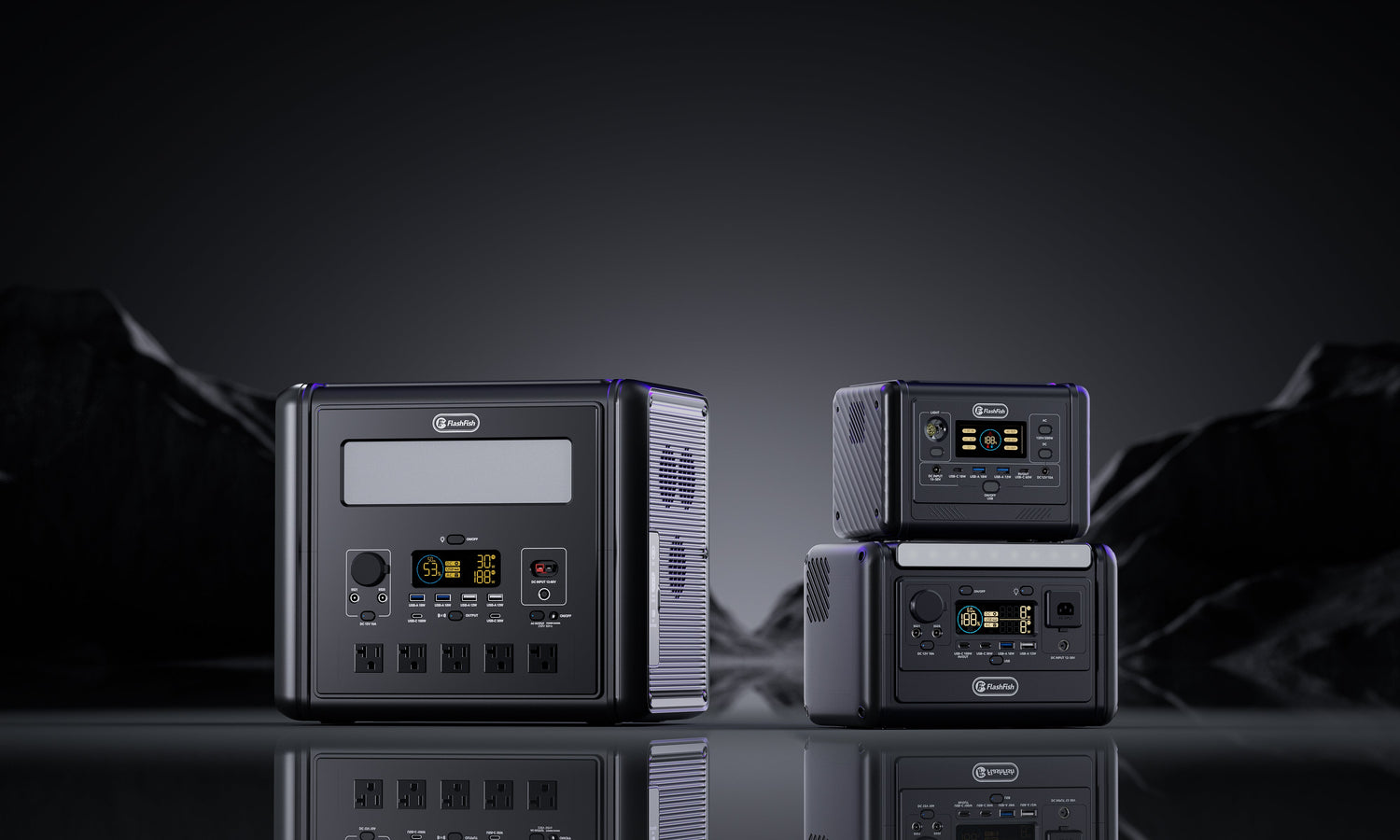
| E103 | 179.2Wh | One 60W port | 300W pure sine wave | Is a lighter 3kg station with 60W USB-C enough for the exact device list? |
| E106B | 384Wh | 100W USB-C1 and 30W USB-C2 | 600W pure sine wave | Do the larger energy and output classes solve a documented need? |
These are product-database facts, not a laboratory comparison. The table does not prove that an E106B port will deliver 100W to every laptop, that two USB-C loads can use every maximum simultaneously or that either model provides a particular runtime. For E106B, the current live product material also documents sharing between some low-voltage ports; verify the exact regional manual before planning simultaneous loads.
The PORT buyer worksheet
| Step | Record before buying | Stop or verify when |
|---|---|---|
| Port ceiling | Exact USB-C port, direction and PD wattage. | The listing groups ports or omits direction. |
| Output negotiation | Device input modes and cable power marking. | The device needs a proprietary profile or the cable is unknown. |
| Rated energy | Battery Wh and a reserve target. | A comparison uses mAh without voltage or promises all rated Wh. |
| Time under load | Measured or defensible average device watts and real use pattern. | A fixed runtime ignores losses, cycling or battery state. |
When FlashFish fits - and when it does not
FlashFish may fit when the exact E103 or E106B port covers the documented device input, the cable supports the negotiated level and the battery Wh gives enough conservative energy for the real use plan.
It does not fit the evidence when the decision rests only on the largest USB-C number, assumes every cable is equivalent, treats output watts as battery capacity or requires a fixed charge speed that has not been tested with the exact device. Browse the current Europe portable power station range only after writing down those requirements.
Frequently asked questions
Does a 100W USB-C port mean the battery stores 100Wh?
No. Watts describe a rate of power at the port; watt-hours describe stored energy. The two values answer different questions.
Will a 100W USB-C port always deliver 100W?
No. The source, cable and receiving device negotiate a supported mode, and the device may request less power.
Does a higher USB-C PD rating charge the power station faster?
Not necessarily. A USB-C output rating may describe power leaving the station, while recharging depends on the documented input port and charging system.
Can any USB-C cable carry 100W or more?
No. Use a cable with the required certified power capability and confirm that both connected devices support the same charging mode.
Which matters more for a compact power station: USB-C watts or watt-hours?
Neither is universally more important. USB-C watts help determine device power fit; watt-hours help compare stored energy. Check both against the intended use.
Sources and evidence limits
- USB-IF on USB Power Delivery - negotiated power and supported protocol ceiling.
- USB-IF cable power marking update - 60W and 240W certified cable markings.
- European Commission common charger overview - current EU USB-C context for covered devices.
- FlashFish E103 Europe page and E106B Europe page - current model context cross-checked with the local product database.
No device charge test, USB-C load test, usable-capacity test or runtime test was performed for this article.



Leave a comment
This site is protected by hCaptcha and the hCaptcha Privacy Policy and Terms of Service apply.