
















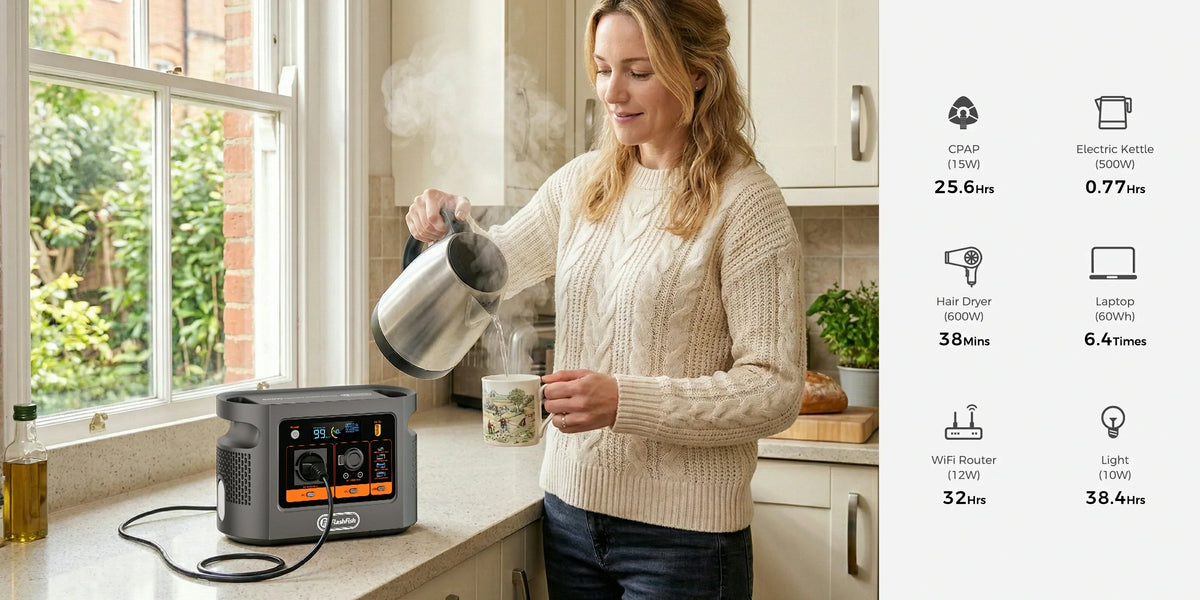
Short answer: FlashFish E106B is a plausible power source for a Cricut Maker 3 and laptop only after the exact adapters, combined load and complete Design Space workflow are checked. E106B documents 600W continuous pure-sine AC and 384Wh nominal capacity. Cricut includes a power adapter with Maker 3, but the exact delivered adapter label still has to be checked and is not a measured normal-watt trace. No E106B-and-Maker 3 cut test was supplied for this article.
The useful test is POWER-DATA-HOST-FALLBACK. Electrical headroom is only the first gate: a craft session can still fail because the wrong USB port was used, Design Space cannot connect, the laptop is depleted or the project was never cached or exported.
The four-gate decision table
| Gate | What to verify | Proceed only when |
|---|---|---|
| Power | E106B regional label; Maker 3 supplied adapter; laptop adapter; every simultaneous light, hub or charger | The documented maximum combination stays below the 600W continuous AC ceiling with sensible margin and the plug layout is workable. |
| Data | Rear USB data cable or documented Bluetooth path | The host can send a project; the right-side 5V charging-only port is not mistaken for data. |
| Host | Supported OS, Design Space version, memory, storage and internet access | The exact laptop meets Cricut's current requirements and opens the required project before the event. |
| Fallback | Saved files, spare cable, charged laptop and a stop/retry plan | A connection or power interruption will not force unsafe rewiring or promise a customer an untested completion time. |
Product check: Check E106B specifications for your exact craft-table load, then copy the delivered regional label into the worksheet below.
Why the adapter label is not a runtime calculator
Cricut's product page confirms that Maker 3 includes a power adapter. Copy the exact delivered adapter's regional input and output fields before the test. A maximum label field does not say the machine continuously consumes that amount, and it does not disclose the energy for your material, tool, cut path or idle time. Treat the label as equipment-matching evidence, not a session forecast.
The laptop must be counted independently. Record its adapter's maximum input, the charging state at the start and whether it will remain connected throughout the job. A powered hub, task light or phone charger also belongs in the simultaneous-load total. A heat press, laminator or printer is a separate appliance plan, not a small add-on to this article.
Build a repeatable workshop worksheet
| Item | Label or requirement to copy | Test observation |
|---|---|---|
| E106B | EU variant, AC continuous rating and remaining charge | Warnings, AC output state and session-energy change |
| Maker 3 | Exact model and supplied adapter input/output | Idle, load/start event and completion of the chosen cut |
| Laptop | Adapter input, battery state, OS and Design Space version | Whether it charges, holds or drains during the session |
| Connection | Rear USB data cable or Bluetooth; internet need | Project opens, transfers and resumes as planned |
| Other loads | Every adapter and maximum input | Combined demand and cable/outlet layout |
Run one complete supervised project
- Inspect the station, Cricut adapter, laptop adapter and leads; use no damaged or improvised cable.
- Place E106B on a stable, dry, ventilated surface and keep the cutting area and moving carriage clear.
- Fully unwind any cable reel, avoid daisy-chaining and keep the total load within the lowest documented limit in the path.
- Open Design Space and the intended project before the event; confirm rear-USB or Bluetooth transfer with the exact laptop.
- Complete one representative job from connection through unload, recording station warnings, displayed load where available, cable heat and energy used.
- Stop on abnormal heat, smell, damaged insulation, repeated reset, station warning or unreliable data transfer. Fix the cause before public or paid work.
When FlashFish E106B fits
- The delivered Maker 3 adapter and laptop adapter are documented for the regional supply and their combined maximum evidence stays below the E106B continuous AC limit.
- The exact Design Space host meets current Cricut requirements and the data path was tested.
- The planned work excludes undeclared high-demand appliances and leaves physical space for ventilation and cable routing.
- A complete representative project has been observed under supervision, with a fallback for a failed cut or connection.
When it does not fit
- An adapter label, plug condition, maximum input or regional requirement is missing.
- The plan converts a maximum adapter-label field into an exact operating-watt or runtime figure.
- A heat press, printer, laminator or other device is added without its own load and placement review.
- The workshop depends on unavailable internet, unsupported software or an untested Bluetooth/USB path.
- The goal is uninterrupted commercial production with no backup laptop, cable, power or recovery plan.
Frequently asked questions
Does the Cricut Maker 3 adapter label prove its normal watt draw?
No. The adapter label is a manufacturer rating, not a measured cutting-cycle trace. Use the supplied adapter and measure the complete project with the exact machine and materials.
Can the side USB port on Maker 3 carry project data?
Cricut describes the right-side USB port as 5V charging only. Use the rear USB data connection or the documented Bluetooth workflow for Design Space.
Does E106B's 600W AC rating prove the full setup will work?
No. Add the maximum input evidence for the Maker adapter, laptop adapter and every simultaneous load, then test the complete workflow. Software, data and device-specific behaviour remain separate checks.
How long will E106B run a Cricut Maker 3 and laptop?
This article makes no runtime promise. Project complexity, machine state, laptop charging, display use, wireless connection, inverter losses and idle time all affect measured session energy.
Can the same plan include a heat press or printer?
Not without a separate label-and-workflow review. A heat press or printer can have a different maximum or start demand and must not be hidden inside the Cricut-and-laptop budget.
Before relying on the setup: Ask FlashFish Europe to review the exact adapter labels, then have a qualified reviewer check the table and observe the delivered equipment.
Sources and evidence limits
Checked 12 October 2026. E106B facts come from the authoritative local product record and current Europe page. Cricut's product and app pages supply the included adapter/cable, charging-port, Bluetooth, Design Space and host-device context; Electrical Safety First supplies general extension-lead boundaries. FlashFish publishes this guide. No Maker 3, laptop, adapter combination, material, cut result, runtime, internet path or thermal result was tested with E106B, and the Shopify image is workspace context rather than performance evidence.



Leave a comment
This site is protected by hCaptcha and the hCaptcha Privacy Policy and Terms of Service apply.