
















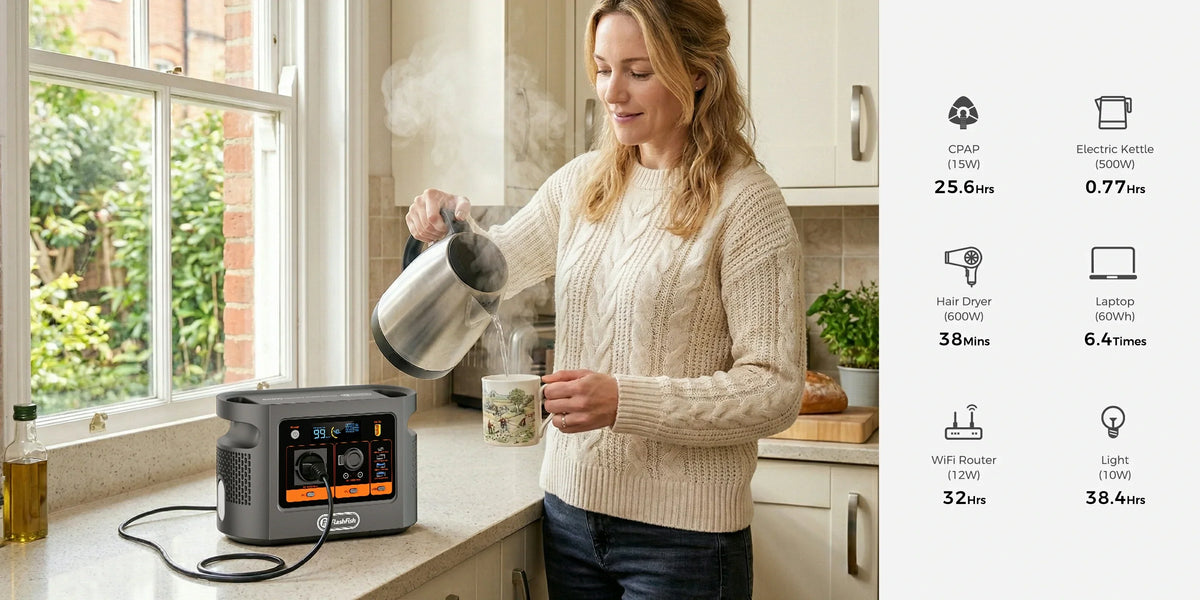
Short answer: use E106B only as a manual, rehearsed power source for a non-critical laptop session during an announced building shutdown. Save work, stop the normal setup, disconnect it from mains, move only verified loads to the station, and restart deliberately. This is not an automatic transfer plan, a 0 ms UPS claim or a promise that internet service will continue.
The authoritative E106B record supplies 384Wh nominal capacity and 600W continuous pure-sine AC output; its peak AC value is not provided. Those figures set a screening boundary, but they do not identify your laptop adapter, monitor, dock, router or delivered runtime. The complete load and sequence must be checked before the maintenance window.
Define the session before choosing the power path
| Question | What to record | Decision boundary |
|---|---|---|
| What must stay on? | One laptop, its exact adapter and only essential peripherals | Exclude critical services and anything without a verified label |
| How will it connect? | One supported AC adapter or a separately verified USB-C PD path | Connector shape alone is not compatibility |
| What can fail? | Laptop power, display, data, router, building fibre equipment and upstream service | Powering one item does not keep the whole chain online |
| What ends the session? | A planned stop time, battery reserve and an offline fallback | Do not depend on a guessed runtime |
Review the E106B output paths before planning the handover. Use the exact delivered unit's regional label and current manual as the operational reference.
Prepare the equipment list
- Write down every load. Include the laptop adapter, external display, dock, router and any powered USB hub that the work session actually needs.
- Read the labels. Record volts, amps and watts from each adapter or manual. Do not replace an exact rating with a marketplace estimate.
- Separate power from service. A powered router does not prove that the building's fibre equipment, street cabinet or mobile mast will remain available.
- Reduce the plan. Prefer the laptop's own screen and battery, close non-essential applications, download working files and remove loads that are not required.
- Set a stop rule. Decide when to save and finish while reserve remains instead of working until an unexpected shutdown.
The UK government's power-cut preparation guidance notes that home internet and mobile service can be disrupted and advises unplugging equipment such as a PC during an outage before power returns. That is why this checklist treats communications and the restoration step as separate failure paths.
Rehearse the manual handover
- Charge the station using its supported method before the announced window, then place it on a dry, stable, ventilated surface away from exits and foot traffic.
- With normal power available, save all work and shut down the proposed session cleanly.
- Disconnect the selected device adapter from the wall. Do not modify a distribution board, fixed wiring or a wall circuit.
- Connect only the verified device path to E106B, enable the required output and restart the laptop session.
- Observe the whole planned session, including any dock, display and network behaviour. A start-up success is not an end-to-end rehearsal.
- Practise the return: save again, shut down or disconnect the temporary path, switch off the station output, and reconnect normal power only under the building operator's restoration instructions.
Cables and placement are part of the plan
If an extension lead is necessary, read its marked rating and inspect it before use. Electrical Safety First advises users not to overload extensions, not to daisy-chain them and to fully unwind cable reels so they can operate at their marked current rating. See its extension-lead and cable-reel guidance. Route the cable where it will not be crushed, trapped or tripped over.
What this plan does not cover
- Automatic or seamless transfer between mains and E106B.
- Building circuits, backfeeding, hard-wiring or an improvised changeover.
- Medical, security, access-control, alarm or emergency-call continuity.
- A fixed working time derived from 384Wh.
- Assured internet, mobile or cloud-service availability.
- Compatibility for an unnamed laptop, dock, display, cable or adapter.
Frequently asked questions
Can E106B switch a laptop setup automatically when the mains fails?
Do not plan on that. This checklist uses a deliberate save, shutdown, unplug, transfer and restart sequence. It does not claim automatic transfer or 0 ms UPS behaviour.
How long will E106B run a laptop?
A fixed time cannot be stated from 384Wh alone. Record the complete setup's real wall-side demand, allow for conversion losses and battery reserve, then verify the full session in a supervised rehearsal.
Will the internet stay online during the building shutdown?
Not necessarily. Local router power does not prove service upstream. Keep downloaded work, offline contact details and a separate communications fallback.
Can I connect E106B to building wiring?
No connection to building circuits is part of this plan. Use only ordinary supported device connections described for the exact equipment and station; do not backfeed, rewire or improvise.
What should happen when mains power returns?
Save work again, stop the temporary setup in a controlled sequence and follow the building operator's notice before reconnecting normal mains power. Do not let the return of power create an unplanned live changeover.
Conclusion
E106B can be considered for a deliberately small, non-critical laptop session only after the exact loads and the complete manual handover have been verified. The most useful preparation is a full rehearsal and an offline fallback, not a confident runtime estimate. If any device path remains unclear, Ask FlashFish Europe about your exact laptop setup and provide photos of the regional labels and adapters.
Sources and method
Checked 21 October 2026. FlashFish supplies the current E106B product route; the authoritative local product record supplies the technical values used here. The UK Prepare campaign and Electrical Safety First supply general outage and cable-safety boundaries. This is a source-based planning checklist, not a building test, UPS test, device compatibility test or runtime measurement.



Leave a comment
This site is protected by hCaptcha and the hCaptcha Privacy Policy and Terms of Service apply.