















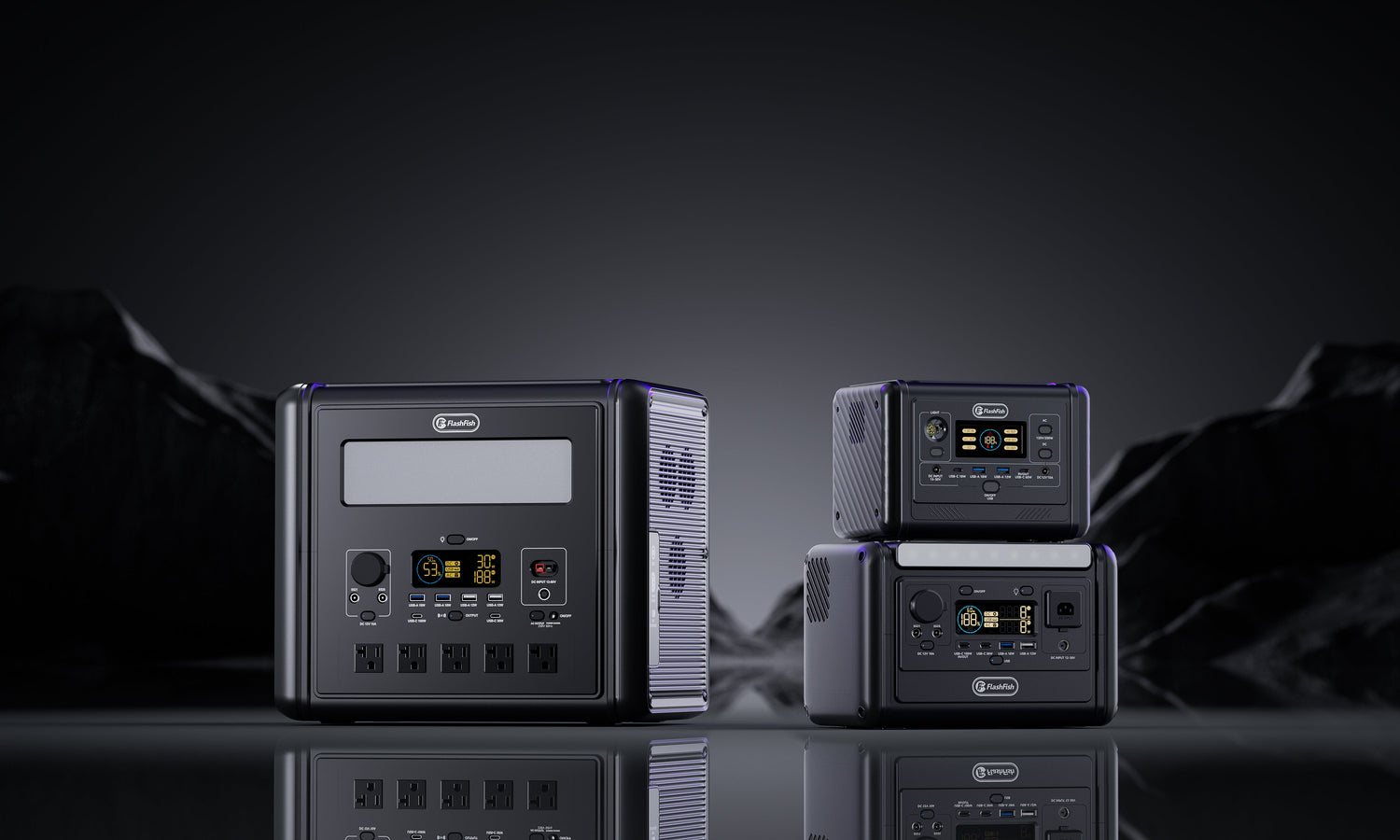
Evidence boundary: no FlashFish unit was stored or measured for this guide. The current local FlashFish product database does not provide a model-specific self-discharge rate, so this article gives a repeatable diagnostic method rather than an invented percentage.
Three different things owners call storage drain
| Cause | What it means | First check |
|---|---|---|
| Battery self-discharge and management overhead | Stored cells and protection electronics can lose or consume some energy over time. | Exact model manual, storage temperature and a consistent observation interval |
| Standby or enabled output load | An inverter, DC circuit, display, wireless function or accessory remains active. | Output indicators, app/connectivity state and anything still plugged in |
| Abnormal loss or battery issue | The change is sudden, repeatable or accompanied by a warning sign. | Damage, heat, odour, swelling, errors, charge failure and support records |
These causes need different actions. Calling all of them self-discharge can hide a settings problem; calling every small change a fault can create needless alarm. The useful question is not only how many percentage points changed? but what state, environment and interval produced the change?
The DRAIN storage check
| Step | Record | Decision value |
|---|---|---|
| D — Device state | Fully shut down or sleeping; AC/DC/USB outputs; display; wireless/app; attached cables | Separates normal storage from an active circuit or accessory |
| R — Record a baseline | Date, displayed charge, recent charge/discharge history and any error | Prevents vague memory from becoming a performance claim |
| A — Ambient conditions | Dry location, approximate temperature and exposure to heat, cold or direct sun | Shows whether two storage periods are comparable |
| I — Inspection interval | A manual-led schedule and the same elapsed time for each check | Makes trends comparable without inventing a universal threshold |
| N — Next action | Continue monitoring, correct settings, recharge per manual, isolate, or contact support | Turns a percentage change into a safe response |
Health Canada advises keeping lithium-ion batteries dry and near room temperature, avoiding prolonged fully charged or fully empty storage, and checking stored batteries periodically. That is a useful general boundary. It does not override a product-specific manual, which may set a different charge target or interval.
A controlled owner check
- Read the exact regional model manual and note its storage charge and maintenance instructions.
- Inspect the station and cables; stop if there is damage, swelling, unusual heat or odour.
- Disconnect all loads and accessories, then turn off every output and connection the manual allows.
- Record the displayed charge, date, temperature range and shutdown state.
- Store the unit dry, stable and away from direct heat or sun.
- Recheck after the manual-led interval using the same wake-up method.
- If the loss is repeatable and concerning, preserve the log and contact Europe support rather than opening the station.
A displayed percentage is an estimate from the battery-management system, not a laboratory energy measurement. Small changes after resting, waking or temperature changes may reflect estimation as well as stored energy. Use a trend across consistent checks; do not claim a precise self-discharge rate from one dashboard reading.
Three bounded examples
1. The AC indicator stayed on
A station is stored with nothing visibly running, but the AC output remains enabled. The inverter and control system may still use energy. Turn outputs off according to the manual, disconnect accessories and repeat the same interval before blaming the cells.
2. A winter garage and a warm cupboard
Two readings taken in different temperatures are not a clean comparison. Move only within the manual's permitted storage conditions, let the station stabilise as instructed and record the environment. Do not heat, chill or cycle the unit merely to force a result.
3. A large drop plus heat or an error
This is not a DIY calibration exercise. Isolate the unit from use and charging when safe to do so, follow the manual's emergency guidance and contact authorised support. Never open, puncture, bypass or repair a lithium-ion battery pack yourself.
Common mistakes
- Applying another brand's maintenance interval to a FlashFish model.
- Leaving AC, DC, wireless connectivity or an accessory active during a storage test.
- Comparing a cold reading with a warm reading and calling the difference self-discharge.
- Using one displayed percentage change as a measured energy-loss rate.
- Letting a station remain deeply discharged while waiting to see what happens.
- Opening the enclosure or bypassing protection to investigate.
Where FlashFish fits—and where it does not
FlashFish can fit when an active Europe model's capacity, continuous output, regional voltage, ports and carry weight fit the job, and the owner can follow that model's storage instructions. Compare current models in the FlashFish Europe portable power station collection and use the exact product manual.
FlashFish does not fit this evidence gap when a purchase or fault decision requires a published model-specific self-discharge rate that is absent. The local product database does not supply a T1200S or T2000 storage-loss percentage; this guide will not replace it with a generic number.
Safety and stop conditions
Store and recharge only within the exact manual's temperature, ventilation and location limits. Stop using or charging a unit with impact damage, swelling, leakage, smoke, unusual heat or odour. Move away only if it is safe, follow local emergency guidance and contact the manufacturer or emergency services as appropriate. Do not put a lithium-ion fire at risk by improvising a response.
FAQ
Do portable power stations lose charge when switched off?
They can. Battery self-discharge and battery-management electronics may reduce charge over time, while an incompletely shut down output, display, connection or attached accessory can add avoidable drain. The exact rate is model- and condition-specific.
How much storage drain is normal?
There is no defensible universal percentage for all portable power stations. Record the same model under the same temperature, starting charge and shutdown state, then compare against its current manual and support guidance.
Should I store a portable power station at 100%?
Do not apply a generic rule to every model. General lithium-ion guidance often avoids long periods at fully charged or fully empty states, but the exact target and maintenance interval should come from the station's current manual.
Can leaving AC or DC output enabled drain the battery?
Yes. An enabled inverter or output circuit can use energy even when the connected appliance is small or appears idle. Shut down outputs according to the manual and disconnect accessories for a controlled storage check.
When should storage drain be treated as a fault?
Seek support if loss is abrupt, repeatable after a documented shutdown, accompanied by heat, swelling, odour, damage, error messages or charging problems, or clearly outside the exact model's documented behaviour. Do not open the enclosure.
Sources and evidence notes
- Health Canada lithium-ion battery safety — general storage and inspection guidance, not a FlashFish model instruction.
- Nature Communications / NREL battery-storage paper — self-discharge as a modelled mechanism; no rate is transferred.
- EcoFlow RIVER 3 manual — a manufacturer-specific interval example, not a FlashFish schedule.
- FlashFish Europe buying guide — regional selection context.
Editorial viewpoint: storage drain is a state-and-time diagnosis, not a universal percentage. A consistent log is more useful than a borrowed number.
Evidence checked . Human review required before publication: regional manuals, safety language, author/reviewer credentials, links, image crop and rendered FAQ/schema parity.



Dejar un comentario
Este sitio está protegido por hCaptcha y se aplican la Política de privacidad de hCaptcha y los Términos del servicio.