


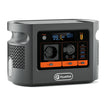
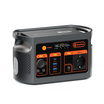

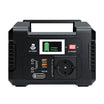
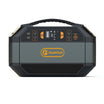
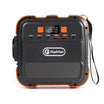



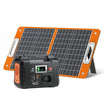


Short answer: treat E103's direct USB-C output as a constrained Raspberry Pi 5 path, not as an equivalent to the recommended 27W supply. E103 lists 5V/3A on USB-C, while Raspberry Pi recommends 5V/5A for Raspberry Pi 5 and documents a 600mA downstream USB limit with 5V/3A. Build the complete peripheral list, choose one verified power path and rehearse a normal operating-system shutdown before relying on the bench.
Direct USB-C is not the recommended 5V/5A path
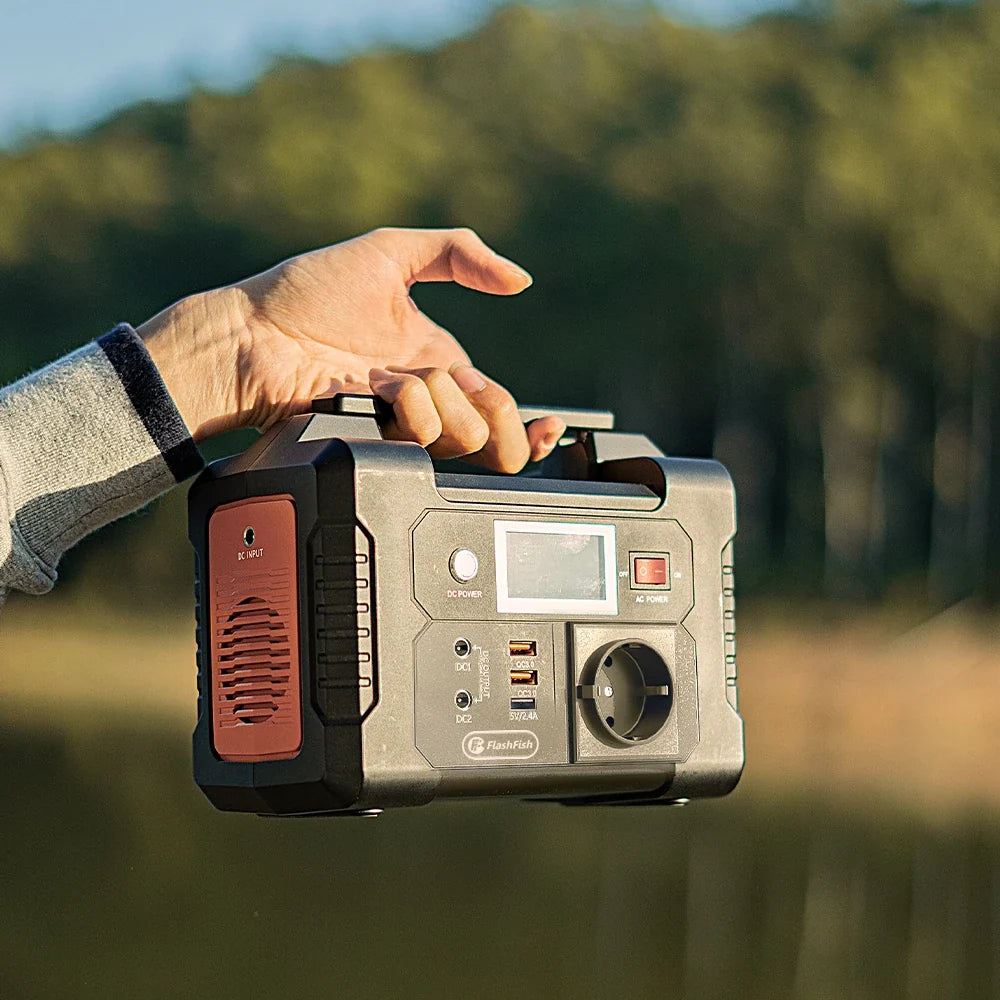
The current E103 Europe page lists USB-C profiles of 5V/3A, 9V/3A, 12V/3A, 15V/3A and 20V/3A, with 60W maximum. Raspberry Pi 5 needs its relevant power at 5V; the higher-voltage E103 profiles do not become a 5V/5A profile. A shared USB-C connector and a 60W headline therefore do not establish the recommended Raspberry Pi 5 supply mode.
Compare the two power paths
| Path | Known evidence | What remains to verify |
|---|---|---|
| E103 USB-C directly to Raspberry Pi 5 | E103 offers 5V/3A; Raspberry Pi documents a constrained 5V/3A mode | Cable, stable negotiation, boot, workload and every attached peripheral |
| Exact regional Raspberry Pi supply from E103 AC | E103 offers 230V pure-sine AC rated at 300W | Official supply label, regional plug, input behaviour, startup and representative operation |
| Powered hub or separately powered display added | Can separate some peripheral demand from the Pi's downstream USB budget | Every extra adapter, combined AC load, grounding, cable route and shutdown order |
Decision-stage next step: list the exact board, cable, display, storage and peripherals beside the Review current E103 Europe details page before selecting a power path.
Raspberry Pi 5 power evidence
The official Raspberry Pi setup and power-supply documentation source recommends a 5V/5A 27W USB-C supply for Raspberry Pi 5. It also states that using 5V/3A limits downstream USB peripherals to 600mA. That does not make the board unusable, but it changes the peripheral budget. Storage drives, cameras, radios, keyboards and other USB devices must be inventoried instead of treated as free additions.
USB Power Delivery still needs a matching cable and profile
The USB-IF Power Delivery overview explains that a device negotiates supported power. For this bench, record the source profile, cable rating and what the Raspberry Pi reports. Do not infer a negotiated result from connector shape, a maximum-watt label or another USB-C device.
Build the complete coding-bench inventory
| Component | Evidence to record | Failure or stop sign |
|---|---|---|
| Raspberry Pi 5 | Board revision, operating system and firmware state | Undervoltage warning or unexplained reset |
| Boot and project storage | microSD, USB or NVMe model and power path | Write errors, disconnects or unclean recovery |
| Display | Exact model and whether it is separately powered | Unknown adapter or combined demand |
| USB peripherals | Each device and stated current or power | Total is unknown or a device disconnects |
| Cooling | Fan or cooler connection and power source | Thermal warnings or missing cooling plan |
| Cables and adapters | Model, rating, length and condition | Damage, heat, unstable negotiation or an improvised adapter |
Three representative checks
- Minimal boot: board, boot storage and basic input only. Confirm a normal boot and inspect power warnings.
- Working bench: add the exact display, storage and peripherals, then run the representative coding or compile workload.
- Shutdown and recovery: save work, use the operating-system shutdown flow, remove power only after shutdown, then confirm the project and storage open normally on the next boot.
These checks do not establish long-term reliability, a power-interruption result or a fixed runtime.
Use a clean shutdown boundary
The official Raspberry Pi shutdown documentation source provides desktop and command-line shutdown options and instructs users to shut down before disconnecting power. Save the project, close active writes and use the approved shutdown method, such as the desktop Shutdown option or sudo poweroff. Confirm the system has shut down before switching off the selected output. Do not use an unexpected loss of E103 power as the normal shutdown method.
Do not convert pass-through into a UPS claim
The exact-model E103 record includes pass-through operation, but this checklist does not establish transfer time, uninterrupted output, Raspberry Pi stability during source changes or storage integrity after an interruption. Keep a reserve, monitor the session and begin a normal shutdown early enough to finish it deliberately.
Estimate runtime only after measuring the whole setup
E103 has 179.2Wh nominal capacity, but the coding bench may use USB-C, AC or more than one conversion path. Measure the representative combined load, account for conversion and standby losses, and preserve a reserve. Processor load, cooling, display brightness and storage activity can change demand, so no fixed runtime is claimed here.
Common mistakes
- Reading 60W as proof of a 5V/5A direct profile.
- Counting the Raspberry Pi board but not its display, storage, cooling and USB peripherals.
- Using a powered hub without adding its own adapter and cables to the plan.
- Unplugging power before the operating system finishes shutting down.
- Treating nominal Wh or one idle reading as a coding-session runtime.
FAQ
Is E103's 60W USB-C label the same as the recommended 27W Raspberry Pi supply?
No. The relevant E103 direct profile is 5V/3A, while Raspberry Pi recommends 5V/5A for Raspberry Pi 5.
Can Raspberry Pi 5 run from 5V/3A?
Raspberry Pi documents a 5V/3A mode with downstream USB peripherals limited to 600mA. The exact E103 and cable path still needs verification.
Is the E103 AC outlet a better path?
An exact regional official Raspberry Pi supply over E103 AC is a path to screen, not an automatic approval. Check every label and test the complete setup.
Does E103 act as a UPS for the bench?
This article makes no UPS, transfer-time or uninterrupted-operation claim. Plan a normal shutdown before the reserve becomes uncertain.
How should the bench be shut down?
Save work, finish storage activity, use the operating system's shutdown option, confirm shutdown, and only then remove power.
Sources and evidence limits
- FlashFish E103 Europe page and exact-model record — station ratings and profiles; no Raspberry Pi or storage test.
- Raspberry Pi setup and power-supply documentation source — Raspberry Pi 5 power recommendation and constrained 3A peripheral budget.
- Raspberry Pi shutdown documentation source — operating-system shutdown options before power removal.
- USB Implementers Forum: USB Power Delivery — negotiation context; no approval of this station, board or cable.
Evidence checked 31 October 2026. No physical coding bench, storage recovery, interruption or runtime test was performed.
Choose the path that clears every row
The direct E103 USB-C route may suit a tightly controlled low-peripheral setup, while the exact official Raspberry Pi supply over AC may preserve the recommended 5V/5A device-side path after every regional label and adapter condition is checked. If any component remains unnamed, pause the setup. Check E103 against the complete coding-bench list before the first representative session.



Commenta
Questo sito è protetto da hCaptcha e applica le Norme sulla privacy e i Termini di servizio di hCaptcha.