

Prepare and verify the document before the connection disappears. An E106B may be considered for a compatible laptop power route, but it does not make a cloud document available offline or confirm that later edits have synced. Treat file access, power and resync as separate checks.
This checklist is for one authorised Google Docs working file during a planned network gap. It does not cover backing up a whole Drive account or maintaining a live shared editing session.
Prepare the file while you still have internet
Google’s computer offline-access instructions specify Chrome or Edge, normal browsing, the Google Docs Offline extension and enough local storage. Enable offline access, mark the chosen document available offline, then use Offline preview to check it. Google says offline edits are applied on reconnection, newer changes overwrite previous changes, and edits can be found in version history.
On a managed work account, ask your administrator whether local offline copies are permitted. Use the intended browser profile and check the document title and account before leaving. A familiar filename in a different account is not a successful access check.
Keep a short work-session record
| Stage | Record | Stop condition |
|---|---|---|
| Before leaving | Document link, account, intended edits and successful offline preview | The required file cannot be opened in the intended profile |
| Before working | Who is editing, task boundary and next agreed contact time | A sensitive local copy is not authorised |
| After reconnecting | Last intended edit and the version you can reopen | The content differs or the app still reports pending sync |
For collaborative work, agree who will edit during the gap. Keep a brief list of the intended changes so you can compare the returning document with your own work. Avoid simultaneous offline edits to a critical shared document when nobody can resolve conflicts.
Choose the laptop power path independently
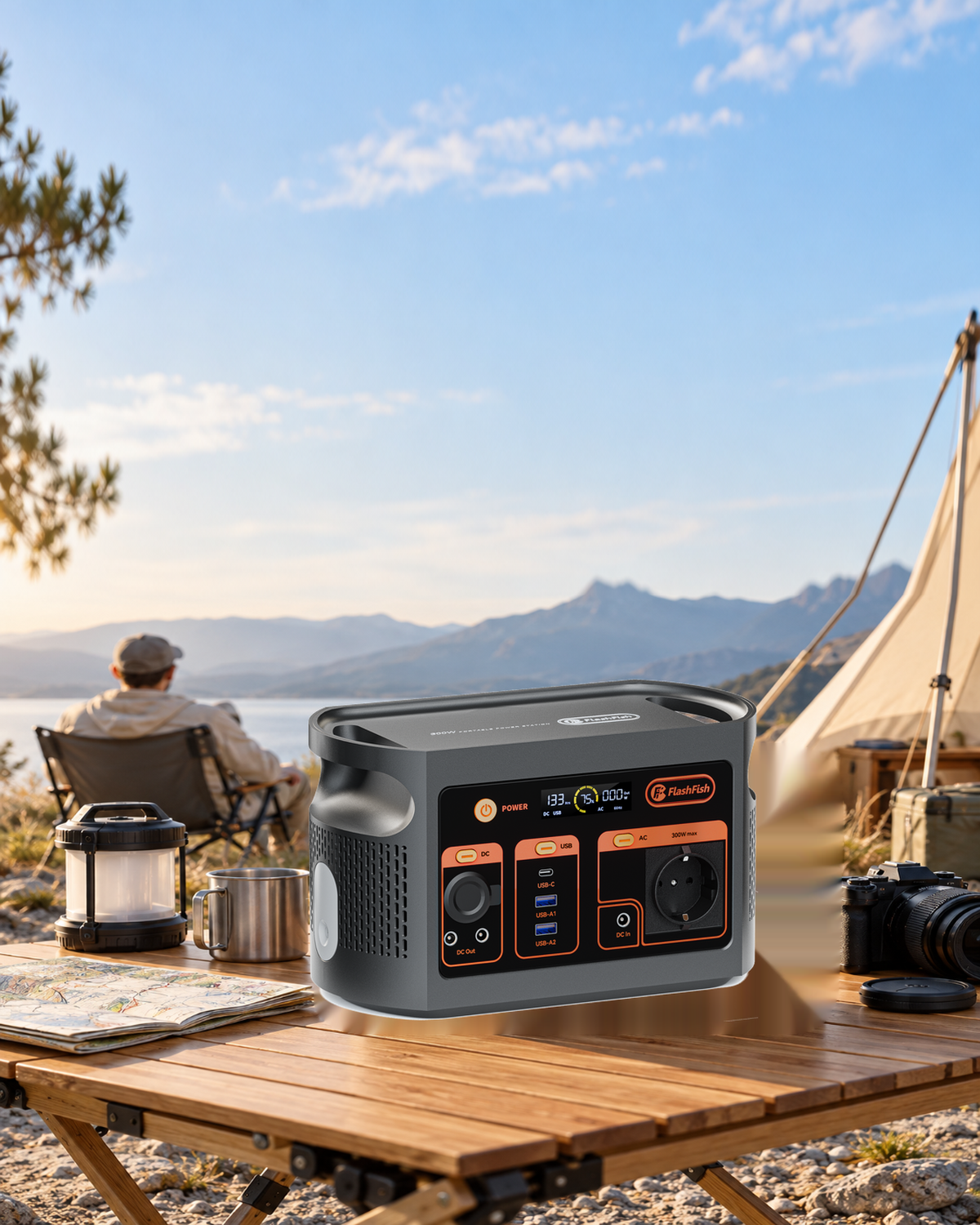
E106B has 384Wh nominal capacity, 600W continuous pure sine AC output and a USB-C1 PD output rated up to 100W. These describe the station, not the laptop’s accepted charging profiles, the power it will draw or the length of the work session. Peak AC output is not provided in the product record.
- For USB-C, confirm the laptop accepts the available PD profiles and use a suitable manufacturer-approved cable; a USB-C connector alone is insufficient.
- For an AC charger, check its input voltage, frequency, waveform restrictions and input-power requirements against the delivered regional station.
- Keep the station dry with ventilation clear, and place cables away from walkways. Use the exact equipment manuals for placement.
Check E106B against your laptop charging route. The model page is a starting point for identifying the product; it is not evidence that your laptop setup has been tested.
Finish by checking the returned document
- Reconnect in the intended account and allow the application to finish its sync process.
- Reopen the document and check the final intended change, title and location. Resolve a discrepancy with the document owner before more people edit.
- Record completion only after this content check. If work cannot wait for a resync problem, use the alternative handover method agreed with your team.
Save and close the task early enough to use the laptop’s remaining battery if external power stops. Do not plan a deadline around the station display or a capacity-only runtime estimate.
Questions before the workday
Does a power station restore Google Drive access?
No. Power and internet access are separate. Prepare the file before the network gap.
Should I make every shared folder available offline?
Start with the minimum authorised working set. Check local storage and your organisation's device policy before adding more.
How long can this laptop work from E106B?
That cannot be established from 384Wh alone. The exact laptop, charging route, changing load and conversion losses matter.
Method and next step
Prepared by FlashFish Miles for FlashFish using the model specification record and Google’s linked help page, checked 17 November 2026. This is a source-based planning checklist; no laptop charging, offline editing or resync test was performed.
Review E106B after checking your offline work plan. First confirm that your exact file and charging route pass their separate checks.



Оставить комментарий
Этот веб-сайт защищается hCaptcha. Применяются Политика конфиденциальности и Условия использования hCaptcha.