


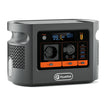
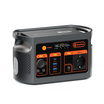

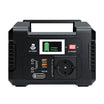
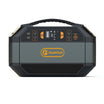




Short answer: use E106B with a receive-only radio only after the exact voltage, current, polarity, connector and cable path are documented. Then compare one power path with a fixed baseline, changing one factor at a time. The E106B record does not prove radio compatibility, RF silence or support for transmitting.
Keep this check receive-only
Do not connect or key a transmitter as part of this procedure. Transmitting adds separate licensing, exposure, RF, current and equipment requirements that a receive-only observation cannot settle. Check the rules and instructions that apply to the exact equipment and country before any separate transmit assessment.
Document one exact power path
| Field | Record before connection | Stop condition |
|---|---|---|
| Receiver | Exact model, regional version and manual | No exact documentation |
| Input | Accepted voltage range, current, polarity and connector | Any missing or conflicting value |
| E106B route | DC, AC-adapter or documented USB path; use only one for the comparison | Improvised adapter or assumed pinout |
| Cable | Exact cable, fuse or protection specified by the equipment source | Damage, heat, loose fit or unknown wiring |
| Antenna | Type, location, feed line and distance from power equipment | Unsafe placement or an uncontrolled layout change |
What the E106B record does and does not say
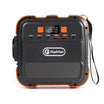
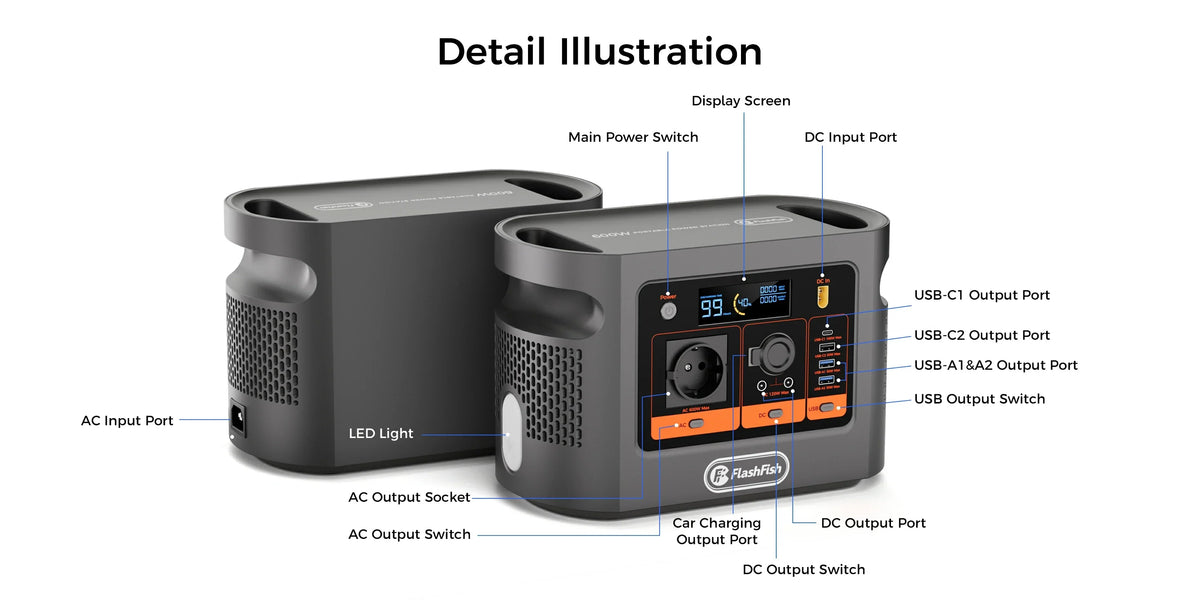
The current E106B Europe page lists 12V, 10A DC output with a shared 120W maximum, plus 600W continuous pure-sine AC and model-specific USB limits. A receiver may require a different nominal voltage, tighter range, polarity, connector or cable arrangement. Pure sine AC does not establish radio-frequency emissions or receiver immunity.
Decision-stage next step: write the receiver's accepted input beside the intended E106B output and compare every field. Only then should you Check the current E106B output details. If a field is absent, get model-specific evidence instead of testing an uncertain cable.
Run a one-change-at-a-time interference log
- Choose a lawful receive-only target and record time, place, frequency, mode and bandwidth.
- Fix the antenna, feed line, receiver settings and cable layout.
- Record a baseline with the receiver's approved known supply or battery.
- Change only the documented power path; do not move the antenna or retune the receiver.
- Record the displayed noise indication and what you hear, including sweeping tones, carriers, buzz or dropouts.
- Repeat at the same settings, then change one nearby device or separation distance at a time.
- Return to the baseline to see whether the observation follows the changed element.
Interpret the result narrowly
| Observation | What it supports | What it does not prove |
|---|---|---|
| No obvious change | No obvious change in that setup, at that time and those settings | RF silence across bands, locations or loads |
| Noise rises after one change | A repeatable association worth isolating | That E106B alone is the source |
| Moving equipment changes noise | Separation may matter in that layout | A universal safe distance |
| Several devices contribute | The setup may have multiple sources | One-product fault or regulatory non-compliance |
Use public EMC guidance as a method, not a verdict
The RSGB EMC guidance recommends a methodical approach and warns that several devices can contribute to perceived interference. This is a UK amateur-radio source; it does not approve E106B, identify the source in a particular setup or provide Europe-wide legal advice.
Common mistakes
- Calling a 12V label compatible without checking the receiver's allowed range and polarity.
- Changing antenna position, frequency and power source together.
- Assuming a low noise reading on one band proves silence on every band.
- Blaming one device before returning to the baseline and isolating other sources.
- Extending a receive-only observation into a transmit or regulatory claim.
FAQ
Can E106B power any receive-only radio from 12V?
No. Match the exact voltage range, current, polarity, connector and cable.
Does pure sine AC mean RF quiet?
No. AC waveform is not an RF-emissions or immunity measurement.
How should interference be logged?
Hold the antenna, frequency, mode, bandwidth, location, cable layout and receiver settings constant, then change one element.
Can this approve transmitting?
No. Transmit requirements are outside this receive-only checklist.
When should the test stop?
Stop for heat, damage, unstable operation, uncertain wiring, severe new interference, unsafe placement or a device warning.
Sources and evidence limits
- FlashFish Europe E106B manual — exact-model documentation paired with the authoritative record; no radio test.
- RSGB: experiencing EMC interference — methodical diagnosis and multiple-source caution with UK scope.
Evidence checked 29 October 2026. No hands-on radio test, EMC measurement or named technical review was completed.
Choose evidence before a cable
The useful outcome may be a documented non-fit. If the receiver path is incomplete, stop there. If it is complete, run the bounded observation and keep the result specific to that setup. You can then Compare current FlashFish Europe power stations without turning one observation into a universal claim.



Hinterlasse einen Kommentar
Diese Website ist durch hCaptcha geschützt und es gelten die allgemeinen Geschäftsbedingungen und Datenschutzbestimmungen von hCaptcha.