






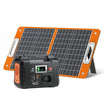

Short answer: draw the route from source port to cable, adapter, device input and shared group before you add watts. A load list that starts with device names can hide the real failure points: the wrong voltage, an unsupported USB-C profile, a reversed DC polarity, a shared output ceiling or a network dependency that the power station cannot solve.
Method and limits. FlashFish Miles prepared this source-based worksheet from the current E106B record, USB Power Delivery guidance and electrical-safety advice. The worked desk is hypothetical. No laptop, monitor, router, cable, adapter, negotiation result, extension lead, simultaneous-output combination or runtime was tested, and this is not an electrical design.
1. Draw five boxes for every device
Use the same line for each load:
Source port → cable or adapter → device input → shared group or station limit → non-power dependency.
| Box | What to write | Stop if |
|---|---|---|
| Source port | AC, named USB port or DC output plus its documented rating | The exact regional port or rating is unknown |
| Cable or adapter | Connector, current or power rating, polarity where relevant, protocol support | It is damaged, unmarked or relies on an improvised chain |
| Device input | Voltage, current, watts, USB-C profile, plug and startup demand | The device maker does not support the proposed input |
| Shared limit | Port group, AC total and any simultaneous-use rule | You only know individual port maxima |
| Dependency | Network, data, cooling, supervision or shutdown requirement | Power alone cannot keep the task working safely |
2. Use E106B only as a bounded example
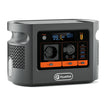
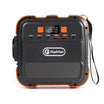
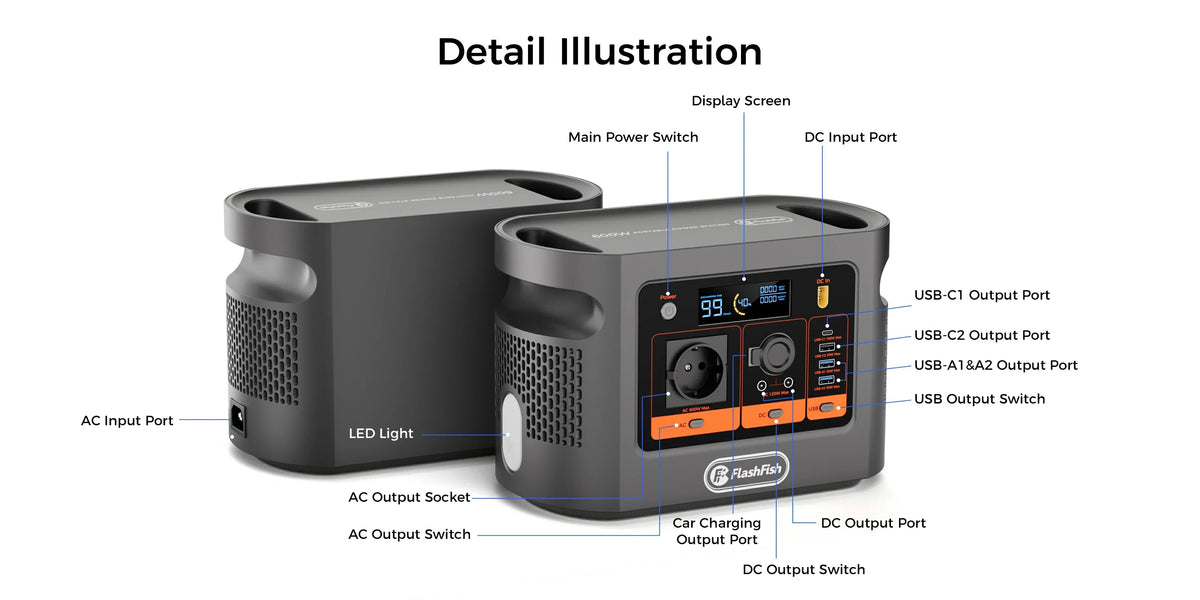
The current E106B Europe page and exact record support a 600W continuous pure-sine AC path, USB-C1 up to 100W, USB-C2 up to 30W and a 12V/10A/120W shared DC group. Peak AC remains unknown. These values let you label the source boxes; they do not approve any connected device or show that every maximum is available at once.
3. Work through one hypothetical desk
| Device | Candidate path | User-entered checks | Result |
|---|---|---|---|
| USB-C laptop | E106B USB-C1 → rated USB-C cable → laptop USB-C input | Laptop accepts the offered PD profile; cable supports the required current; task demand is recorded | Conditional path, not laptop approval |
| Phone | E106B USB-C2 or USB-A → supported cable → phone | Phone input profile; selected port; simultaneous-use rule | Conditional path; actual draw is negotiated |
| 12V router | E106B DC group → maker-approved cable → router | 12V input, plug dimensions, polarity, current and shared-group headroom | Stop if any connector field is missing |
| AC monitor | E106B AC → approved monitor lead → monitor | 230V/50Hz acceptance, running power, startup behaviour and cable condition | Within 600W on paper is not complete compatibility evidence |
4. Put USB-C negotiation on the page
The USB-IF overview of USB Power Delivery explains that a powered device requests supported power and that power direction and available levels are part of the protocol. Draw that negotiation between the port and the device. A 100W source label does not mean every laptop draws 100W, and a cable that charges a phone is not automatically suitable for a higher-power laptop path.
5. Keep shared groups separate
Do not create one grand total by adding AC, every USB port and every DC socket. First total each documented group: the hypothetical router belongs to the E106B 12V/10A/120W shared DC group, while the monitor belongs to the 600W AC path. Then check the station's whole-unit and simultaneous-use instructions. If an aggregate rule is absent, record it as unknown rather than treating silence as spare capacity.
6. Add power arithmetic only after topology
| Calculation | Formula | Boundary |
|---|---|---|
| Continuous AC screen | Sum of supported AC running watts | Still needs startup and compatibility evidence; E106B peak is unknown |
| DC group screen | Sum of supported 12V device current or watts | Keep within the documented 10A/120W shared group and cable limits |
| Energy plan | Measured device Wh per task × number of tasks | Do not equate nominal 384Wh with usable energy or fixed runtime |
| Dependency plan | List network, data and supervision needs | These are not solved by wattage headroom |
7. Treat distribution equipment as another path
If a desk uses an extension lead or cable reel, add its marked rating, cable condition and placement to the diagram. Electrical Safety First notes that cable reels need to be unwound for their current rating and identifies heat, scorch marks, damaged cables, smoke and repeated protective-device operation as danger signs. Stop on any of those signs; do not hide them by moving the load to another socket.
8. Copy this reusable worksheet
- Name the exact station and regional version.
- Draw one five-box path per device.
- Attach the device manual or label evidence to each input box.
- Mark every shared group and total limit.
- Record unknowns without replacing them with a favourable assumption.
- Rehearse shutdown, network loss and data-save steps.
- Only then add running power and measured energy.
After completing it, Compare current Europe power stations against the paths you can actually document.
Common mistakes
- Starting with appliance names instead of device input labels.
- Treating a matching plug as voltage, polarity and protocol approval.
- Adding every port maximum as simultaneous output.
- Using a port rating as the device's actual draw.
- Solving a network or data problem with extra battery capacity.
- Calling a worksheet an electrical design or compatibility test.
FAQ
Why is a connector match not enough?
The voltage, current or power profile, polarity, cable rating, protocol and device-maker approval can still differ even when plugs fit.
Should I add all port maximums together?
No. Keep AC, USB and DC paths separate and apply every documented shared-group and total-unit limit before considering simultaneous use.
Where does USB-C negotiation appear in the diagram?
Place it between the USB-C source port and the device input, with the cable and the device's accepted profile recorded as separate checks.
Can the diagram prove runtime?
No. It maps electrical and dependency paths. Runtime still needs measured device energy, conversion losses, usable energy and operating conditions.
Is the diagram an electrical design?
No. It is a planning worksheet. Fixed wiring, repairs, altered cables or uncertain mains distribution require the responsible manufacturer or a qualified professional.
Sources and further reading
- FlashFish Europe E106B
- USB-IF USB Power Delivery overview
- Electrical Safety First extension-lead guidance
Sources checked 4 November 2026. Recheck the exact station, regional version, cable and device manuals before connection.



Hinterlasse einen Kommentar
Diese Website ist durch hCaptcha geschützt und es gelten die allgemeinen Geschäftsbedingungen und Datenschutzbestimmungen von hCaptcha.