


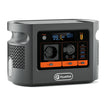
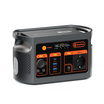

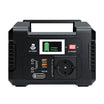
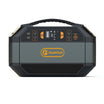
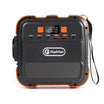

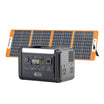
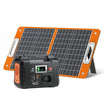

E106B is the stronger candidate when a 60W USB-C laptop and a second USB-C device need separate direct charging paths. It documents two USB-C PD ports: C1 up to 100W and C2 up to 30W. E103 documents one up-to-60W USB-C PD port. This is a port-layout advantage, not proof that both devices will charge at their preferred rates together.
Start with two actual device requirements
A useful reference pair is a Framework Laptop 13 from the 12th Gen Intel Core family and a Brailliant BI 20X. Framework’s charger guidance recommends at least 60W USB-PD and 20V for best performance; its original adapter voltage table includes 20V at up to 3A. The BI X Series 2.6 guide documents separate charging and host-data routes, but does not provide a complete accepted charging-profile table for this proposed station pairing. Therefore the display’s actual label, approved cable and required profile still decide whether the second path is usable.
Copy the laptop model/charging requirement, second device input, exact cables and any shared-output limits onto one page. For the Framework example, a 60W power requirement is not evidence of constant 60W consumption. Likewise, the second connector being USB-C does not mean the device requires or accepts 30W.
Compare the documented paths first
| Decision field | E103 | E106B |
|---|---|---|
| USB-C PD outputs | One; up to 60W | Two; C1 up to 100W, C2 up to 30W |
| 60W laptop path to investigate | The single C port | C1; C2 is below the stated 60W requirement |
| Second direct USB-C path | None documented | C2, subject to its 30W ceiling and the device’s accepted profile |
| Nominal battery energy | 179.2Wh | 384Wh |
| Station weight | Approximately 3kg | Approximately 5.2kg |
| Continuous AC / peak AC | 300W / 600W | 600W / peak value not supplied |
| What the figures do not establish | A second PD path, usable energy or runtime | Simultaneous negotiated rates, compatibility or runtime |
Values come from the exact manual-primary product records. E103’s Europe page and E106B’s Europe page provide the current model routes. The 204.8Wh nominal difference and approximately 2.2kg station-only weight difference are simple specification arithmetic; neither includes cables or tells you an extra number of working hours.
When the extra port changes the choice
- Both devices need separate C-to-C charging now: investigate E106B C1 for the laptop and C2 for the smaller device. Confirm their profiles and combined-output behaviour before purchase.
- The second device can finish on its own battery: E103 may remain a lighter candidate, provided its single 60W PD path is confirmed for the laptop. Record when the second device will be charged separately.
- The second device needs more than 30W on its chosen path: E106B C2 does not meet that stated requirement. Reconsider the charging arrangement rather than treating both C ports as interchangeable.
If two direct paths are the deciding feature, check E106B’s C1 and C2 layout with both device requirements in hand. Do not pay for nominal capacity first and discover the needed port is missing later.
Check cables and negotiation without guessing
USB-IF’s Power Delivery overview describes power management between devices. Matching a connector and a headline watt figure is only a first screen. Request the exact station output profiles and simultaneous-port limits, then match them to each device and cable. No complete profile matrix or simultaneous measurement for this pair was available here; that prevents a charging-rate promise.
- Identify each cable by its two ends, intended use and documented power rating. Keep the laptop’s manufacturer-approved cable arrangement as the reference.
- Keep display data on its documented laptop host connection. A charging output is not a screen-reader host or a dock.
- If using a manufacturer AC adapter instead, check its actual AC input, regional outlet, station continuous rating and every concurrent load. A USB output rating does not validate that alternative.
- Treat unknown profiles or output-sharing behaviour as a question for support. Do not infer them from another station model.
Frequently asked questions
Does E103 have two direct USB-C outputs?
No. Its exact record documents one USB-C PD port. Its two USB-A outputs do not become a second USB-C PD output by using a differently shaped cable.
Can E106B USB-C2 replace USB-C1 for a 60W requirement?
No. The documented C2 ceiling is 30W. A laptop might accept a lower rate under its own instructions, but this comparison does not assume that it does.
Do the two E106B port figures prove simultaneous 130W?
No. Separate 100W and 30W ceilings do not establish negotiated rates under a combined load.
Would an ordinary USB-C splitter solve the E103 port shortage?
Do not assume so. A hub or splitter needs its own documented power paths and limits; the station port count does not validate it.
Which model wins for this pair?
E106B has more direct USB-C paths to investigate. E103 may remain sufficient when the second device uses its own battery or another independently verified route. Neither receives a complete-device compatibility approval here.
Method and decision
FlashFish Miles compared exact FlashFish product records and the linked manufacturer guidance on 7 November 2026. No charging, negotiated-power, runtime or side-by-side test was performed. The illustration shows E106B in a campsite scene and is not evidence for the example devices.
Choose by required paths, then confirm profiles and combined behaviour. review E106B against your two-device requirements if the second direct port matters; keep E103 on the shortlist when one verified laptop path is enough.





Hinterlasse einen Kommentar
Diese Website ist durch hCaptcha geschützt und es gelten die allgemeinen Geschäftsbedingungen und Datenschutzbestimmungen von hCaptcha.