





Short answer: choose the split setup only when an exact laptop power bank is documented for the laptop and an exact small AC station is documented for the accessory. Choose one station when one verified set of ports can serve both devices and fewer charging, packing and handover steps matter more. A split architecture is not automatically cheaper or more resilient, and one box is not automatically compatible.
Method and limits. FlashFish Miles prepared this source-and-label worksheet from exact E200, E103 and E106B records plus USB Power Delivery guidance. No laptop, power bank, cable, AC accessory, simultaneous load, carry set, price, usable-energy result or runtime was tested. No power-bank model is assumed.
1. Define the two architectures
| Architecture | Laptop path | AC accessory path | Extra dependencies |
|---|---|---|---|
| Split | Exact USB-C power bank → rated cable → laptop | E200 AC → accessory's approved lead or adapter → accessory | Two batteries, two charging plans and more pieces |
| One box | E103 or E106B USB-C → rated cable → laptop | Same station's AC output → approved accessory | One station becomes a shared point of failure |
Do not fill the power-bank row with a generic watt figure. Record its exact output profiles, capacity convention, mass, charging input and cable requirement.
2. Start with four device labels
- Laptop USB-C input profiles and the power needed for the intended task.
- Power-bank output profiles and whether the selected cable supports them.
- AC accessory voltage, frequency, running watts, startup behaviour and waveform requirement.
- Every charger needed to restore the power bank and station before the next session.
If any label or maker instruction is missing, the comparison is conditional rather than complete.
3. Use E200 only for the bounded small-AC role
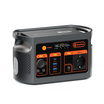
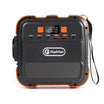
The current E200 Europe page and exact record support 151Wh nominal capacity, 200W continuous modified-sine AC, 400W peak AC and USB-A outputs. They do not establish a direct USB-C laptop route. For the split design, the accessory maker must accept the regional E200 AC supply and modified-sine waveform, and both running and startup demand must remain within documented limits.
4. Compare the one-box candidates
| Station | Direct laptop candidate path | AC path | Carry fact | Important boundary |
|---|---|---|---|---|
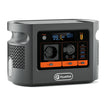
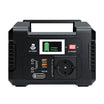
| E103 | One USB-C PD output up to 60W | 300W continuous pure sine; 600W surge | About 3.0kg | 179.2Wh is nominal; laptop profiles and simultaneous-use rules still matter |
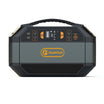
| E106B | USB-C1 up to 100W; USB-C2 up to 30W | 600W continuous pure sine; peak unknown | About 5.2kg | Higher port ceilings do not approve the devices or prove every maximum at once |
Check the current E103 Europe product page against the exact laptop and accessory labels.
5. Put USB-C negotiation in the decision
The USB-IF overview of USB Power Delivery explains that a powered device requests supported power. The source, cable and laptop must all support the needed path. A 60W or 100W source label is a ceiling, not the laptop's automatic draw, and a cable that charges a phone may not support a higher-power laptop profile.
6. Score the failure that matters
| Failure | Split-path consequence | One-box consequence |
|---|---|---|
| Laptop power source is empty | AC accessory may still run; laptop path stops | Laptop may use the station if energy remains |
| Small station or one station is unavailable | AC accessory stops; laptop bank may remain | Both paths may stop |
| One cable is forgotten | Only its path may stop, but there are more cables to track | A shared critical cable can stop the relevant port |
| Only one recharge socket is available | Two batteries may compete for the window | One charging plan is simpler but restores one shared reserve |
7. Count the full carry set
Write down the station, power bank, laptop, accessory, every cable, both charging adapters and protective cases. The known station masses are about 1.85kg for E200, 3.0kg for E103 and 5.2kg for E106B. The split total cannot be completed until the exact power bank and its charger are selected. Rehearse stairs, public transport and the working layout with the real packed set.
8. Build an energy worksheet without inventing hours
| Load | Measured energy per task | Number of tasks | Path |
|---|---|---|---|
| Laptop | User measurement in Wh | User input | Power bank, E103 USB-C or E106B USB-C |
| AC accessory | User measurement in Wh plus startup observation | User input | E200, E103 AC or E106B AC |
| Recovery reserve | Measured charger input and time window | User input | Keep each battery separate |
Nominal capacity helps compare storage labels, but it is not usable energy or work time.
9. Use a decision rule
- Choose split only if: the exact power bank and laptop profiles match, the AC accessory accepts E200's output, the extra pieces and recharge plan are acceptable, and separating failures is valuable.
- Choose one E103 only if: the laptop accepts its USB-C path, the accessory fits its AC path including startup, and the smaller nominal reserve is supported by your measurements.
- Choose one E106B only if: the devices need its higher documented ceilings or nominal reserve, and the greater mass and single-box dependency fit the workflow.
Common mistakes
- Inventing a generic 100W power bank instead of naming a model.
- Using connector shape as USB-C profile approval.
- Treating E200 as a documented direct USB-C laptop source.
- Ignoring waveform and startup demand for the AC accessory.
- Calling two batteries resilient without defining the failure case.
- Comparing nominal Wh as fixed runtime or total usable energy.
FAQ
Is the split setup automatically more resilient?
No. It separates the laptop and AC accessory, but it also adds another battery, charger, cable, state-of-charge check and possible forgotten item. Resilience depends on the exact failure that matters.
Can E200 serve as the laptop power bank?
Not through a documented direct USB-C route; its exact record lists USB-A outputs. Its AC output is a separate modified-sine path that still needs charger approval.
Does E103's 60W USB-C output fit every 60W laptop?
No. The laptop's accepted USB-C profiles, cable and task demand must match the offered path. Equal headline watts do not complete that check.
Is E106B always the better one-box choice?
No. It has higher documented USB-C and AC ceilings and more nominal energy, but the decision also includes exact device inputs, carry weight, workflow and fallback needs.
Can nominal Wh values predict work hours?
No. The setup still needs measured device energy, conversion losses, usable energy, battery condition and operating conditions.
Decision and next step
Do not buy the architecture first and search for compatible devices later. Complete the label, cable, startup, carry and failure worksheet, then choose the smallest setup whose paths are all supported. Review the current E106B option for the higher-power path only if the exact devices need those documented ceilings.
Sources and further reading
- FlashFish Europe E103
- FlashFish Europe E200
- FlashFish Europe E106B
- USB-IF USB Power Delivery overview
Sources checked 5 November 2026. Recheck the exact regional station variants, laptop, power bank, accessory and cables before buying or connecting.



Laisser un commentaire
Ce site est protégé par hCaptcha, et la Politique de confidentialité et les Conditions de service de hCaptcha s’appliquent.