


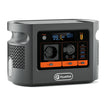
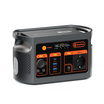



Short answer: build a portable photo-scanning desk as four separate systems: scanner power, laptop power, USB data and file storage. E106B can be considered only after every powered device is identified and the combined demand fits the documented 600W continuous AC limit. The station does not carry the scanner's data path and does not prove that copied files are complete.
Separate the four paths before choosing a layout
| Path | Record before the session | What E106B does not establish |
|---|---|---|
| Scanner power | Exact scanner and adapter; input voltage, current or watts; plug; startup behaviour | Universal scanner compatibility or startup demand |
| Laptop power | Exact laptop and approved charger or accepted USB-C profiles; cable record | That a 100W-labelled USB-C port fits every laptop |
| Scanner data | Scanner-to-laptop interface, driver, software and destination folder | A data link through the power station |
| File storage | Primary destination, naming rule, expected count, sample check and second copy | File integrity, backup completion or archival quality |
Check the current E106B Europe details while filling in the equipment sheet. The product page supplies current model context; it is not a result for your scanner or laptop.
Start with the material and the file destination
The Library of Congress digitisation guidance begins with purpose, users, presentation, handling impact, storage and access. Translate those questions into a small job brief: what is being scanned, who needs the files, where the master and access copies will live, and how fragile originals will be handled.
- Keep originals in a clean, stable order and assign a batch identifier before scanning.
- Choose a folder and filename pattern before the first capture.
- Decide which file count and sample-opening checks will close each batch.
- Prepare a second destination before originals leave the desk.
Build an exact equipment sheet
| Item | Evidence to copy | Planned connection | Stop rule |
|---|---|---|---|
| Scanner and adapter | Model, regional adapter input/output and condition | AC only when the exact adapter is suitable | No label, damage, unusual heat or unstable operation |
| Laptop | Model, charger rating or accepted USB-C profiles | Approved AC charger or verified USB-C path | Unsupported-charger message or repeated disconnect |
| External storage | Model, interface, format, free space and its own power need | Laptop data port; separate power if required | Mount, copy, verification or eject error |
| E106B | 384Wh nominal capacity; 600W continuous pure-sine AC; USB-C1 up to 100W; USB-C2 up to 30W | Only the paths supported by exact device evidence | Station warning or a total demand that is not defensibly bounded |
Run one supervised rehearsal
- Inspect first. The UK HSE advises checking that electrical work equipment is suitable, in good condition and suitable for the supply. Remove damaged or unknown adapters and cables.
- Place the station and cables. Keep ventilation clear, keep drinks and loose originals away from connectors, and route cables so a person cannot pull the scanner or storage device from the desk.
- Power one device at a time. Start the station, then the laptop and scanner according to their instructions. Watch for warnings or unstable connections before adding storage.
- Confirm the data path separately. Open the scanner software, select the intended folder and run a non-critical test item.
- Close a small batch. Compare expected and saved file counts, open a defined sample, check the destination and copy the batch to the second location.
- Record the exact combination. Note models, adapters, cables, file path, batch count, warnings and battery indication. A changed component is a new rehearsal.
Estimate time without inventing a fixed runtime
Adapter labels show possible maxima, not the real average draw of a scanning session. Measure the final combination over a representative cycle that includes preview, scan, processing, saving and idle periods. Then use a planning equation:
estimated hours = 384Wh × assumed conversion efficiency × (1 − reserve fraction) ÷ measured average system watts
Efficiency, reserve, scanner duty cycle, laptop workload, storage activity, temperature and battery condition are inputs. The result is a planning estimate, not a completed-session claim.
Common mistakes
- Treating USB as one path. A USB cable may carry data, power or both depending on the exact equipment. Draw the scanner-to-laptop data path explicitly.
- Using only headline watts. Record every adapter and the simultaneous combination; leave margin rather than planning at a limit.
- Calling one saved file a backup. A file on one destination remains one copy.
- Skipping verification until the end. Close small batches so a cable, storage or folder mistake affects fewer originals.
- Moving fragile items through an improvised setup. Material handling and temporary supports need their own assessment.
Frequently asked questions
Can E106B run any flatbed photo scanner?
No universal result is established. Check the exact scanner and adapter, include the laptop and storage loads, and rehearse the complete chain.
Does the E106B USB-C port carry scanner data?
The product record describes output power, not a scanner data connection. Keep scanner-to-laptop data cabling separate unless exact documentation says otherwise.
How do I estimate session runtime?
Measure average demand for the final combination and apply explicit efficiency and reserve assumptions to the 384Wh nominal capacity.
What is a practical file check?
Compare expected and copied counts, open a defined sample, confirm the destination and make a second copy before moving originals.
What should stop the session?
Stop for damaged cables, unstable power, repeated disconnects, storage errors, unusual heat or any device warning.
Decide from the rehearsal, not the connector count
A defensible portable desk has one documented power route for every powered device, a separate scanner data path, a tested destination and a repeatable batch-closing check. If any exact adapter, cable, storage or handling requirement is missing, keep that part of the setup unresolved.
Compare current FlashFish Europe power stations only after the equipment and file workflow are written down.
Sources and evidence limits
- FlashFish Europe E106B page and the authoritative exact-model record — bounded model facts and current sales route.
- Library of Congress preservation guidelines for digitising materials — project, handling, storage and access questions.
- HSE guidance for electrically powered work equipment — equipment and supply checks.
Evidence checked 27 October 2026. No hands-on scan, electrical assessment, colour-management review, archival review, file-integrity test or named technical review was performed.



Laisser un commentaire
Ce site est protégé par hCaptcha, et la Politique de confidentialité et les Conditions de service de hCaptcha s’appliquent.